
How to Delete TikTok Reposts in 2026
To delete one repost: open the reposted video, tap Share, then Remove Repost — on any device. To delete all of them: use ClearTok's free bulk cleanup on iPhone, Android, Chrome, or Edge. This guide covers both, step by step with screenshots, plus how to count your reposts and fix common problems.
60-Second Answer
Delete every TikTok repost in three steps
- 1
Install ClearTok on any device
On desktop, add the free ClearTok extension to Chrome or Edge. On phone or tablet, install the ClearTok app from the App Store (iPhone, iPad) or Google Play (Android). Each version runs locally and never sees your password.
- 2
Open your TikTok Reposts (desktop) or connect your TikTok account (mobile)
On desktop, sign into TikTok.com as normal and go to Profile → Reposts (the ↻ tab) — the ClearTok extension reads what is already visible to you. On mobile, open the ClearTok app and tap Connect TikTok Account: a built-in webview signs you into TikTok inside the app.
- 3
Click Start and let ClearTok bulk-delete
ClearTok removes every repost one by one with human-like pacing — fully automated on Chrome, Edge, iPhone, iPad, and Android. Pause anytime; export a log of what was removed.
Step-by-step on every platform
For a single repost, TikTok's own button is enough: Share → Remove Repost. The guides below are for clearing your repost history in bulk — pick your device.
Delete TikTok reposts on iPhone
The free ClearTok app for iPhone and iPad scans your repost history and removes the reposts you select — no desktop needed.
- 1
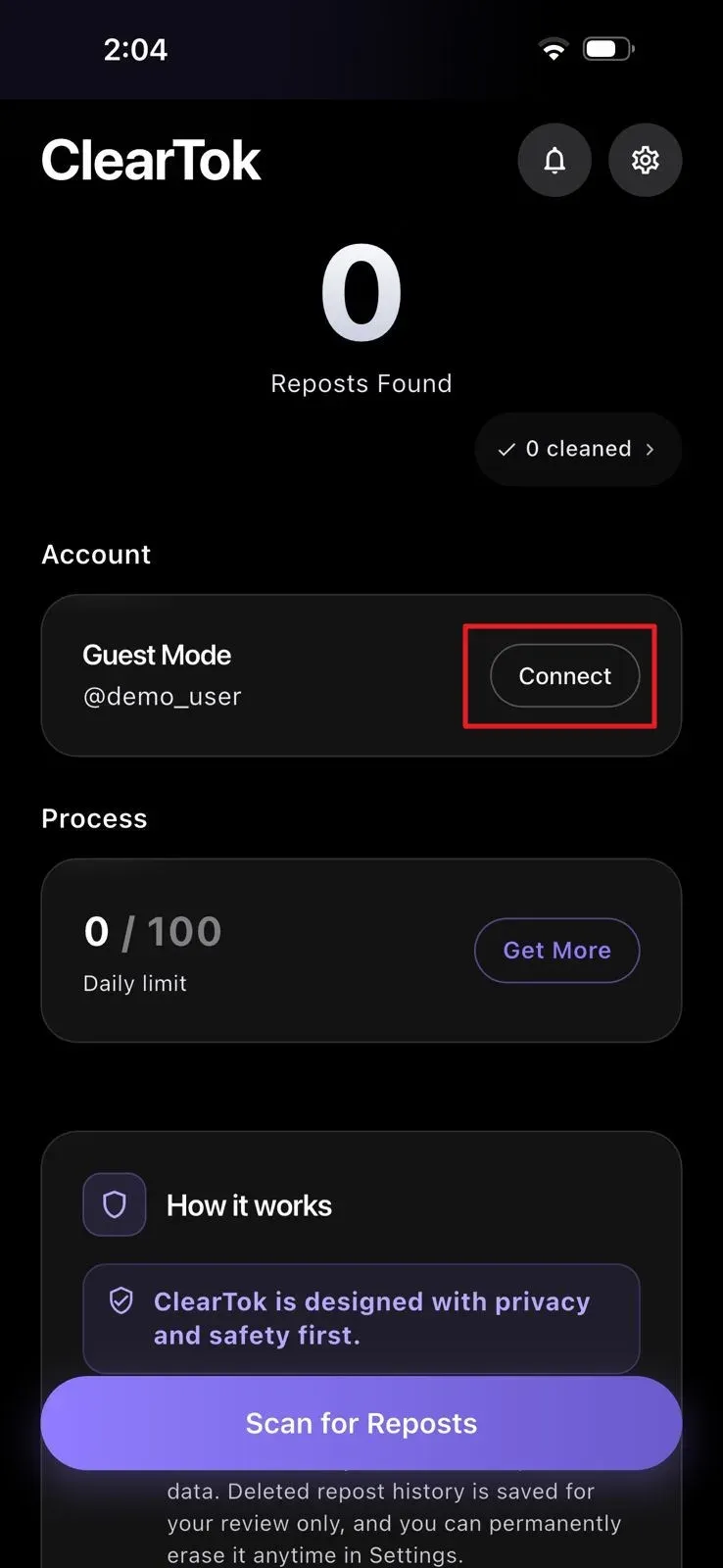
Open ClearTok and tap Connect
Launch ClearTok on your iPhone and check the account section. Tap Connect to start linking your TikTok account.
- 2
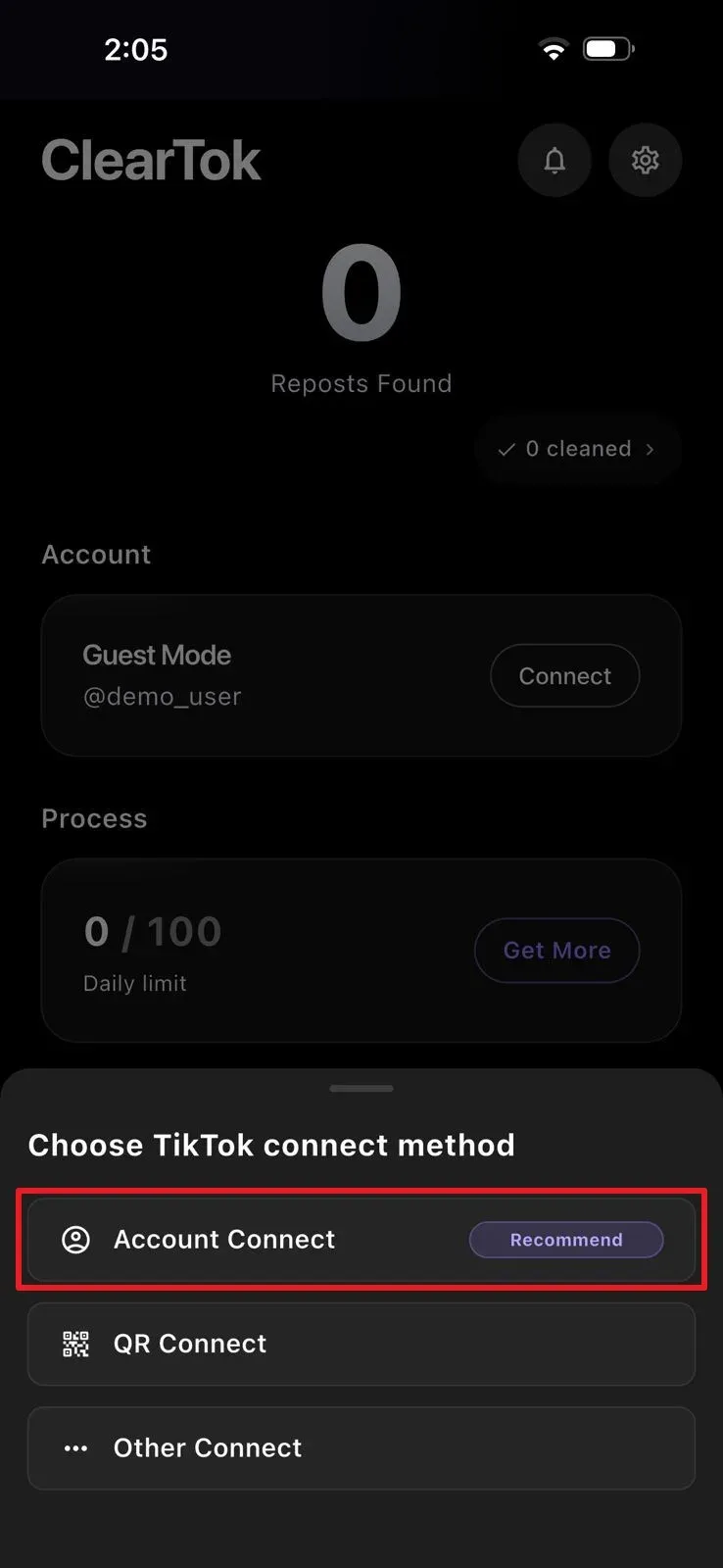
Choose the Account Connect method
A connection panel appears with the available options. Select Account Connect — the recommended method.
- 3
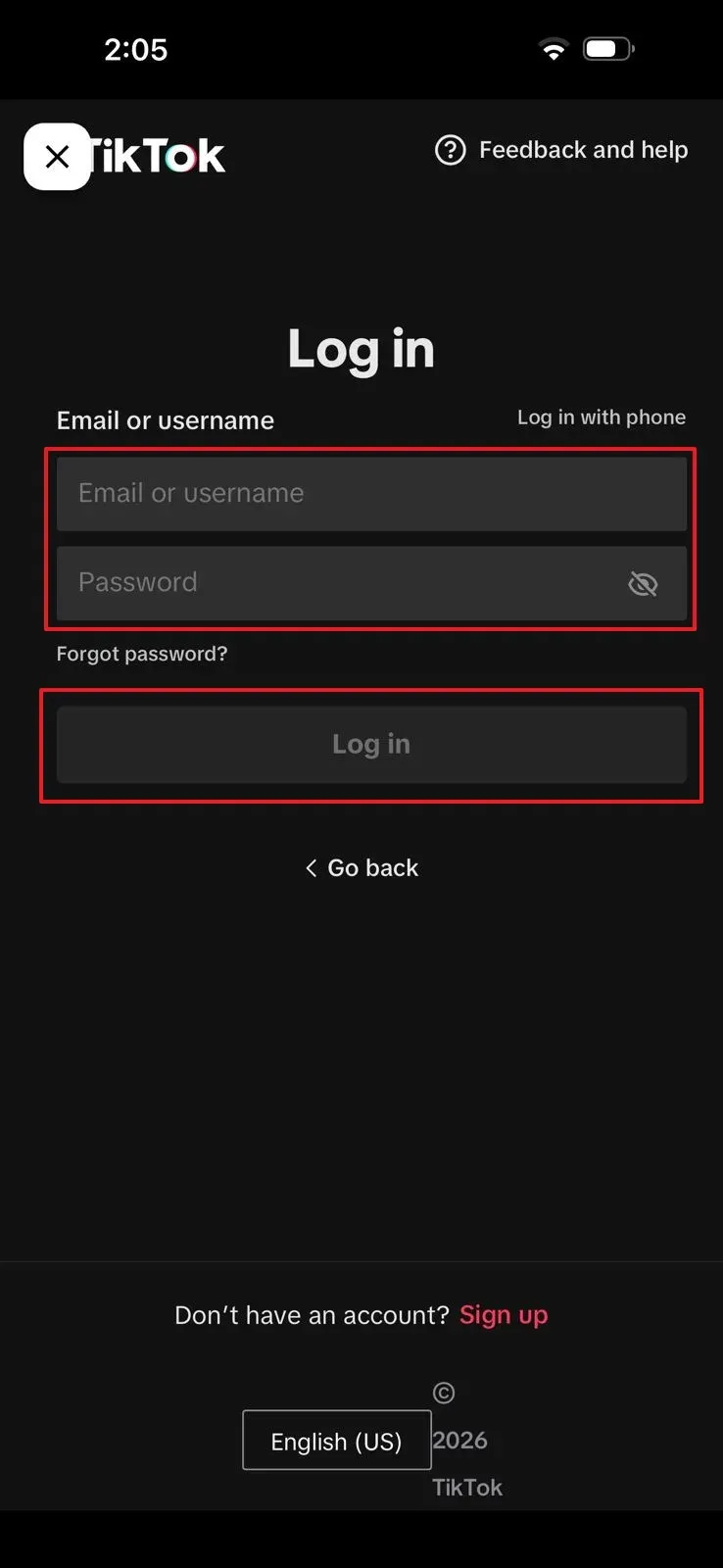
Sign in on TikTok's own login screen
TikTok's sign-in screen opens inside the app. Log in with your usual method — the login happens on TikTok itself, and ClearTok never stores your credentials.
- 4
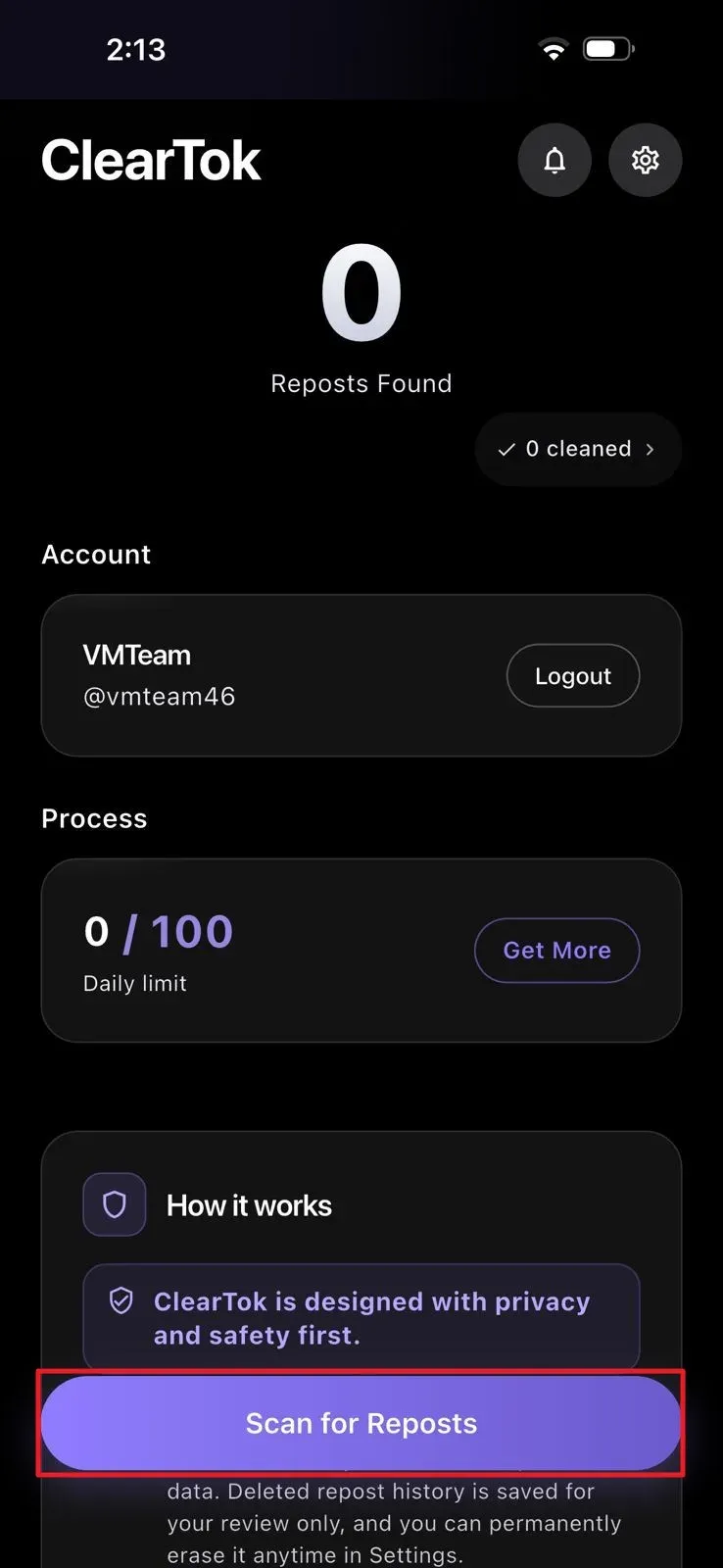
Scan for reposts
Once your account appears in ClearTok, tap Scan for Reposts and wait while the app checks your repost history.
- 5
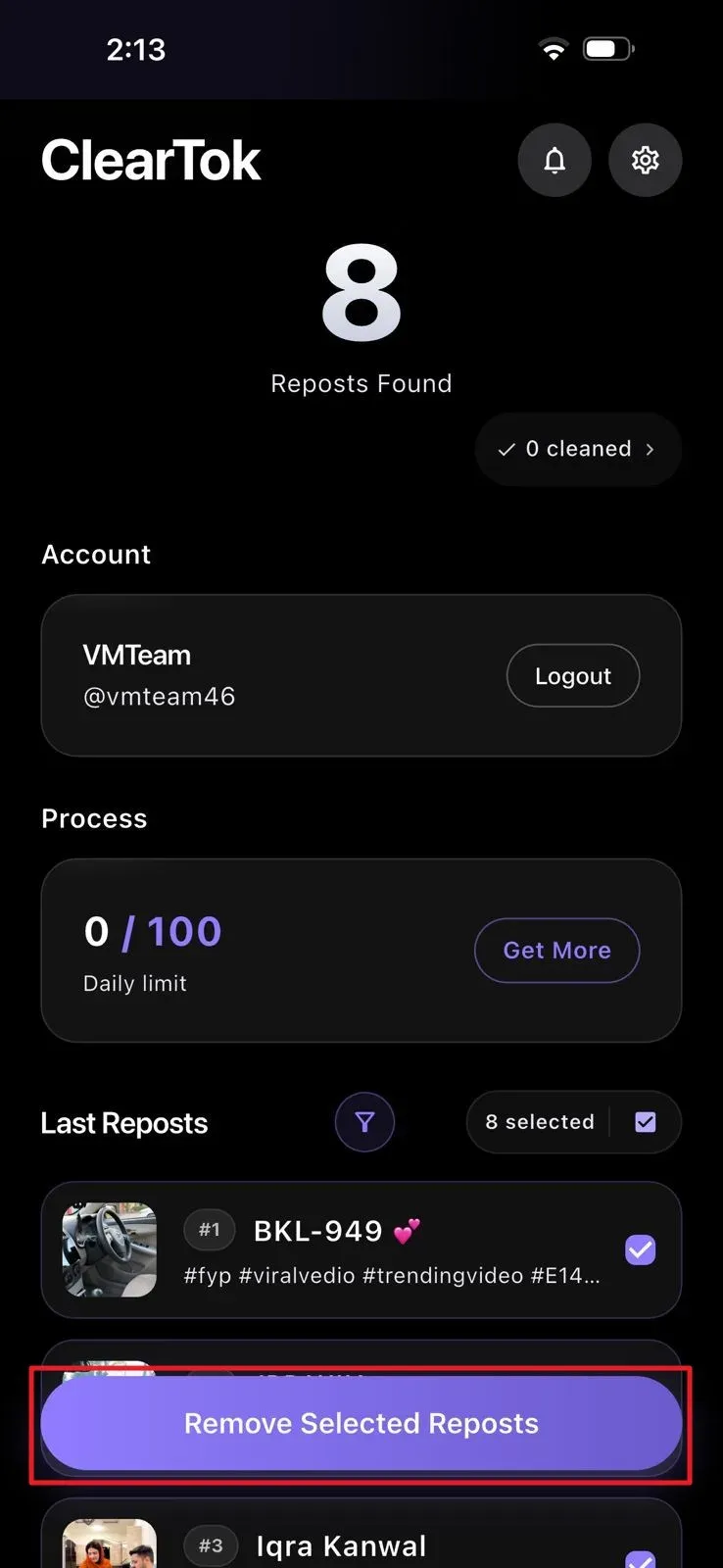
Remove the selected reposts
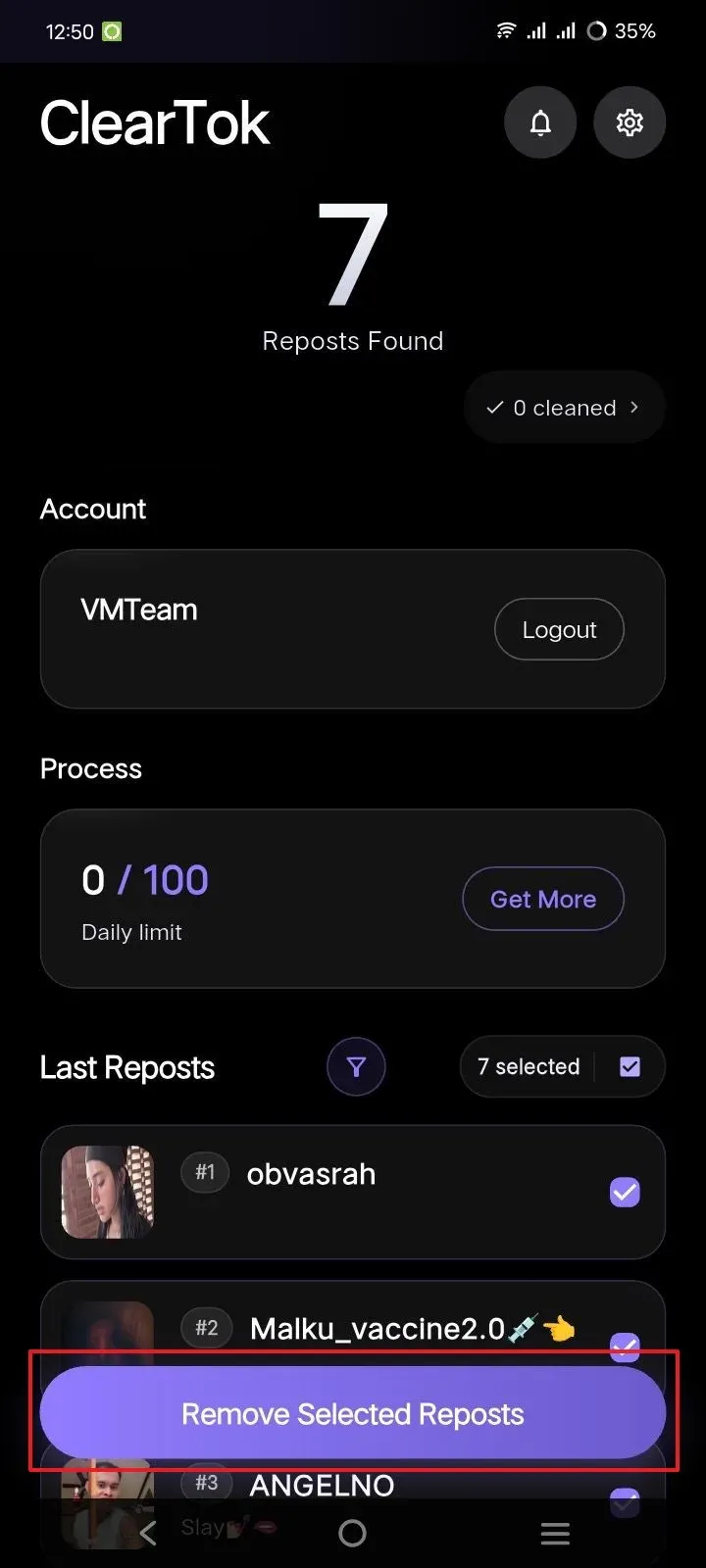
Review the repost list, keep the videos you want removed selected, then press Remove Selected Reposts.
Delete TikTok reposts on Android
The Android app follows the same local, no-password flow: connect, scan, and clear the reposts you pick.
- 1
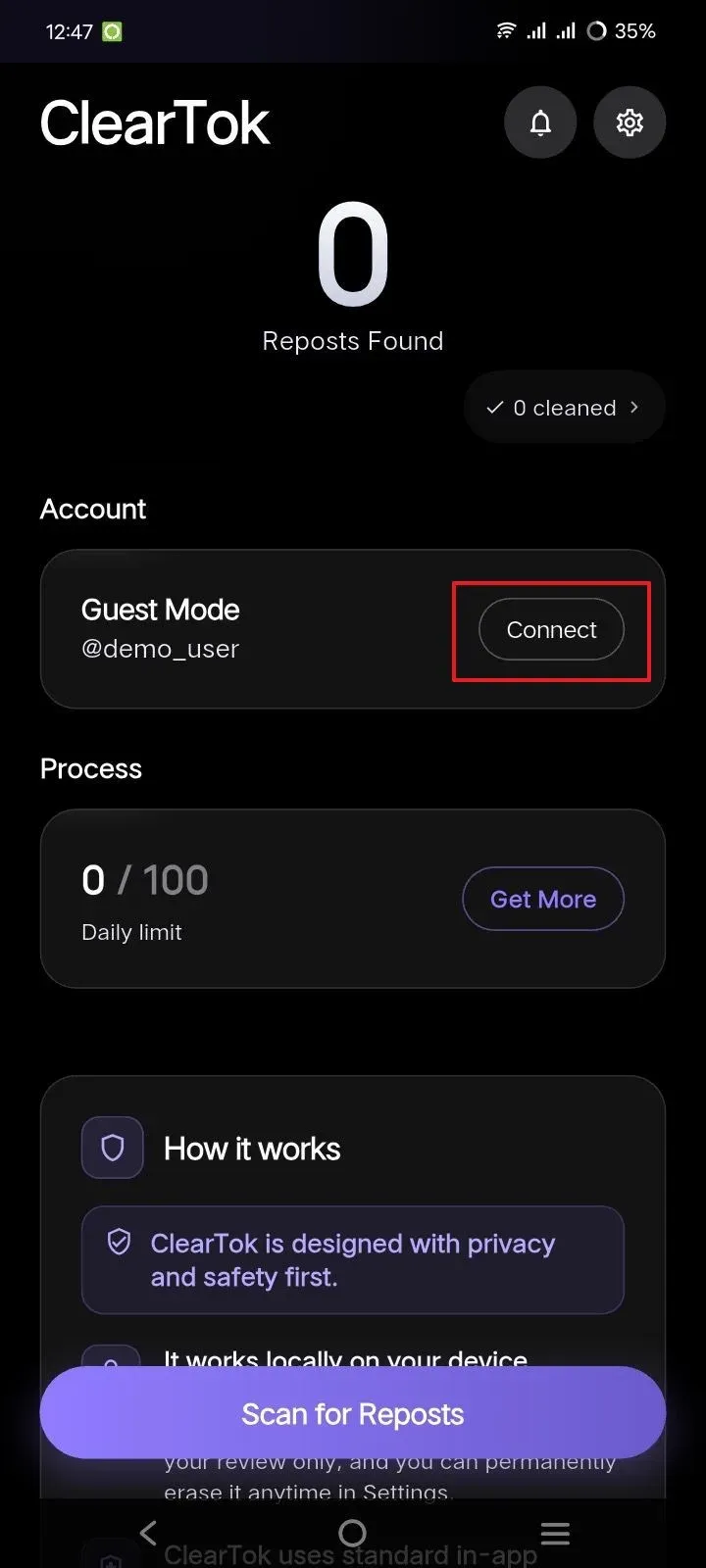
Connect your TikTok account
Open ClearTok and press Connect beside Guest Mode in the account panel to start linking your account.
- 2
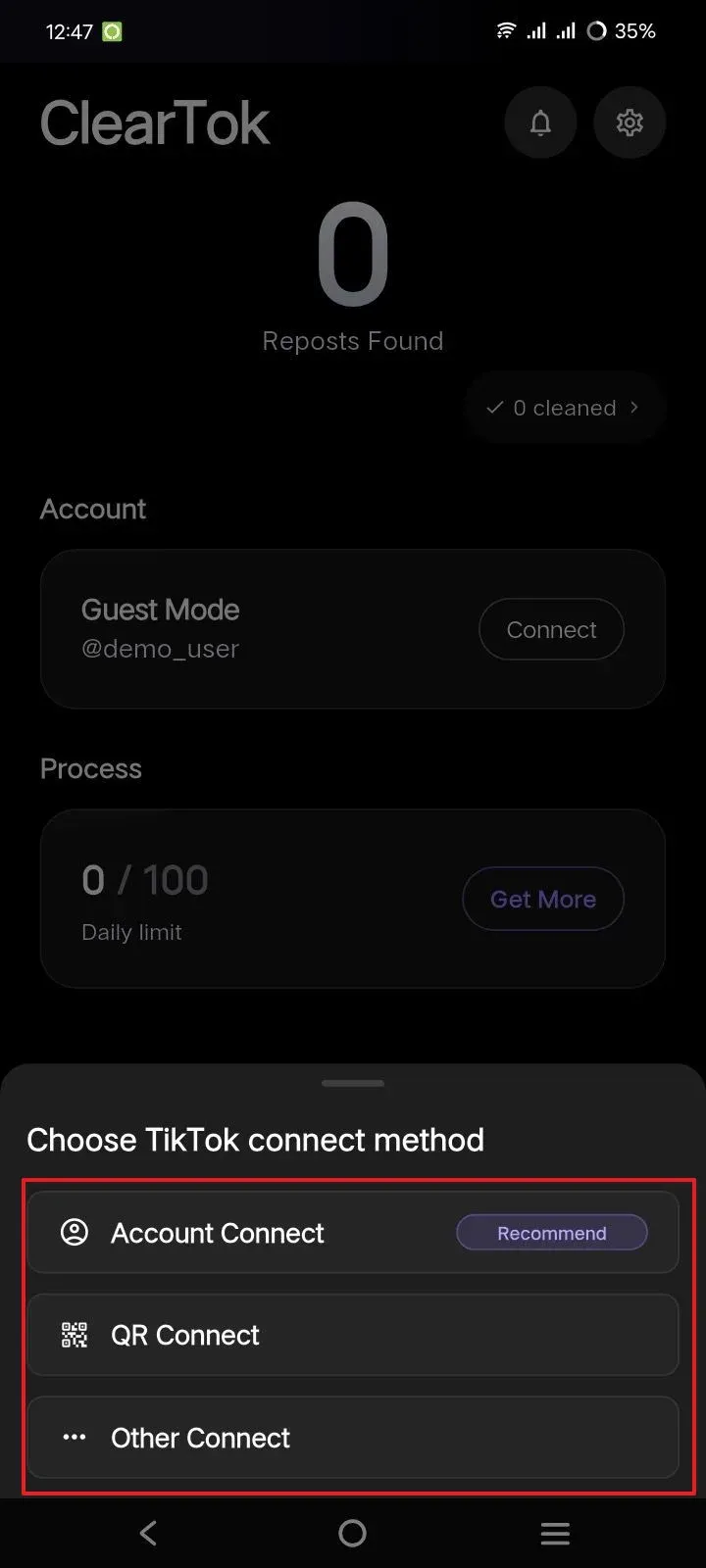
Choose how to link TikTok
ClearTok shows a bottom sheet with the connection options. Select Account Connect for direct login, or pick another available method.
- 3
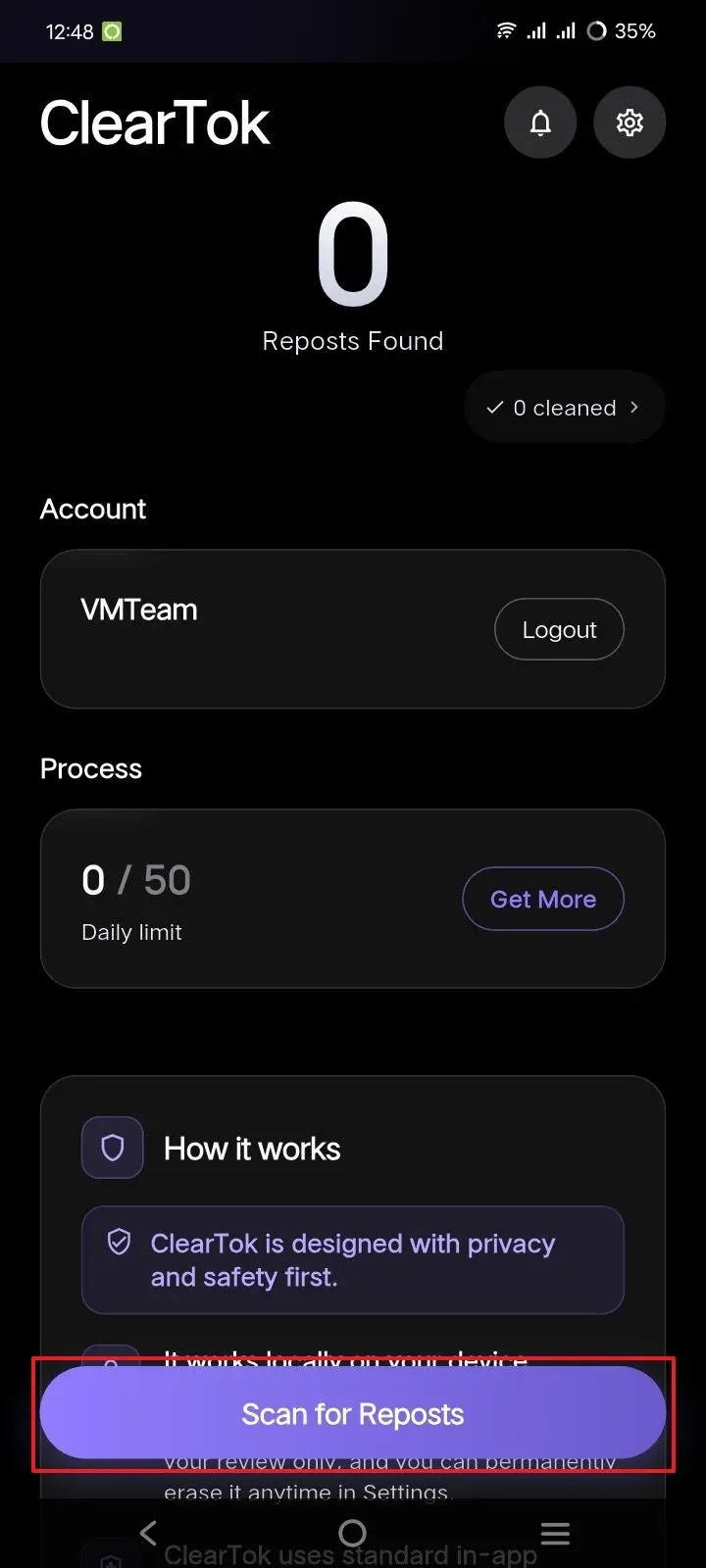
Scan the account for reposts
Back on the ClearTok home screen, press Scan for Reposts and let the app check your repost history.
- 4
Remove the selected reposts
Review the Last Reposts list, keep the unwanted videos selected, then tap Remove Selected Reposts.
Delete TikTok reposts on desktop — Chrome
On desktop, the free ClearTok extension automates TikTok's own Share → Remove Repost click inside your signed-in session.
- 1
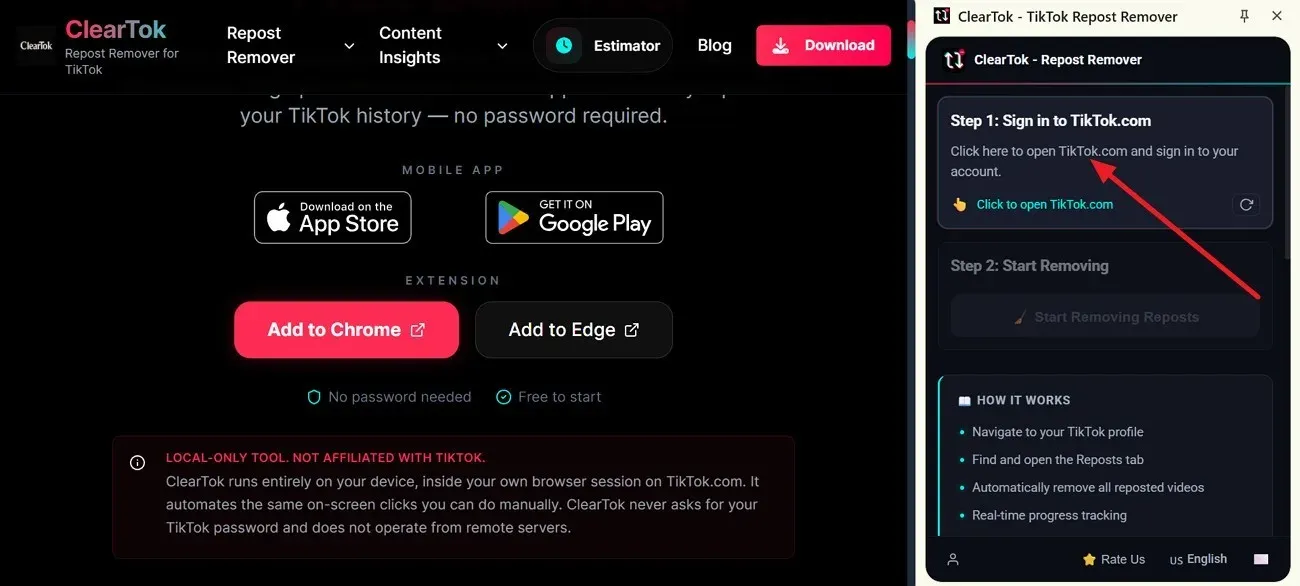
Install ClearTok and open the extension
Visit the ClearTok download page and click Add to Chrome. Once installed, open the extension and choose “Click to Open TikTok.com”.
- 2
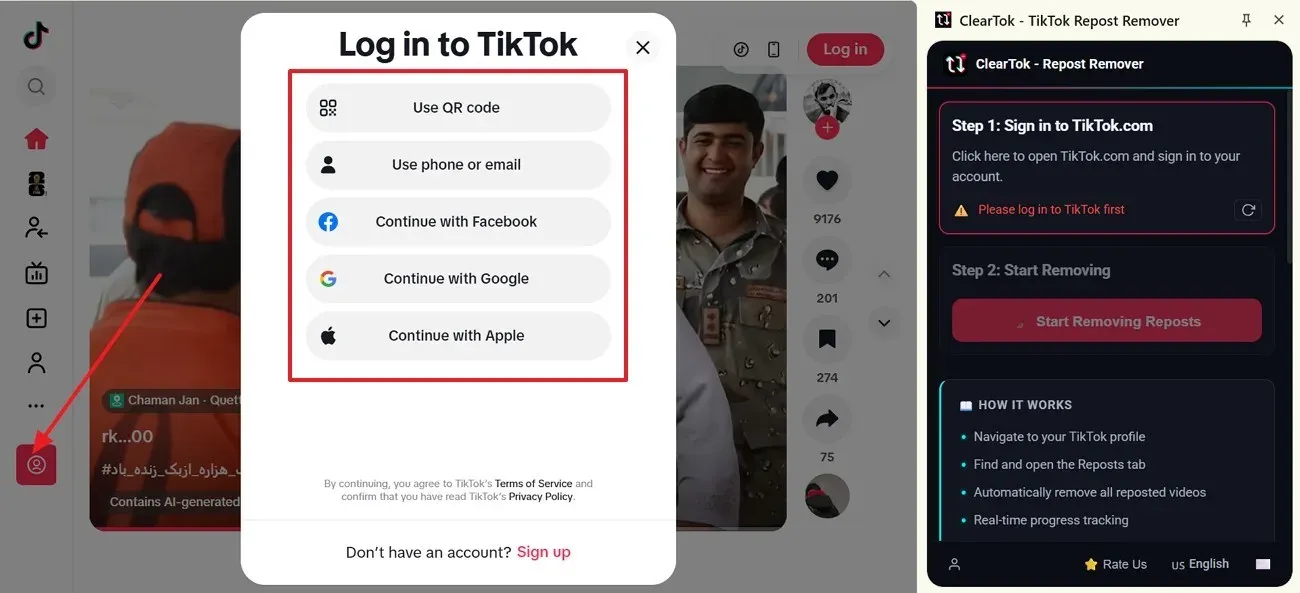
Log in to TikTok on desktop
TikTok opens with its login options — QR code, phone, email, Google, Facebook, or Apple. Complete the login on TikTok itself.
- 3
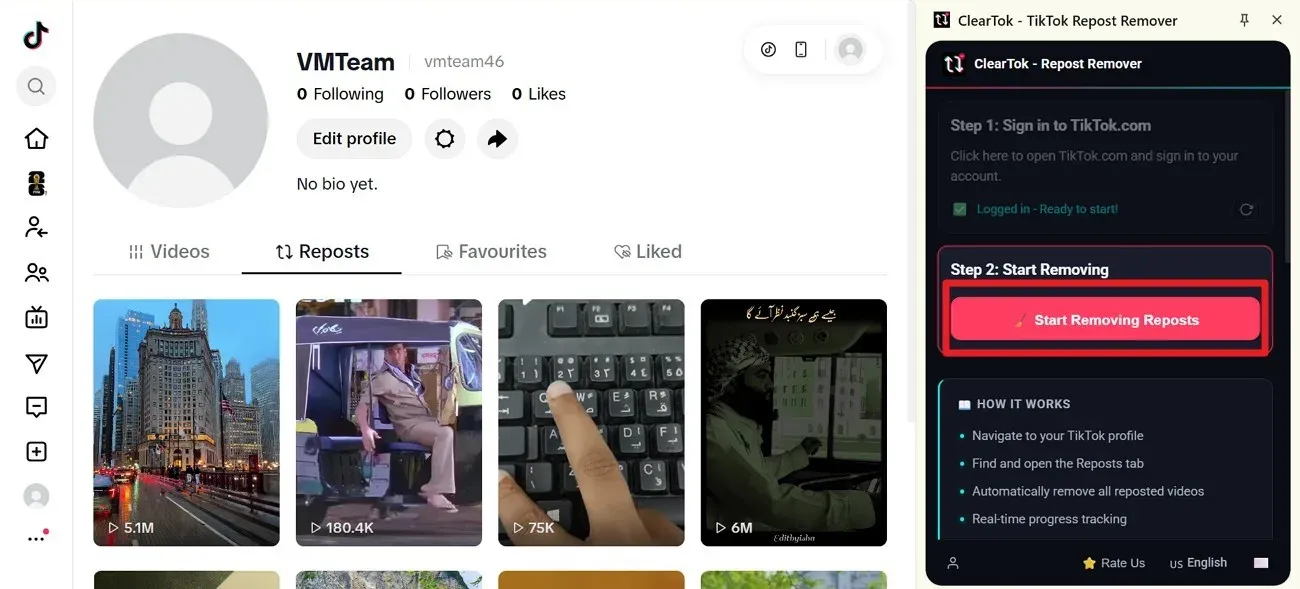
Open your profile and start removing
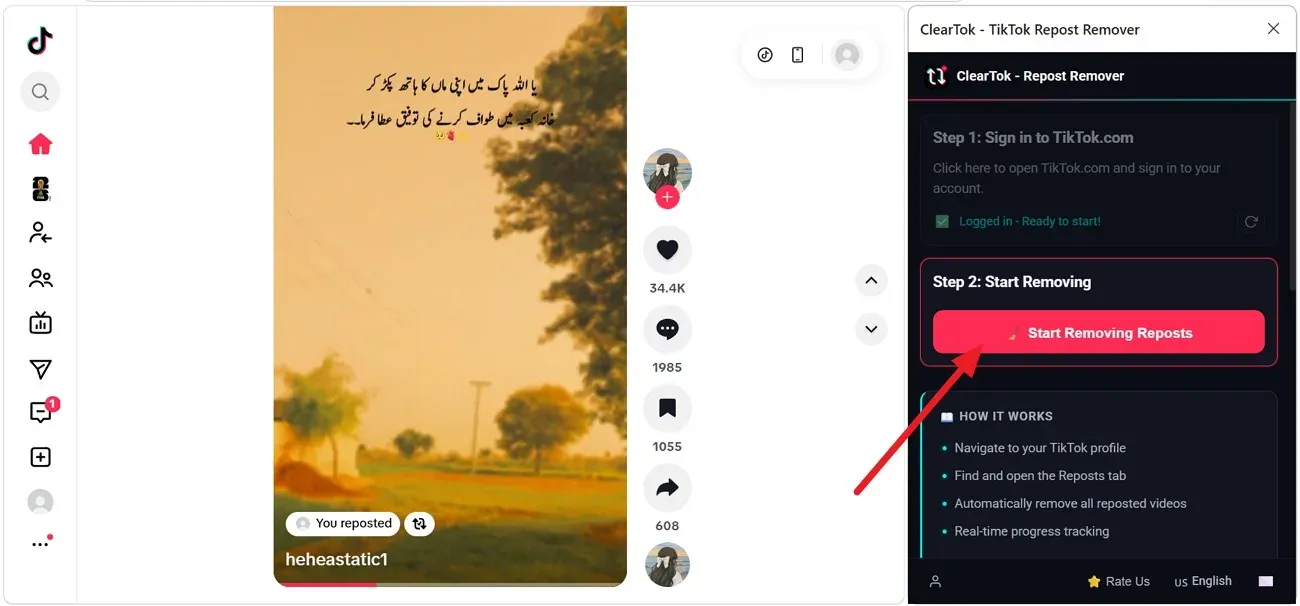
Go to your TikTok profile and click the Reposts (↻) tab. When ClearTok shows “Logged in – Ready to start”, press Start Removing Reposts.
- 4
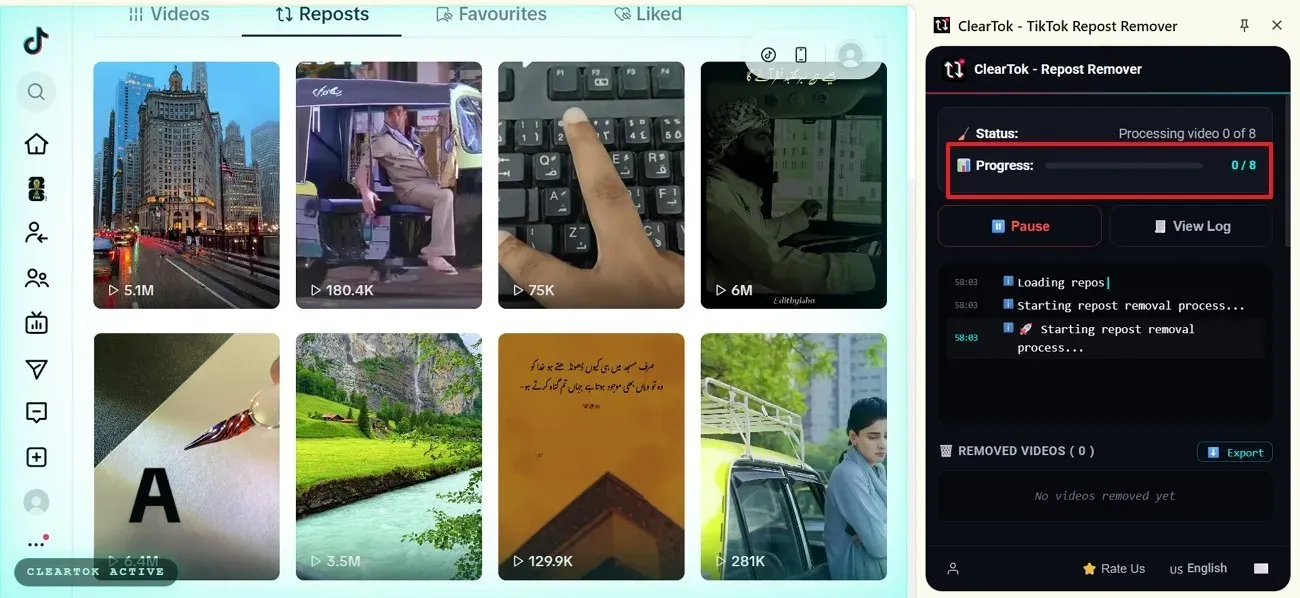
Monitor the removal progress
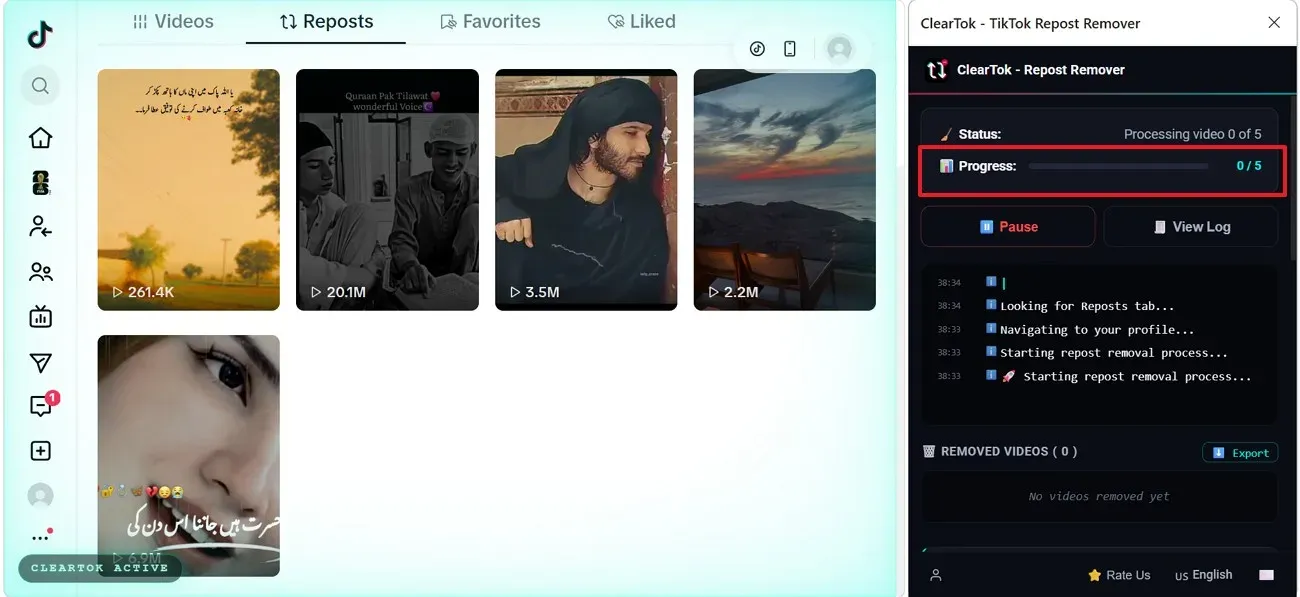
ClearTok removes the reposted videos one by one with safe pacing. Track the progress bar in the extension window.
- 5
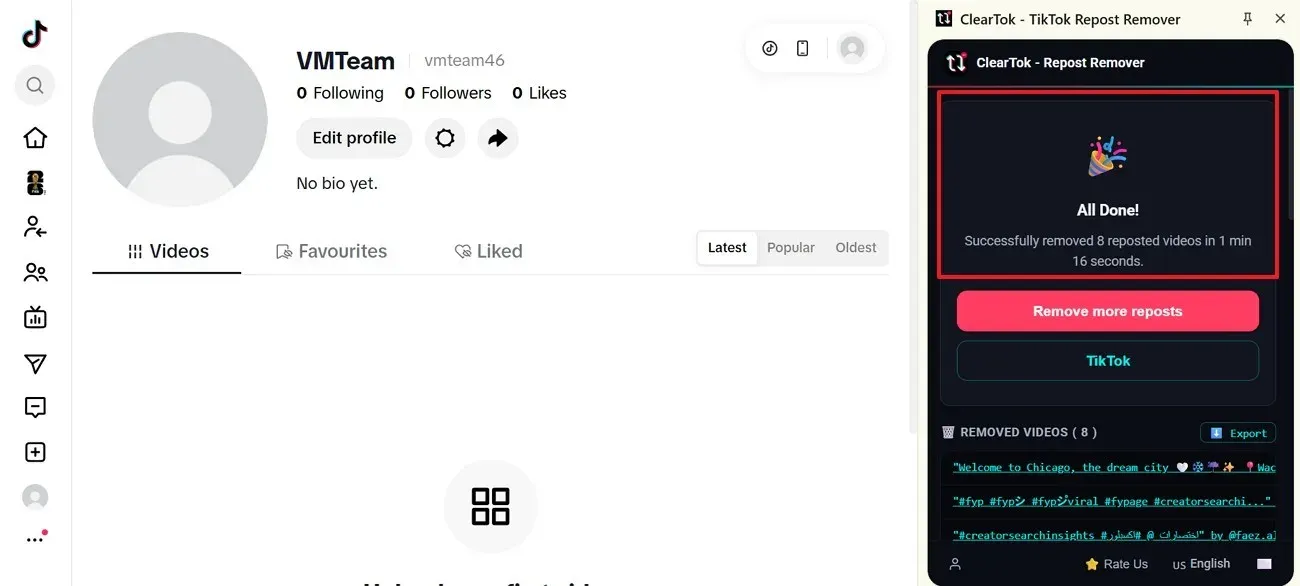
Confirm the All Done message
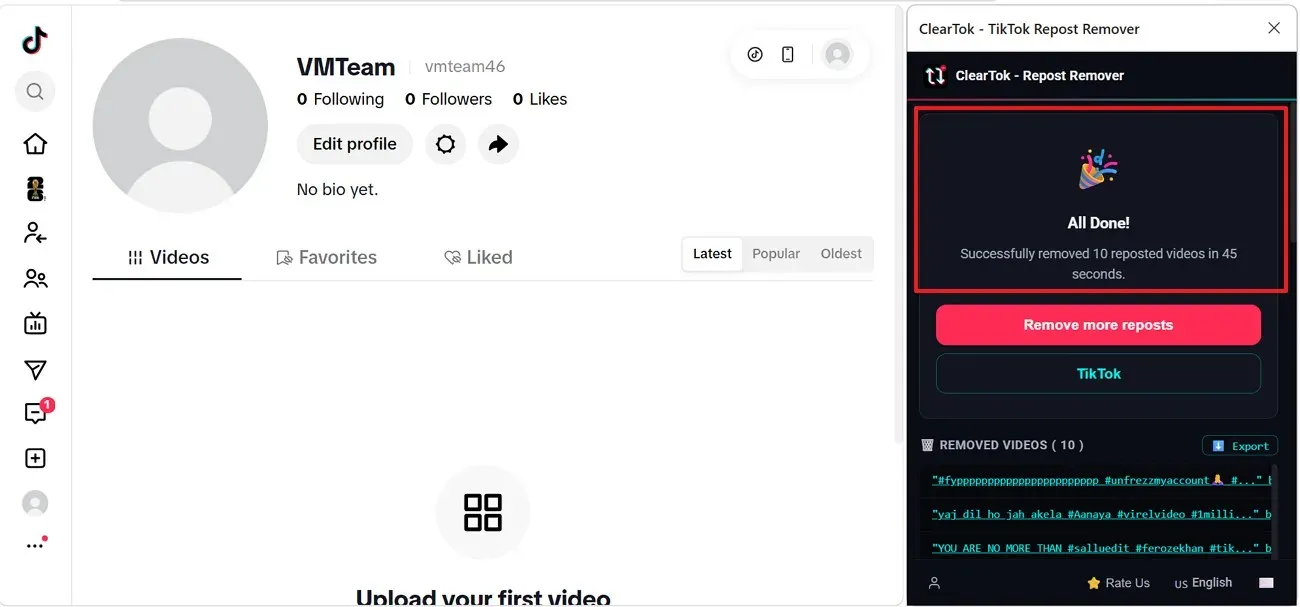
When the run finishes, ClearTok shows “All Done” with the removed repost count. Review the removed list or export the log.
Delete TikTok reposts on desktop — Edge
Microsoft Edge users get the same extension from Edge Add-ons, with an identical cleanup flow.
- 1
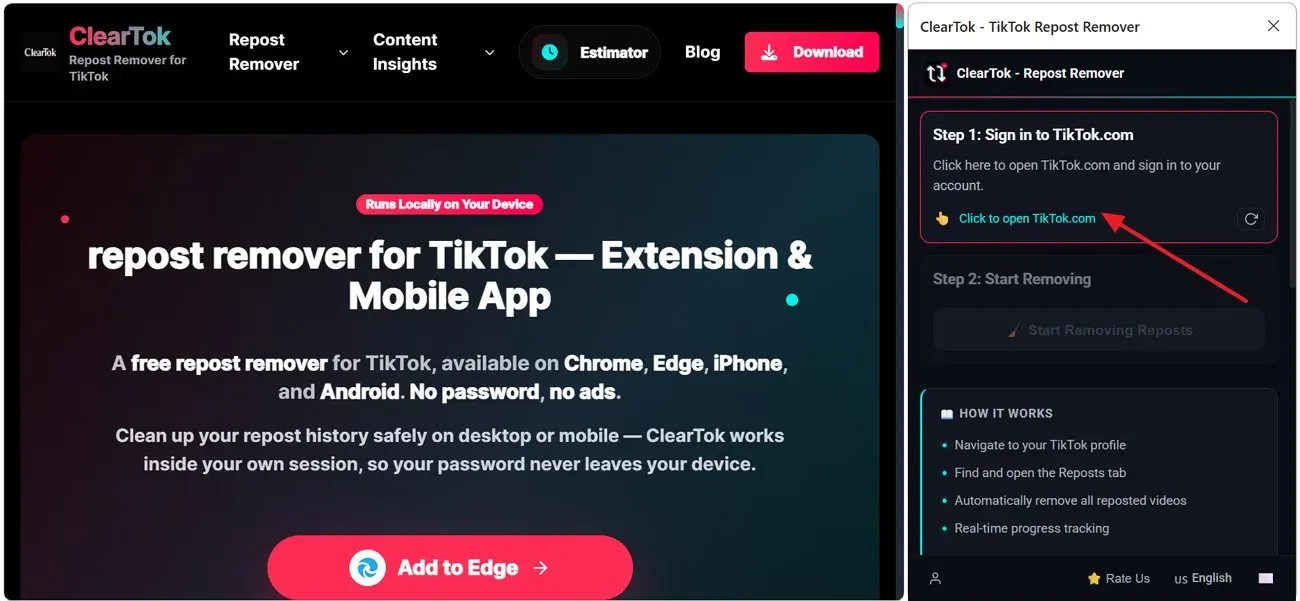
Add ClearTok to Edge and open TikTok
Go to the ClearTok download page in Edge and click Add to Edge. After installing, open the extension panel and press “Click to Open TikTok.com”.
- 2
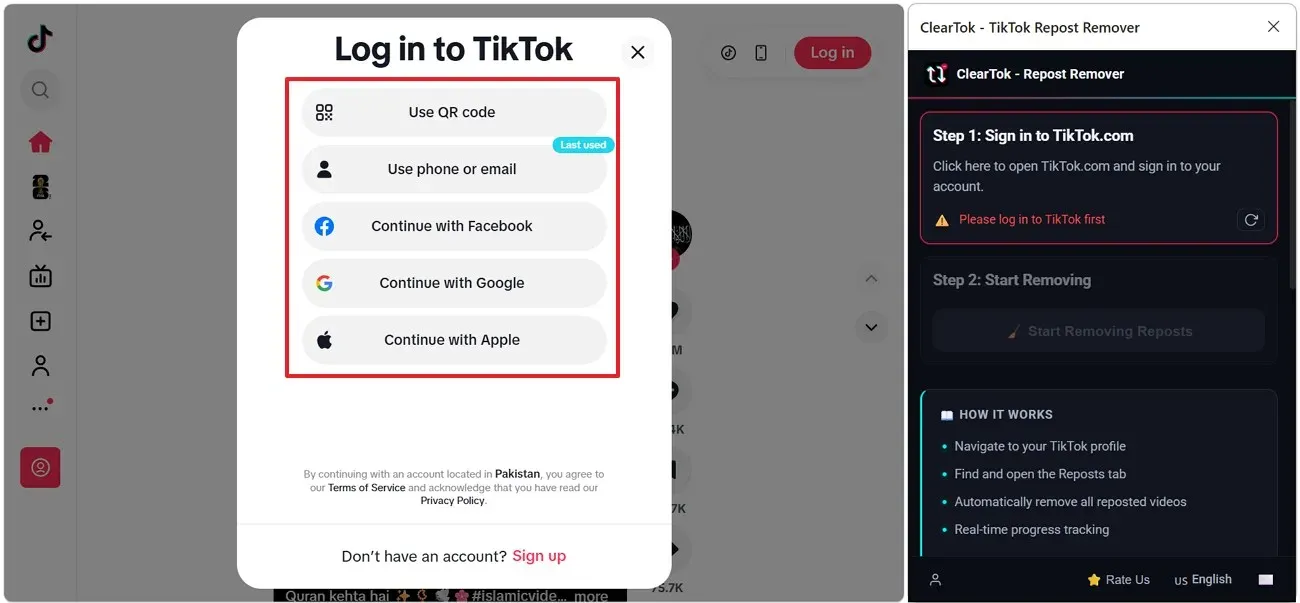
Sign in to your TikTok account
Log in with QR code, phone number, email, or a connected service such as Facebook, Google, or Apple.
- 3
Start removing from the extension
Once ClearTok shows “Logged in – Ready to start”, stay on TikTok and click Start Removing Reposts in the Edge panel.
- 4
Track the removal progress
ClearTok moves to your reposts and begins processing videos. Watch the progress bar update inside the extension.
- 5
Check the final result
When the process ends, ClearTok displays “All Done” with the removed count. Review the list, export the log, or run another cleanup.
Check how many reposts you have first
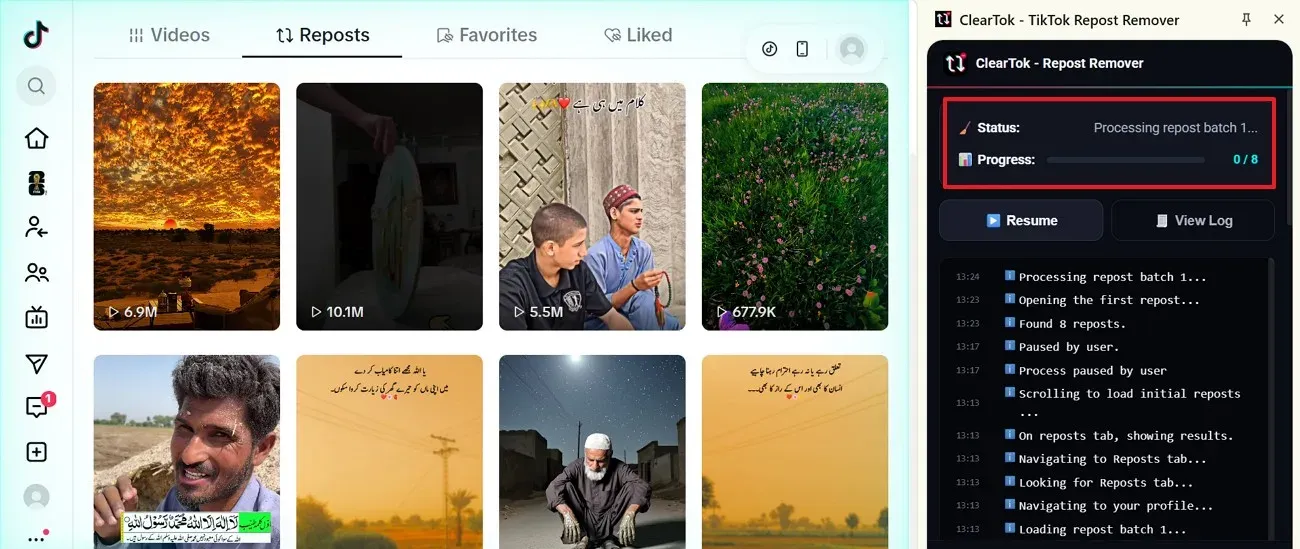
A count makes cleanup easier to plan. Run a ClearTok scan and the dashboard shows your total repost number before anything is removed — so you know exactly how big the job is.
Common repost problems and fixes
Cleanup usually goes smoothly, but TikTok's cache and layout changes can get in the way. Try these fixes before repeating the same steps.
The repost button is missing
TikTok sometimes changes the layout or limits reposting on certain videos. Update TikTok, close the app, and open the video again — or check the same video on another phone or browser.
A repost was not removed
A repost can stay visible after removal because TikTok hasn't refreshed the change yet. Refresh your profile and reopen the video after a short break; only tap repost again if the old repost still looks active.
Reposts keep reappearing
That's usually TikTok showing old cached account data. Clear the TikTok cache, sign out and back in, then run another scan to check the current repost status.
Can't find older reposts
On busy profiles, older reposts load slowly. Scroll gradually through the Reposts tab so more videos load — or let ClearTok scan the full history before removing selected reposts.
Pick the question that matches yours
Delete all TikTok reposts at once
TikTok has no native bulk-delete button as of 2026. ClearTok adds one — available as a free Chrome and Edge extension on desktop, and as a free iOS and Android app on mobile. Each version automates the official Remove Repost click with rate-aware pacing, so a backlog of hundreds clears in minutes on whichever device you prefer.
Delete a single repost
Open the reposted video, tap Share, then tap Remove Repost. The post disappears from your Reposts tab immediately. This works on mobile and desktop.
On iPhone, iPad, or Android
The native TikTok app only removes reposts one at a time via Share → Remove Repost. The free ClearTok mobile app — available on the App Store (iPhone, iPad) and Google Play (Android) — adds true bulk deletion: open the app, tap Connect TikTok Account, sign into TikTok in the built-in webview, then tap Start. The cleanup runs to completion right on your phone. No desktop required.
On desktop (Chrome / Edge)
Install the free ClearTok extension from the Chrome Web Store or Microsoft Edge Add-ons, sign into TikTok.com as normal, open Profile → Reposts (the ↻ tab), then click Start. The extension reads what is already visible to you, clicks Share → Remove Repost for every entry, and pauses automatically if TikTok throttles actions.
See your reposts
Open your TikTok profile and tap the Reposts tab (↻ icon). It lists every video you've reposted in reverse-chronological order, public to anyone visiting your profile.
Check your repost count
TikTok doesn't show a repost total natively. ClearTok's free Repost Counter scans your Reposts tab and reports the exact number, plus a breakdown by week.
Frequently asked
How do I delete all reposts on TikTok?
TikTok has no built-in bulk delete, so use ClearTok. On desktop, install the free Chrome or Edge extension, sign into TikTok.com as normal, open Profile → Reposts (the ↻ tab), then click Start. On phone or tablet, install the ClearTok app from the App Store (iPhone, iPad) or Google Play (Android), tap Connect TikTok Account, sign into TikTok in the built-in webview, then tap Start. Each version automates the official Share → Remove Repost click with safe pacing.
How do I delete a single repost on TikTok?
Open the reposted video, tap Share, then tap Remove Repost. The video disappears from your Reposts tab on every device.
Can I delete all reposts on TikTok at once on mobile?
Yes. The native TikTok app only supports one-by-one removal, but the free ClearTok mobile app — available on the App Store for iPhone and iPad and on Google Play for Android — performs full bulk deletion right on your phone. Open ClearTok, tap Connect TikTok Account, sign into TikTok in the built-in webview, then start the cleanup. You don't need a desktop or computer.
Does ClearTok work on Chrome, Edge, iOS, and Android?
Yes. ClearTok ships on all four — Chrome and Edge extensions on desktop, plus dedicated iOS and Android apps on mobile. Every version is free and supports the same bulk repost removal flow with safe pacing.
Does deleting a repost notify the original creator?
No. Removing a repost is silent — the original creator is not alerted, and your like or comment history on the video is unaffected.
How many reposts can I remove per day?
ClearTok's free plan removes 50–100 reposts per day across all platforms (Chrome, Edge, iOS, Android) to stay safely under TikTok's rate limits. Premium unlocks higher daily limits.
How can I see how many reposts I have?
TikTok doesn't show a total natively. Run a free ClearTok scan — the dashboard reports your exact repost count before any cleanup starts, and the progress log shows how many were detected.
Why did my repost not disappear?
TikTok's cache can delay account updates. Refresh your profile or clear the TikTok app cache, reopen the video, and check again — then re-run a scan if the repost still looks active.