
TikTok Post Insights & Counter
Check total posts, content patterns, and engagement trends for any public TikTok profile.
Free public TikTok post analysis
What is ClearTok Post Insights?
ClearTok Post Insights is a free TikTok post checker for public profiles. Paste any profile URL or @username to see total posts, content keywords, engagement trends, posting rhythm, and recent uploads in one clean view.
- No TikTok password required
- Works with public profile data
- Built for fast profile audits and creator research
- Pairs with ClearTok Repost Insights for full-profile analysis
Total post count
Get the current post total without manually scrolling a profile and trying to count uploads one by one.
Posting rhythm
See whether an account posts steadily or in bursts by reading monthly and yearly publishing patterns.
Engagement trendlines
Compare plays and likes over time to understand which publishing windows actually move.
Content signals and recent examples
Use keyword clustering and the recent posts list to understand topics, language, and current creative direction.
Guided walkthrough
How to use the post insights checker
This page is built to be read in layers: start with the headline total and word cloud, then move into cadence, engagement, and the recent-post feed for context.
Example walkthrough
1. Run a profile check and read the first snapshot
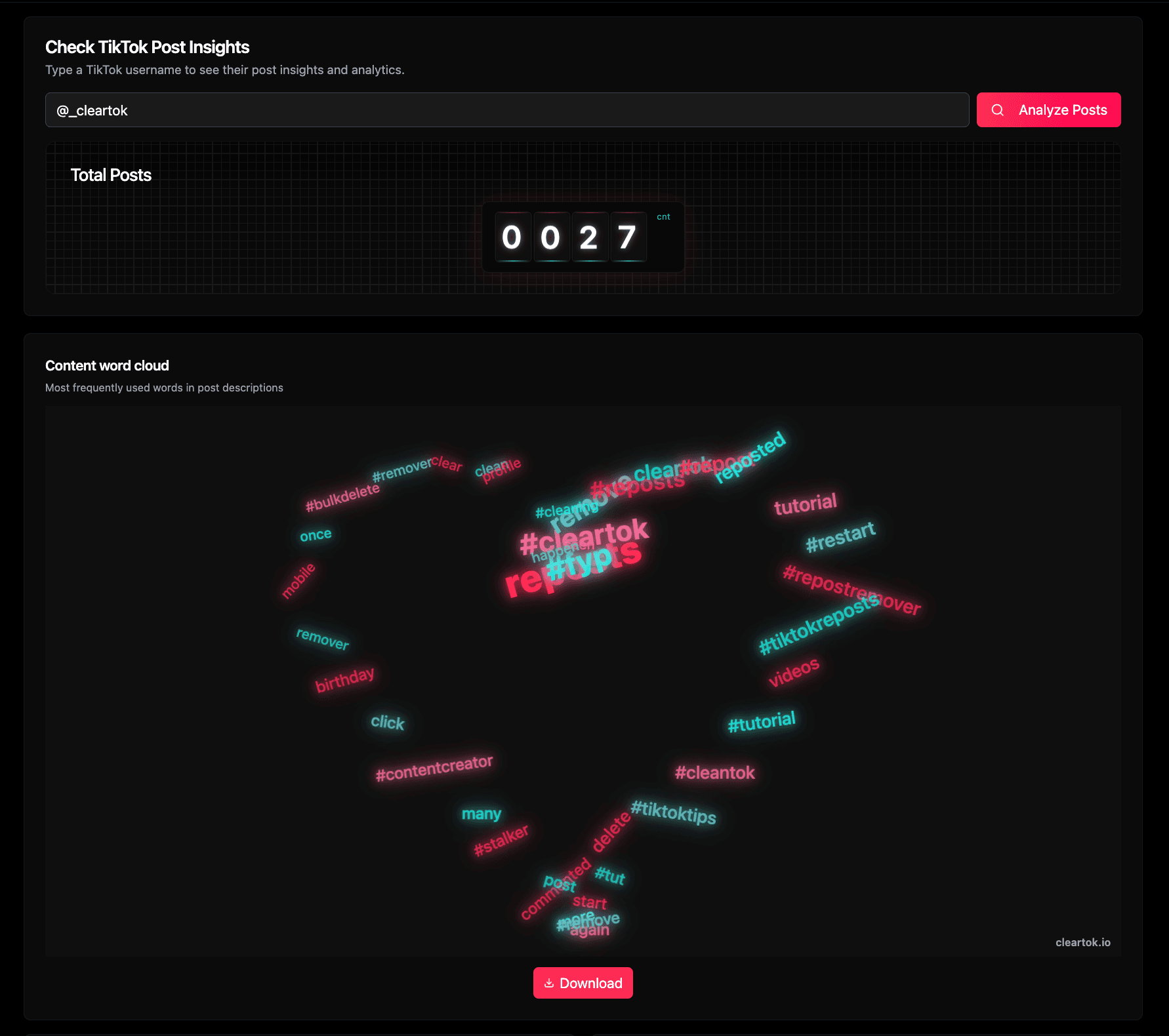
Paste a TikTok profile URL or @username, then click Analyze Posts. The first block gives you the total post count, while the content word cloud quickly shows the themes, phrases, and hashtags that repeat most often across visible captions.
- Use a public handle such as @_cleartok to test the flow.
- The rolling counter shows how many posts are currently visible from that profile.
- The word cloud helps you identify repeated topics, campaign language, and signature tags in seconds.
Example walkthrough
2. Scroll down to read cadence, performance, and recency
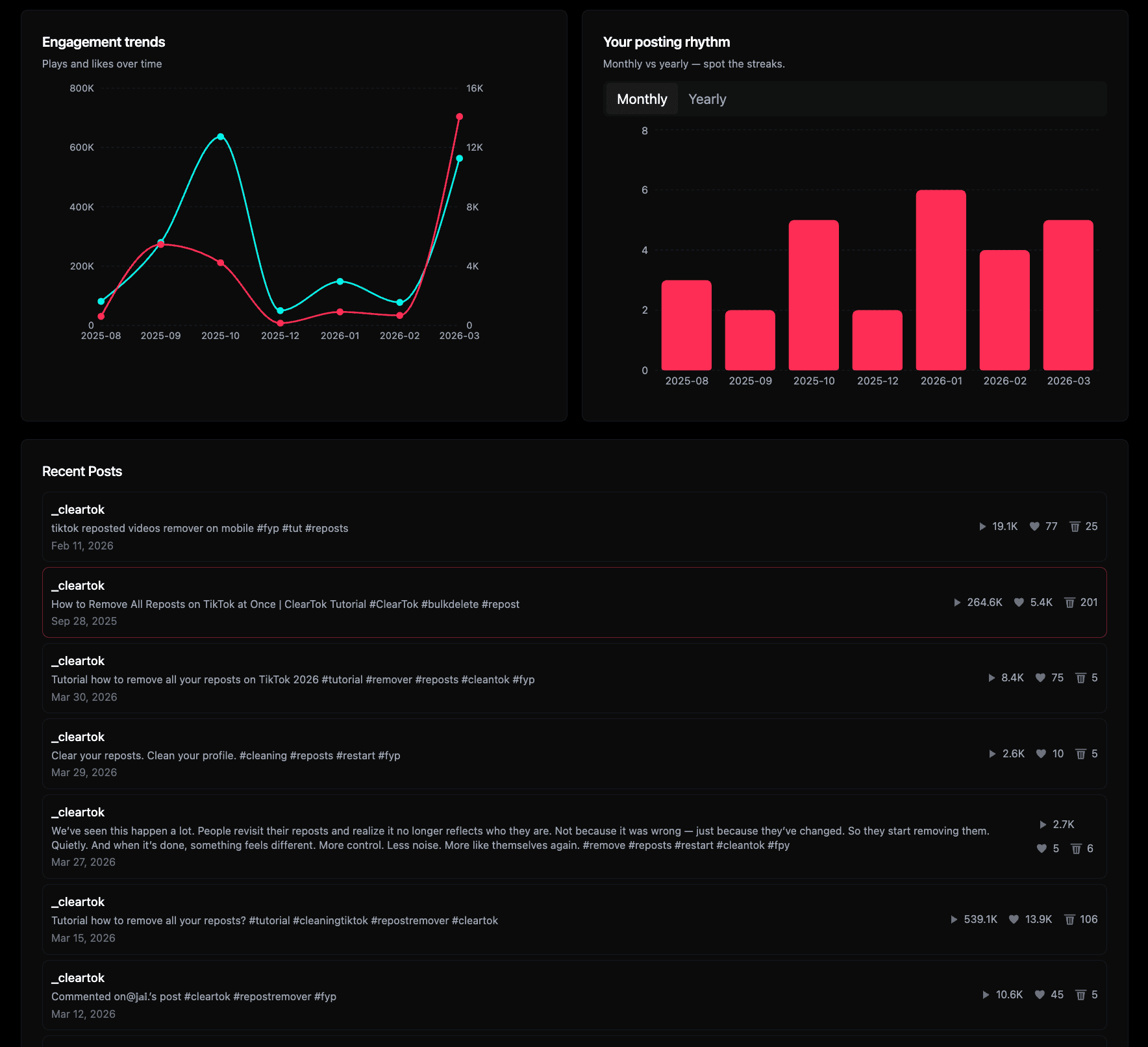
After the overview, the analytics modules explain how the account behaves. Engagement trends show whether plays and likes rise together, posting rhythm reveals bursts or quiet periods, and the recent posts list gives you concrete examples to inspect one by one.
- Engagement trends compare plays and likes over time instead of showing only raw totals.
- Monthly and yearly posting rhythm make streaks obvious.
- Recent posts let you inspect current captions, topics, and post-level performance without leaving the page.
Popular jobs this page solves
What you can learn from a TikTok post profile
Most users come to a post-insights page trying to answer four practical questions: how much a profile posts, what it tends to talk about, whether it posts in streaks, and which uploads actually pick up plays or likes. This page is structured around those jobs.
Count posts fast
For quick-count use cases, the page starts with a total post number and a clean first-screen summary instead of forcing manual profile scrolling.
- tiktok post checker
- tiktok post counter
- how many posts on tiktok
- tiktok total posts
Read themes and caption language
The word cloud is useful when you want to summarize what a creator talks about, what hashtags repeat, or how a brand account frames its content.
- tiktok word cloud
- tiktok caption analysis
- tiktok keyword insights
- tiktok content themes
Spot cadence and engagement patterns
Trendlines and rhythm charts help you see whether performance clusters around certain periods and whether publishing cadence is consistent or streak-driven.
- tiktok engagement trends
- tiktok likes over time
- tiktok posting rhythm
- tiktok analytics by month
Turn post analysis into a wider account audit
Post analysis explains what a profile publishes. If you also want to understand repost behavior or clean up repost history, ClearTok has a dedicated repost-insights and remover workflow for that next step.
- tiktok profile analytics
- analyze tiktok profile
- tiktok recent posts
- cleartok analytics
Want the repost side too?
Post insights tell you what a profile publishes. Repost insights show what it amplifies. Use both when you want a fuller read on an account before cleanup or content planning.
FAQ
Questions people ask before using a post insights checker
These answers focus on the real questions behind post-counter and profile-analytics searches: total volume, content themes, cadence, engagement, and privacy.