
01 / THE BASICS
What is a ClearTok code?
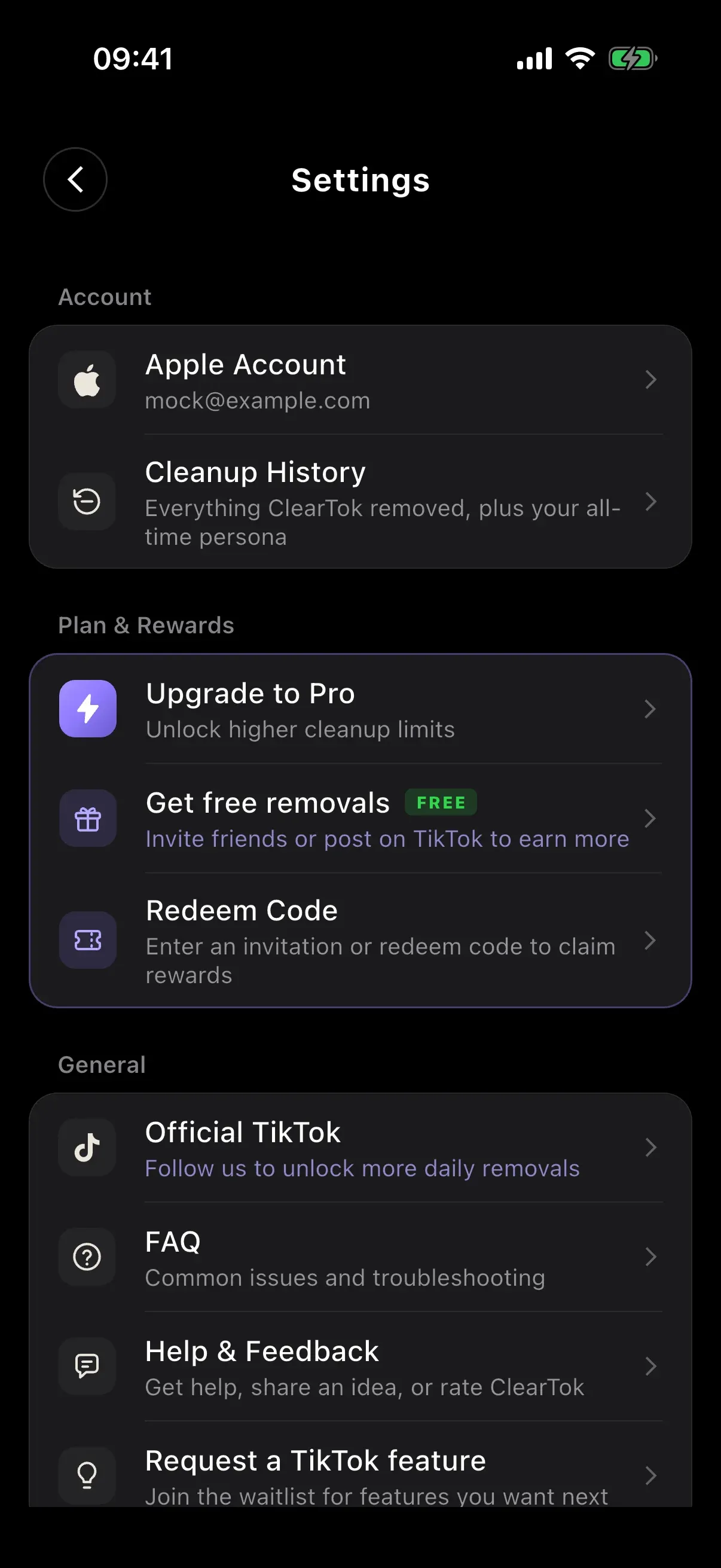
A ClearTok code can be an invitation code from another user or a promotional redeem code. Enter either in the app under Settings → Redeem Code. The benefit depends on the code and your eligibility.
- Invitation code
- Connects you with the person who invited you. A standard eligible invitation adds +100 removals per day to each person’s limit, permanently.
- Promotional code
- Comes with a specific offer, such as temporary extra daily removals or a Pro period. Availability, expiry and redemption limits depend on the campaign.
A code is not automatically a Pro subscription or unlimited removals. Always read the reward shown in the app.
02 / REDEEM
How to use a ClearTok code
Have a friend’s code or an official offer? Open ClearTok and sign in to your ClearTok account.
- Open Settings. Tap Redeem Code.
- Enter the code. Paste it into the field, then tap Redeem. The information button opens Code Rules.
- Check the result. Read the confirmation and Claimed Benefits. Look for the daily amount, whether it is permanent, or the expiry date.
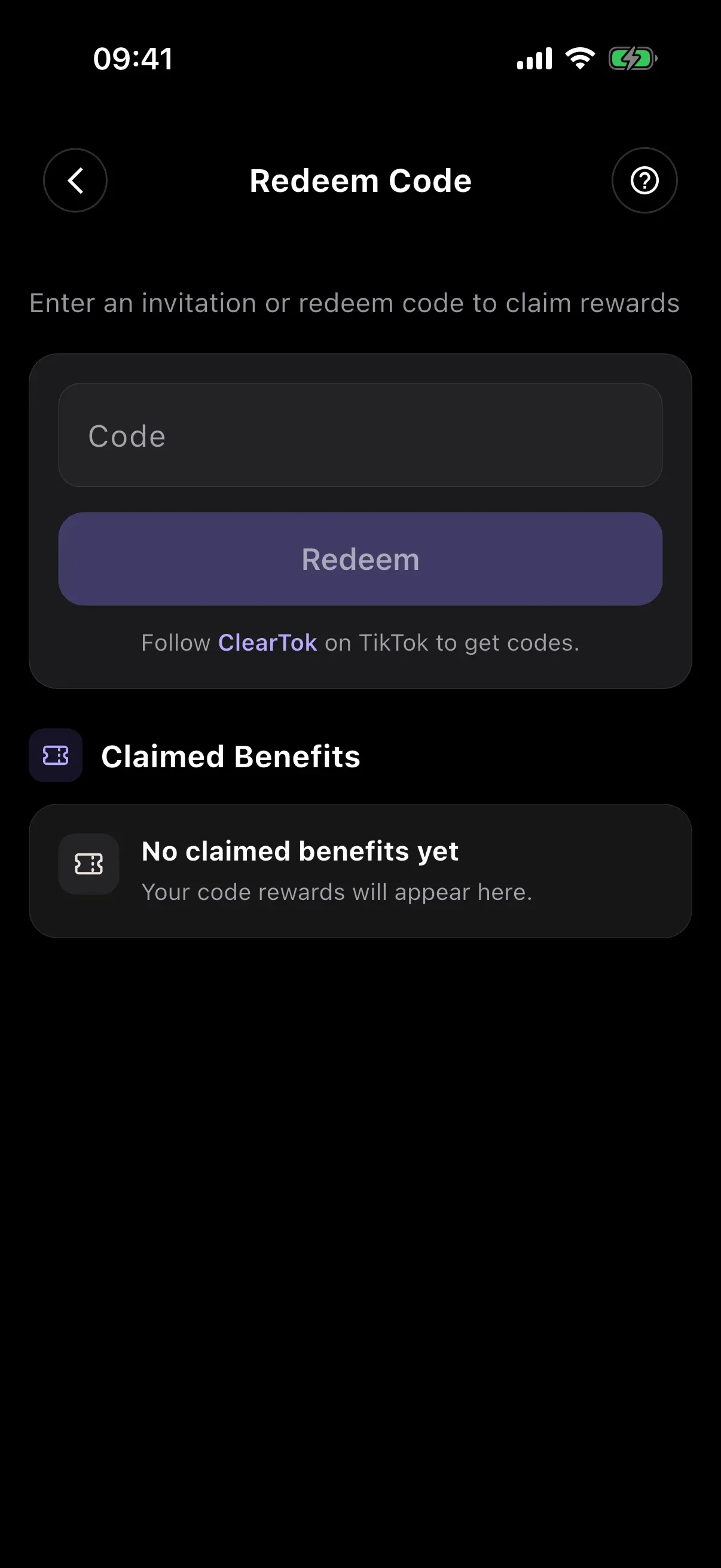
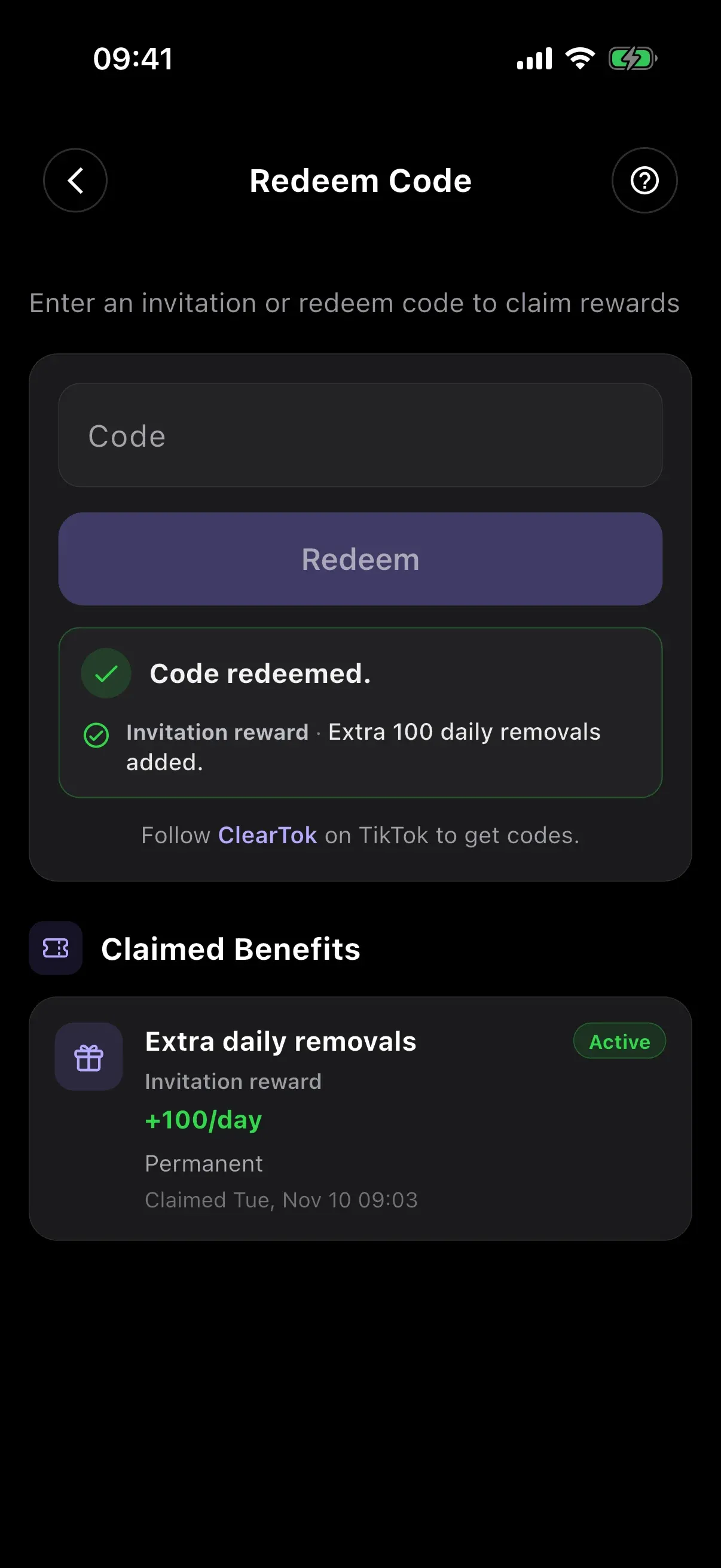
On current versions, invitation codes must be claimed within 7 days of ClearTok registration, before another invitation code is linked. You cannot use your own invitation code.
03 / INVITE
Find and share your own code
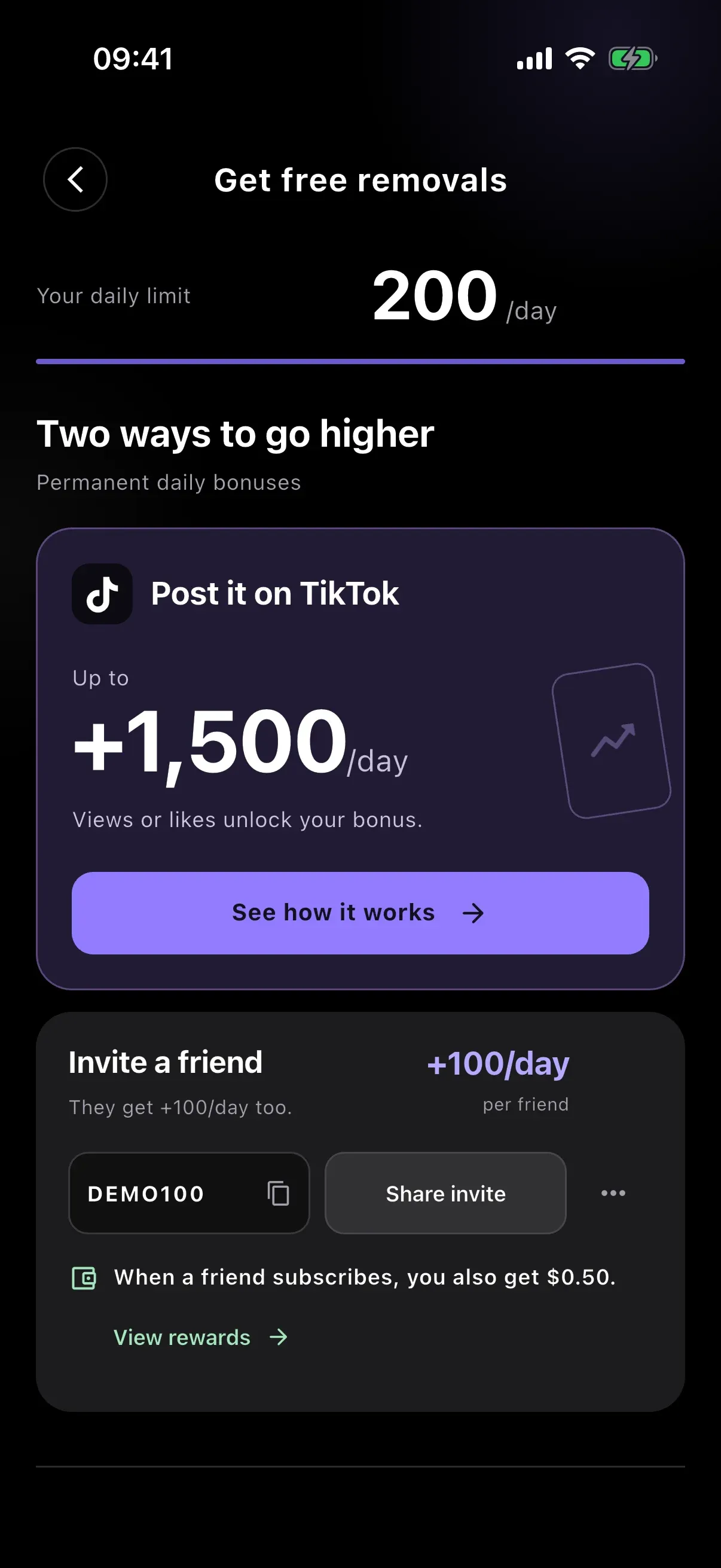
- Go to Settings → Get free removals. You can also use Get More from the home screen.
- Find Invite a friend. Your code is next to the copy icon. Tap it to copy, or use Share invite.
- Tap the three-dot menu for Copy Link or Personalize. If you change your code, update your shared posts and links: the old code stops working.
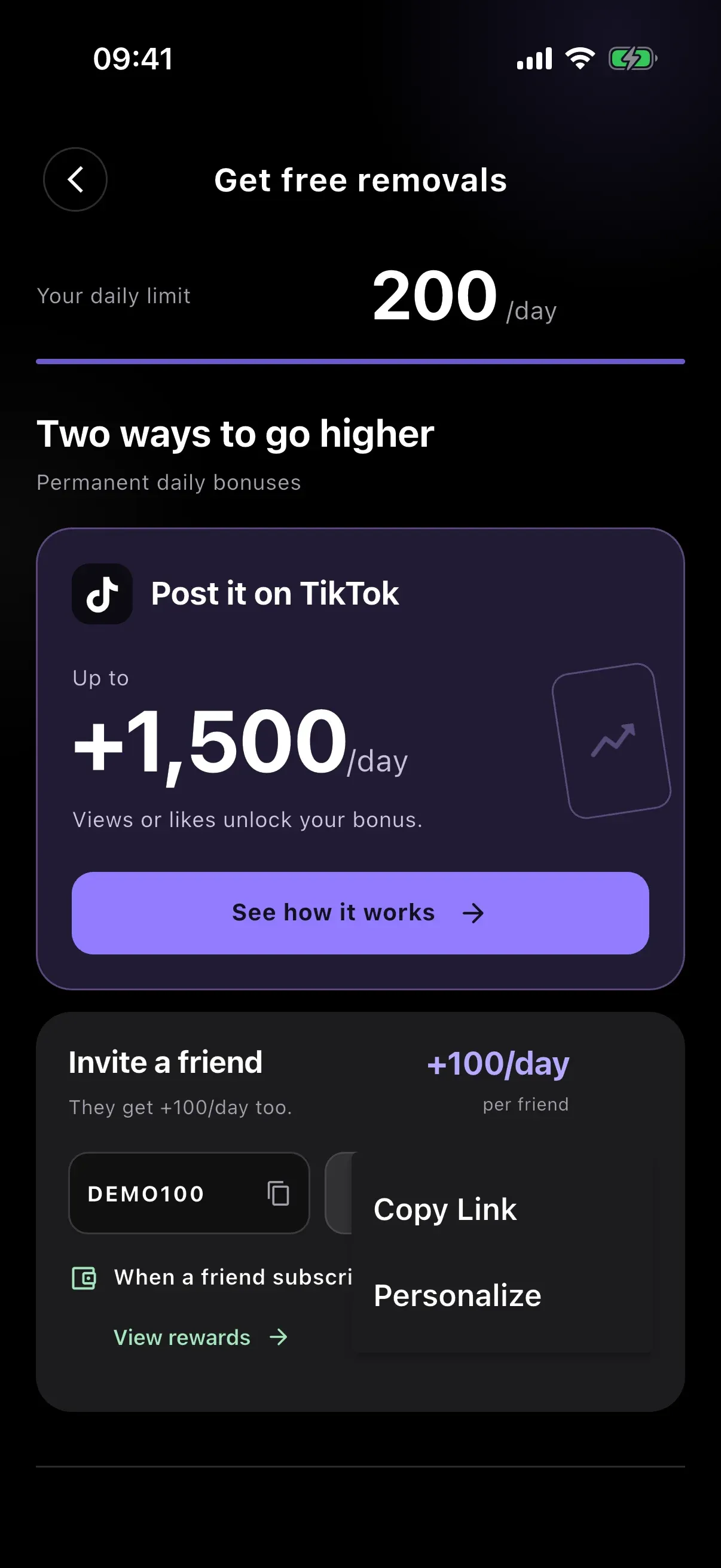
Share your code with friends who want to use ClearTok, and tell them what it does. They still need to complete an eligible claim in the app for invitation rewards to apply.
04 / BOTH SIDES OF THE INVITE
What do you and your friend get?
These are the standard invitation rewards. A specific campaign or creator arrangement may have different terms; check the offer in your app.
| What happens | Your friend gets | You get |
|---|---|---|
| Your friend claims your invitation code | +100 daily removals, permanently | +100 daily removals, permanently |
| That friend makes an eligible subscription purchase | The benefits of their purchased plan | $0.50 cash reward, subject to eligibility and the hold period |
“+100/day” increases daily capacity. It is not a one-time bundle of 100 removals. An install or code claim alone does not earn the cash reward.
05 / CASH REWARDS
From a subscription to a reward
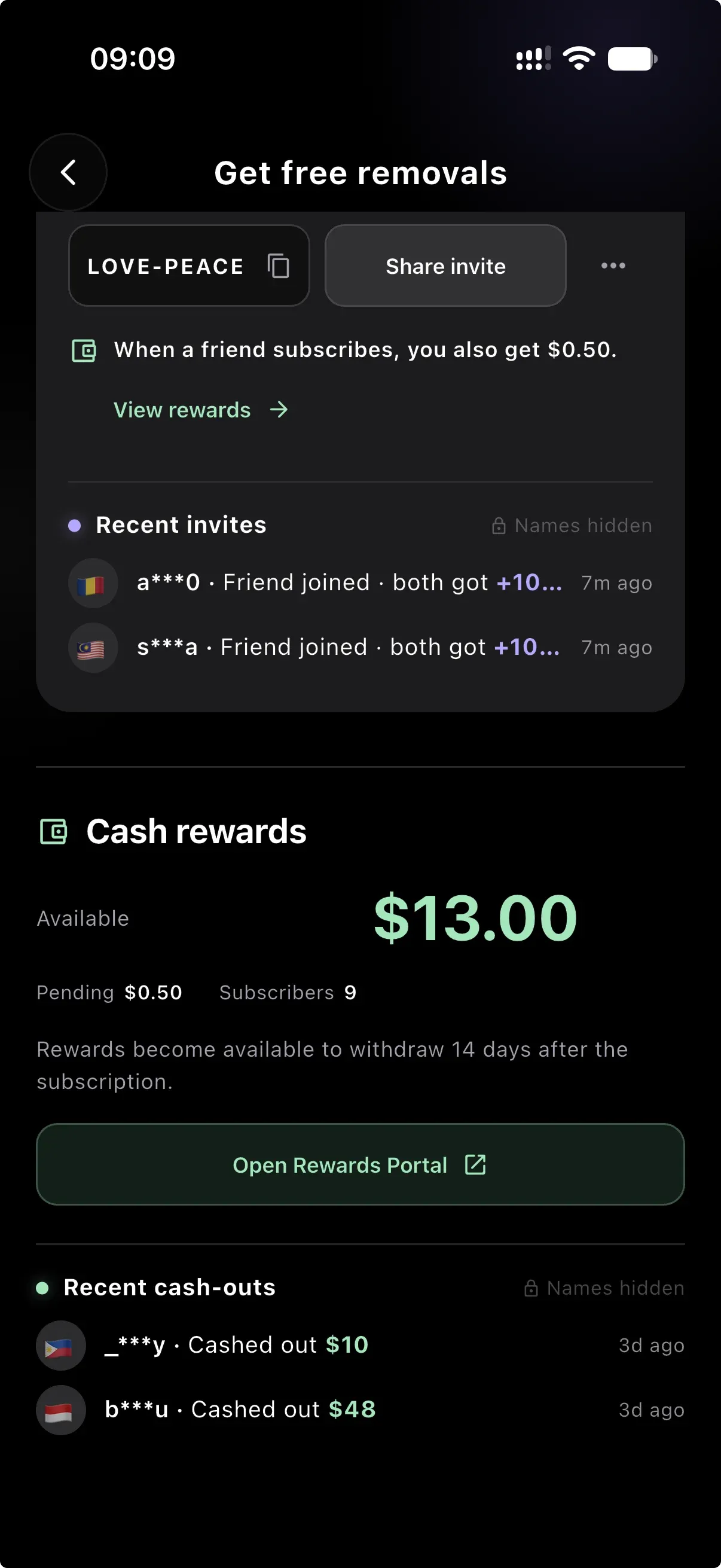
Open Get free removals → View rewards to reach your cash reward details.
- Pending
- Eligible subscription rewards wait 14 days after the subscription before becoming available. Refunded purchases do not qualify.
- Available
- The balance that has cleared the hold. The current minimum withdrawal is $10.
- Open Rewards Portal
- Use this button in the app to open the portal, check your balance and submit a withdrawal request. Follow the portal’s verification and review steps.
The standard reward is $0.50 per eligible referred subscriber, once per referred user. It is not paid for every renewal. One-time purchases do not qualify for this subscription reward. Your app and portal show the terms that apply to your account.
06 / QUESTIONS & FIXES
Before you try another code
Why is my ClearTok code not working?
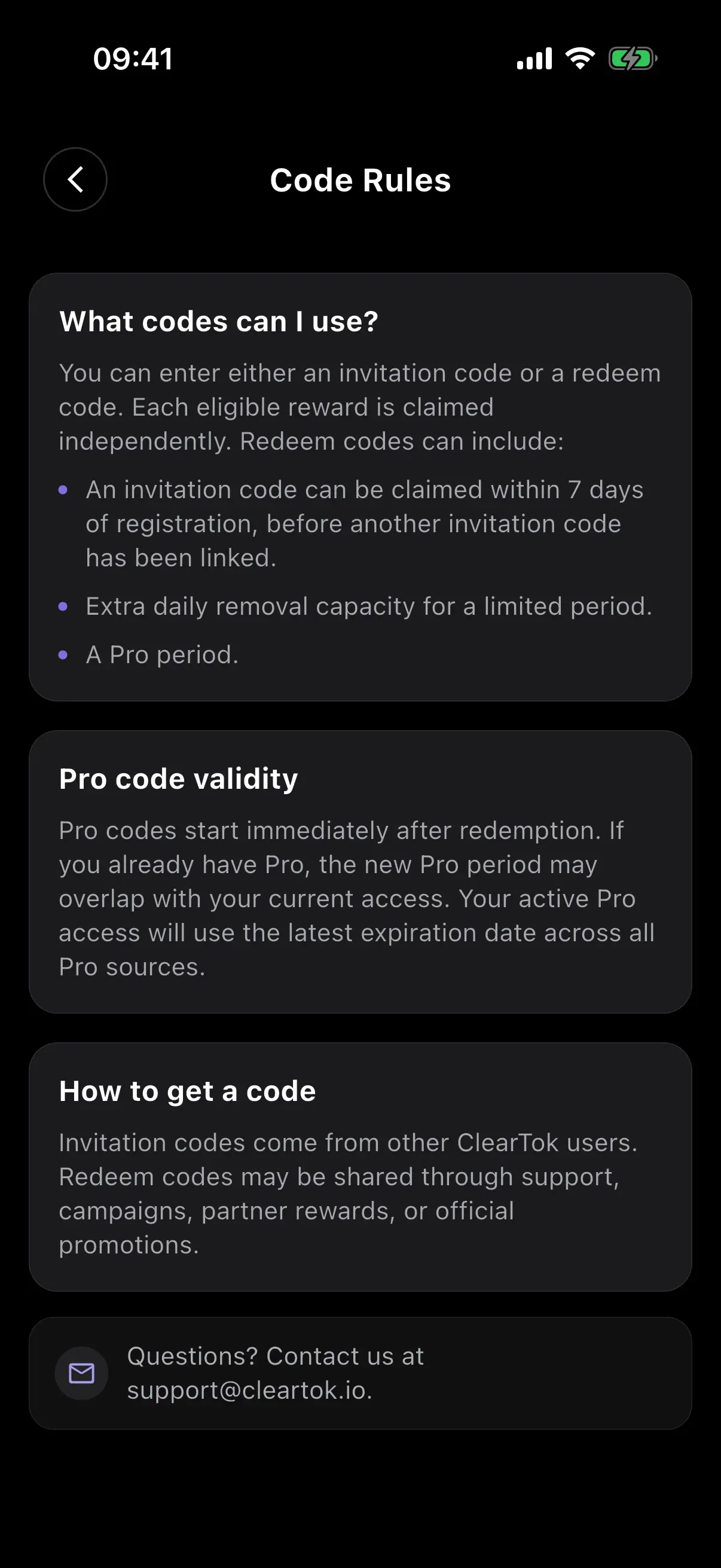
Check the spelling and the exact message in the app. A code may not exist, may have expired, may not be active yet, or may no longer be available. Invitation codes also require an eligible account: on current versions, claim within 7 days of ClearTok registration, before linking another invitation code. You cannot use your own code. Older app versions may show a shorter window; check Code Rules in your app.
Can I use more than one code?
Your account can link one invitation code. Promotional codes have their own eligibility and redemption limits. ClearTok checks each eligible reward independently, so the same submitted code can have more than one kind of benefit. Read the result and Claimed Benefits rather than assuming every code stacks.
Does a code unlock unlimited removals or free Pro?
An ordinary invitation code adds daily removal capacity; it does not automatically activate Pro or unlimited removals. A promotional code grants Pro only if that specific offer includes a Pro period. Check the benefit and expiry shown in the app.
Will a Pro code extend my existing subscription?
A Pro code starts immediately after redemption. Its period may overlap with your existing Pro access. ClearTok uses the latest expiry across your Pro sources, so a code does not necessarily add its full duration to the end of your subscription.
Can I use the codes shown in these screenshots?
The screenshots illustrate the interface. DEMO100 and FRIEND100 are demonstration codes. LOVE-PEACE appears in a supplied account screenshot and is not a verified offer on this page. Get a code from another user or an official campaign, then check its result in the app.
Are these instructions for the browser extension too?
This guide covers the ClearTok mobile app. The screenshots show the iOS interface; labels and placement can vary by platform and version. Do not assume an app invitation or promotional code applies to the browser extension.
Still stuck? Contact ClearTok support with the code and the error message shown in your app.
07 / YOUR NEXT STEP
Where to get a ClearTok code
- Ask another ClearTok user.
They can copy their invitation code or share a link from Get free removals.
- Check ClearTok’s official TikTok.
Look for campaign announcements from @_cleartok and read each offer’s dates and conditions.
- Follow an official campaign or partner offer.
Redeem codes may also be issued through support, campaigns or partner rewards. A code shown on a coupon site or in a search summary is not proof that it is active.