TikTok Reposts Not Showing on Profile: Causes and Fixes
TikTok reposts not showing on profile? Learn where reposts appear, why they disappear, and how to check visible reposts before cleanup.
Quick Answer: Why TikTok Reposts Are Not Showing on Your Profile
TikTok reposts not showing on your profile usually comes down to one of five issues: you are checking the wrong tab, TikTok needs time to sync, your app cache is stale, the original video is unavailable, or your account visibility limits who can see the repost. Reposts do not appear on your main Videos grid. They appear in the separate Reposts tab and may also appear in followers' For You feeds.
TikTok's official repost guidance says public-account reposts can appear on the profile, while private-account reposts are limited to followers. Start by checking the Reposts tab before treating the issue as a bug.
Where Reposts Should Show Up
The most common misunderstanding is expecting a repost to show beside your own uploads. TikTok separates reposted videos from original uploads.
| Location | Should your repost appear there? |
|---|---|
| Reposts tab on your profile | Yes, when TikTok can display the repost and the original video is available. |
| Followers' For You feed | Sometimes. TikTok may show it to people who can see your activity. |
| Main Videos grid | No. That grid is for videos you uploaded yourself. |
If you only checked the main profile grid, the repost may not be missing at all.
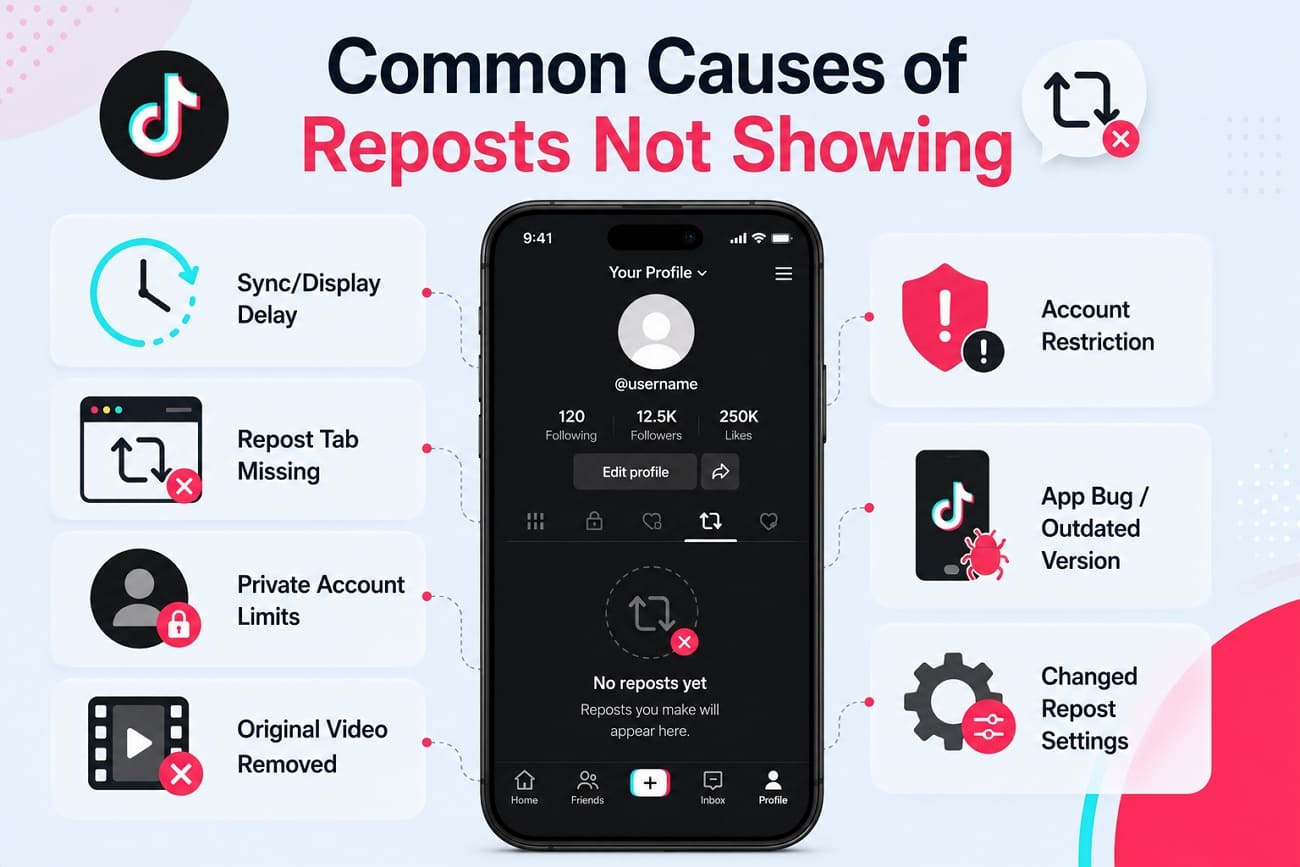
Common Causes of TikTok Reposts Not Showing
1. You Are Looking at the Main Videos Tab
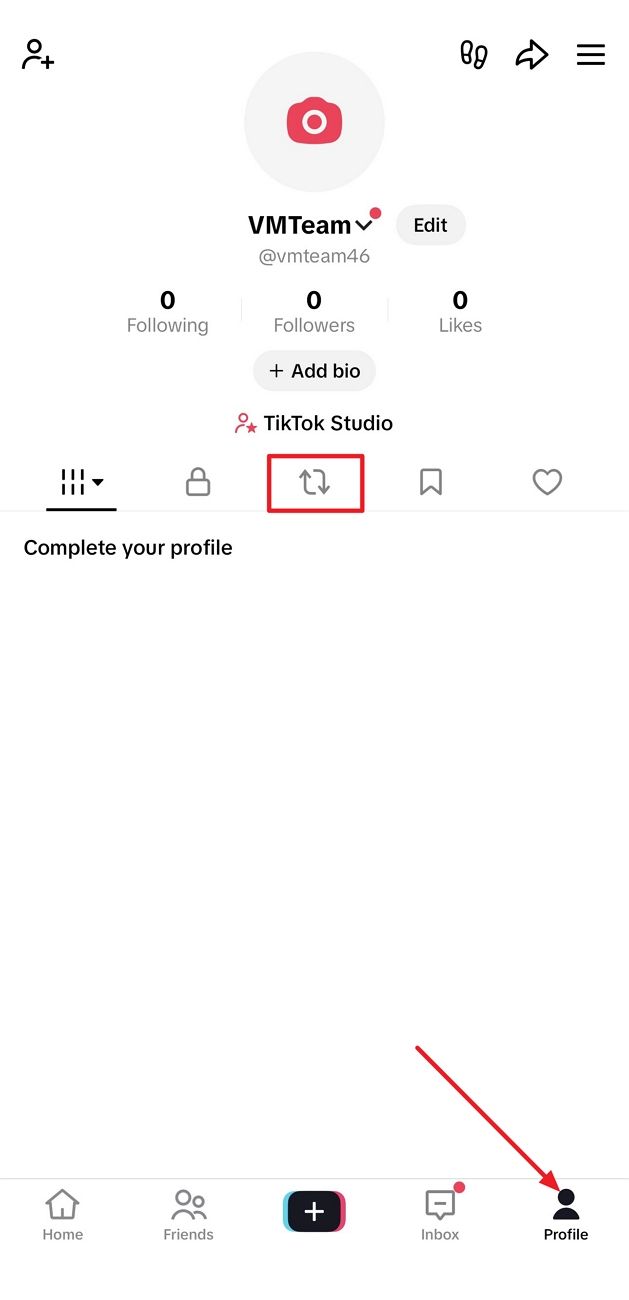
Your uploaded videos and your reposts live in different places. Reposts should be checked in the Reposts tab, usually shown with the two-arrow repost icon.
Fix: Open Profile and tap the Reposts tab. If it is empty, continue with the next checks.
2. TikTok Has Not Synced the Repost Yet
After you tap Repost, TikTok may need time to update your profile. This is especially common after weak network conditions, app switching, or rapid repeated actions.
Fix: Wait 10 to 15 minutes, force-close TikTok, reopen the app, and check the Reposts tab again.
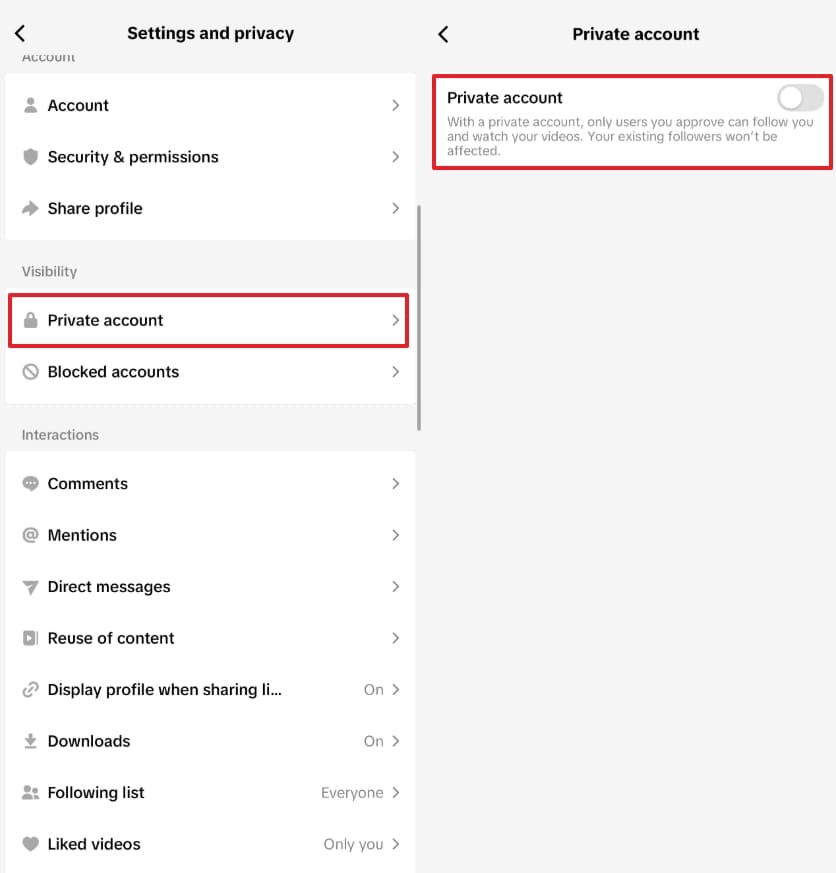
3. Your Privacy Settings Limit Who Can See It
Private accounts can still have reposts, but TikTok limits visibility to followers. That means another user may not see your repost even if it appears for you.
Fix: Go to Profile -> Menu -> Settings and privacy -> Privacy and review whether your account is private. If you want broad public visibility, use a public account.
4. The Original Video Was Removed or Made Private
A repost depends on the original video. If the creator deletes the video, makes it private, or TikTok restricts it, your repost can disappear or stop loading.
Fix: Open the original video link if you still have it. If the video is gone, there may be nothing to restore.
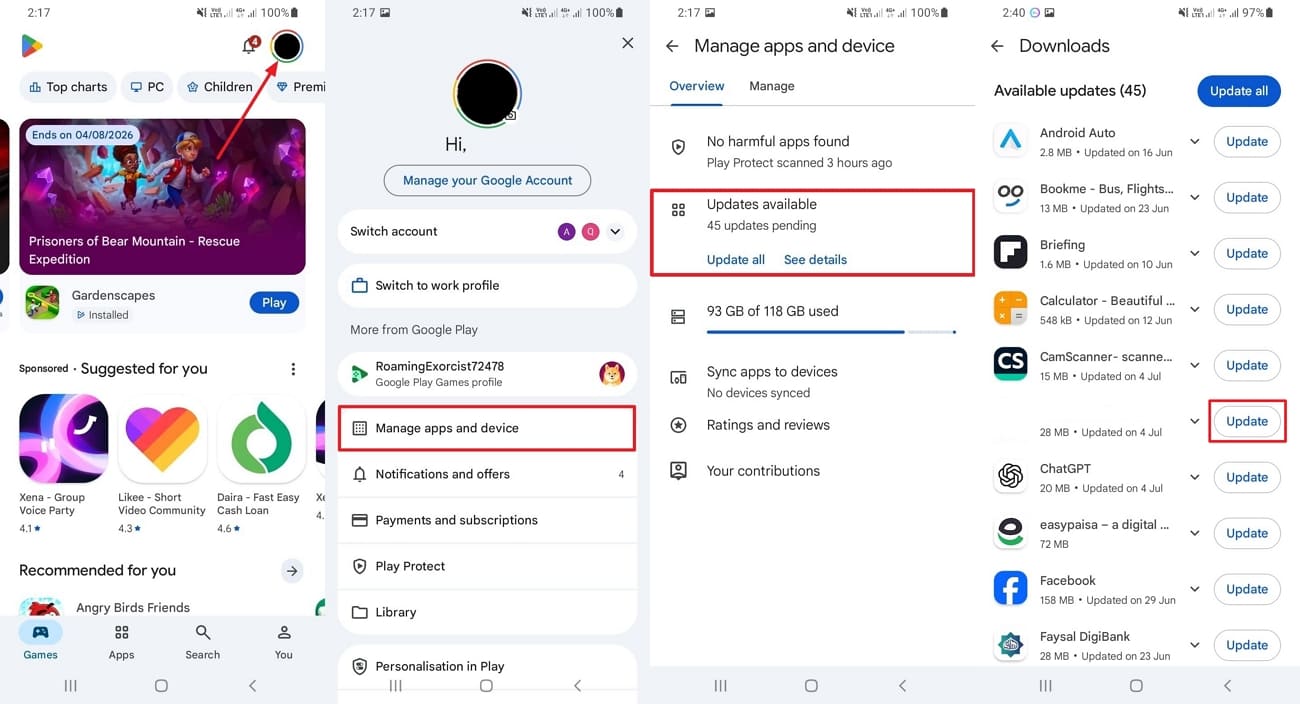
5. Your TikTok App Is Outdated
Old app versions can show profile tabs incorrectly or fail to load the latest account state.
Fix: Update TikTok from Google Play or the App Store, then reopen the app and check the Reposts tab.
6. App Cache Is Showing Old Profile Data
The mobile app may keep stale profile data after reposting or removing reposts. This can make reposts appear missing even after the action succeeded.
Fix: Use Settings and privacy -> Free up space -> Cache -> Clear, then restart TikTok. On Android, you can also clear TikTok cache from device app settings.
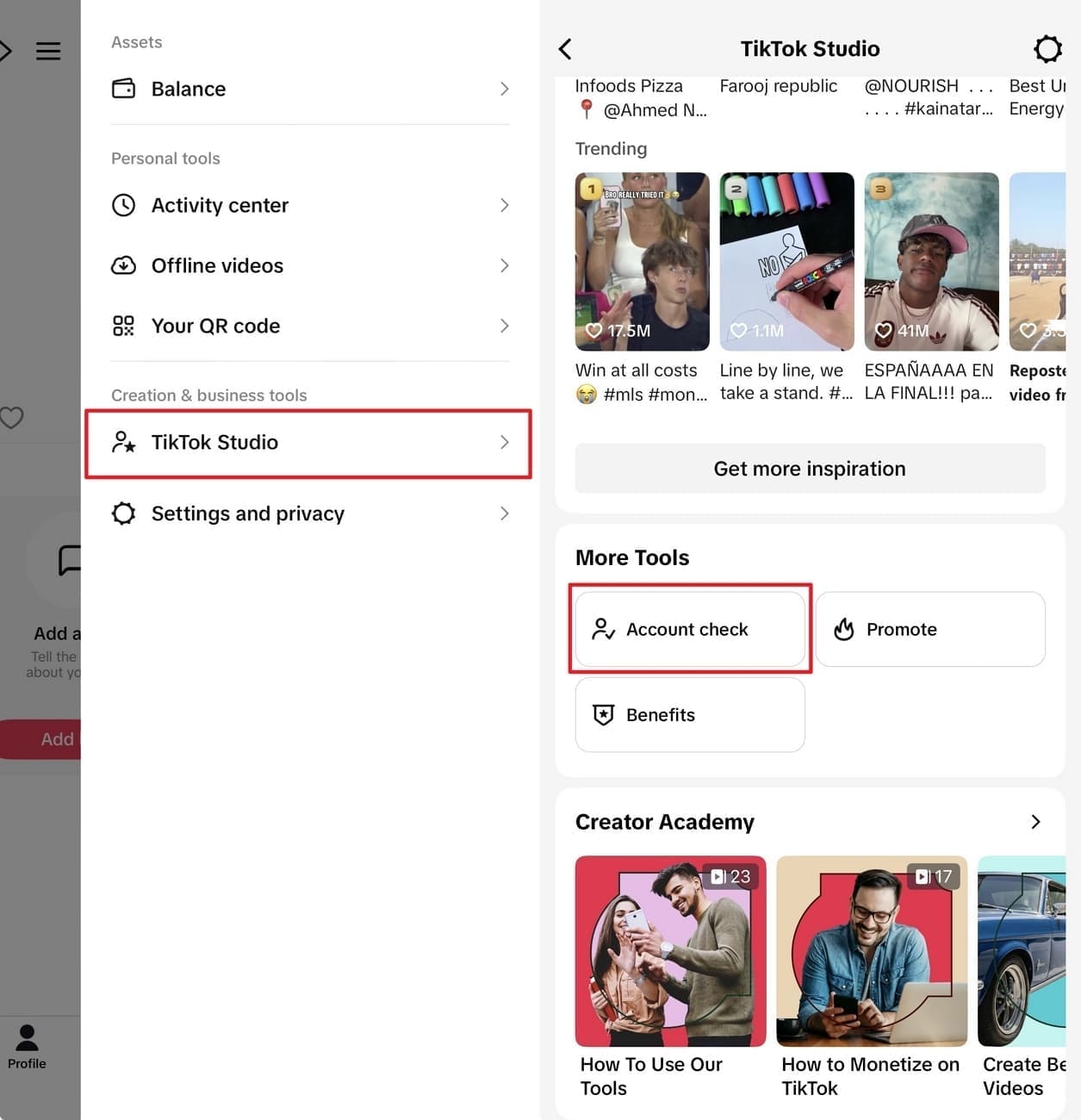
7. Your Account Has a Restriction
Some account warnings or restrictions can affect visibility and account features.
Fix: Open TikTok Studio -> Account Check and review whether there are active warnings. If you see a restriction, follow TikTok's steps before troubleshooting further.
Step-by-Step Fix Order
Use this order to avoid wasting time:
- Open the Reposts tab, not the main Videos grid.
- Wait 10 to 15 minutes and refresh the app.
- Update TikTok.
- Clear TikTok cache and restart the app.
- Confirm the original video still exists.
- Review privacy settings if someone else cannot see your repost.
- Check account status in TikTok Studio.
- Report the issue to TikTok if nothing changes.
Pro Tip: Check Visible Reposts Before Cleaning Up
If your profile is public and you want to confirm what TikTok currently exposes, use the free ClearTok Repost Checker. It checks visible repost activity and gives you a clearer count before you decide whether anything needs cleanup.
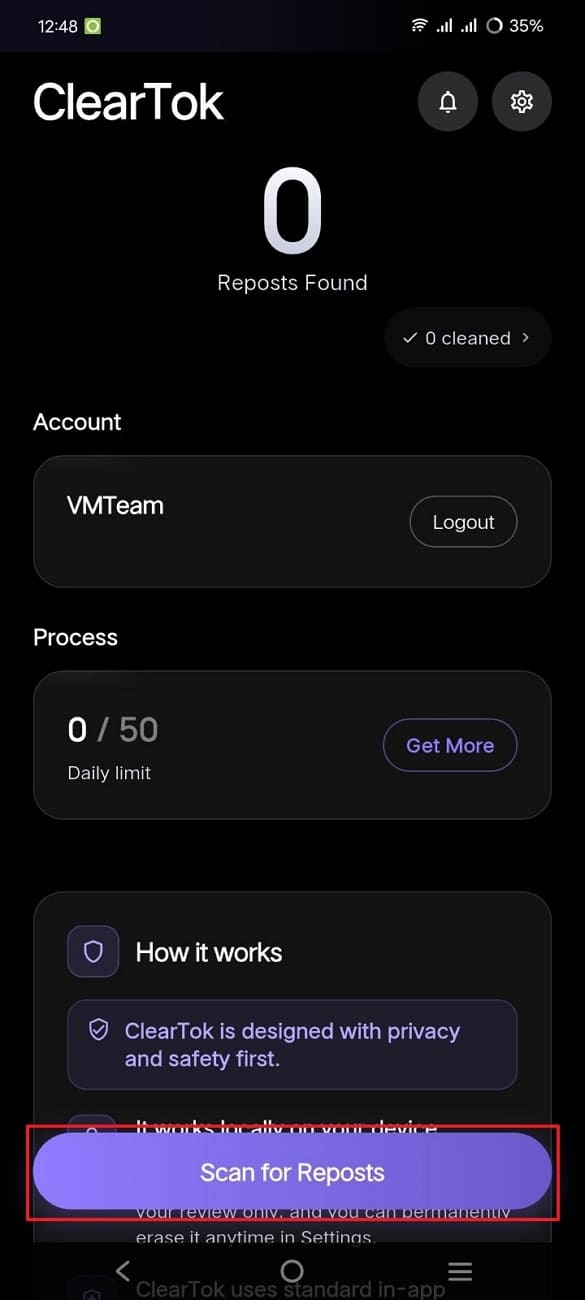
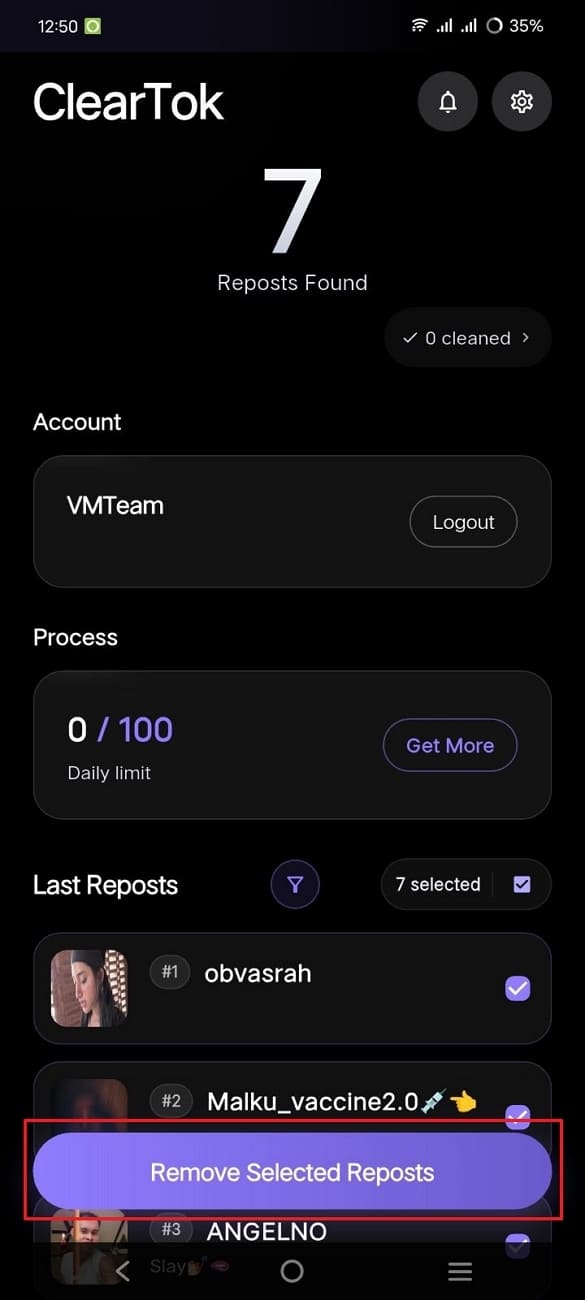
If the checker shows old reposts you do not want on your profile, move from checking to cleanup with the Remove All Reposts on TikTok page. The checker helps you understand the size of the issue first; the remover is for when you are ready to clear reposts.
If Reposts Still Will Not Show
When none of the fixes work, use TikTok's in-app support path:
- Tap Profile.
- Tap the Menu button.
- Go to Settings and privacy -> Report a problem.
- Choose the closest topic and follow the prompts.
- If the suggested answer does not solve it, choose Need more help? and include your username, app version, device, and what you already tried.
This is the safest route for account-specific visibility problems.
Related Guides
- Why Is My Repost Button Missing on TikTok? 8 Fixes
- How to See Your Reposts on TikTok
- TikTok Repost Checker — count any public profile
- How to Delete or Remove a Repost on TikTok
Frequently Asked Questions
Do reposts show on my main TikTok profile grid? No. Reposts do not appear in the same grid as videos you uploaded. Check the separate Reposts tab on your profile.
Why are my TikTok reposts not showing after I tapped Repost? The app may need time to sync, your cache may be stale, or the original video may no longer be available. Wait a few minutes, restart TikTok, and check the Reposts tab again.
Can private accounts show reposts? Yes, but visibility is limited. TikTok says private-account reposts can be visible to followers on the profile and in their For You feed.
Why did a repost disappear after a few days? The original creator may have deleted the video, changed visibility, or TikTok may have restricted the content. A repost cannot reliably remain visible if the original video is unavailable.
Can ClearTok show reposts that TikTok hides from everyone? No. ClearTok cannot bypass TikTok visibility limits. It can help check visible repost activity for public profiles and help you remove old reposts from your own account.
What should I do before removing reposts? Use the free ClearTok Repost Checker first to estimate visible repost count and review context. Then use the repost remover only if you want to clean up old reposts.
Disclaimer: TikTok is a trademark of ByteDance Ltd. ClearTok is an independent tool and is not affiliated with or endorsed by TikTok or ByteDance.
Ready to Try ClearTok?
Stop deleting reposts one by one. Get ClearTok and clean up your entire TikTok profile in minutes.
Browser Extension
Mobile App