
1
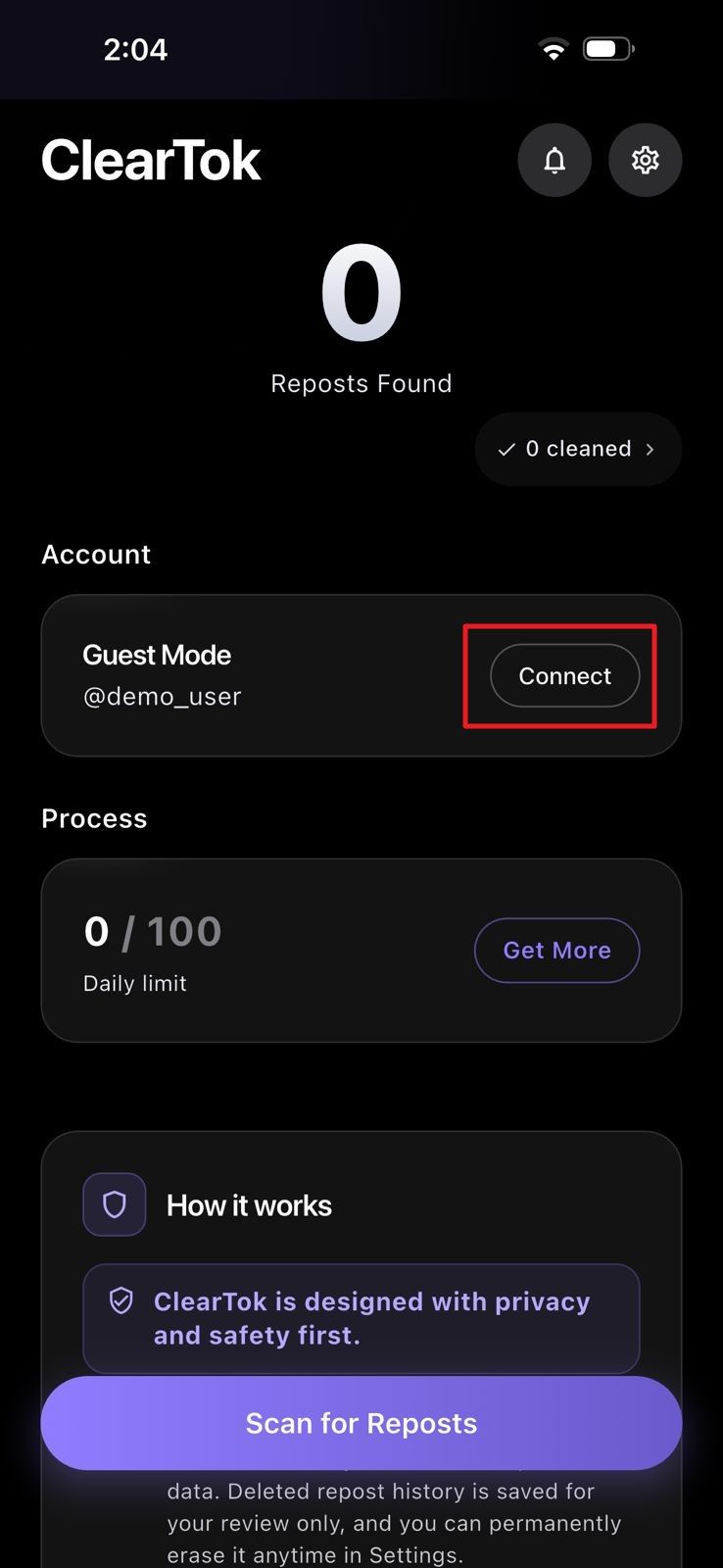
Tap Connect in ClearTok
Open the ClearTok app and connect the guest account slot to start a TikTok cleanup session.
The free, local bulk removal workflow for TikTok reposts. Use ClearTok on Chrome, Edge, iPhone, or Android to scan, review, and clear reposts safely — no password required.
Extension
Mobile app


2.3M+
reposts removed
180K
users
4.8★
across stores
11
languages
Bulk cleanup, not blind deletion
A TikTok repost is a video from another creator that you shared to your own profile with the repost (↻) button. Reposts show up in a dedicated Reposts tab on your TikTok profile and stay there until you manually remove each one. TikTok does not offer a built-in way to clear them in bulk — the platform forces you to open every reposted video and tap 'Remove repost' one at a time. ClearTok gives you a no-password bulk workflow on Chrome, Edge, iPhone, and Android so you can scan your reposts, review what was found, choose what to keep when filters are available, and remove old reposts with safe pacing.
How ClearTok works
Bulk cleanup should not mean blind deletion. ClearTok helps you understand your repost history before you start removing anything.
ClearTok checks the Reposts tab or connected mobile session and counts the reposts it can safely process.
Look at what ClearTok found before starting a large cleanup, especially if your account has years of old shared videos.
Use available filters or selected cleanup modes to keep recent, important, or brand-safe reposts while clearing older clutter.
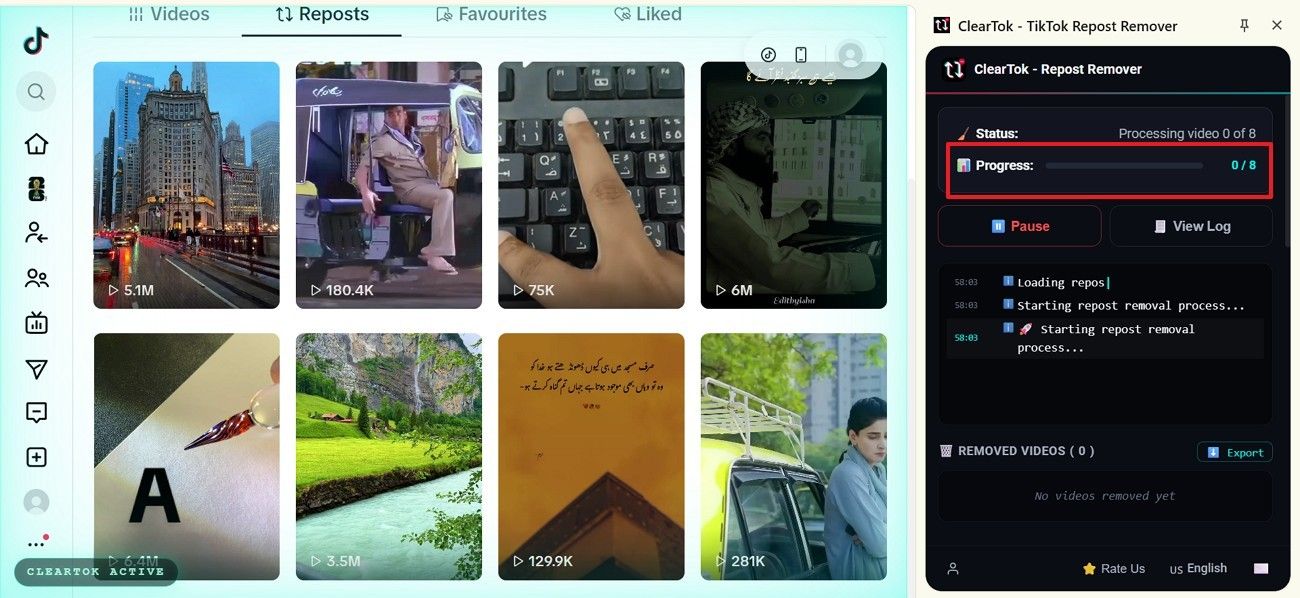
Start the cleanup only when ready. ClearTok removes reposts in controlled batches with pause, cancel, and pacing behavior.
Step-by-step screenshots
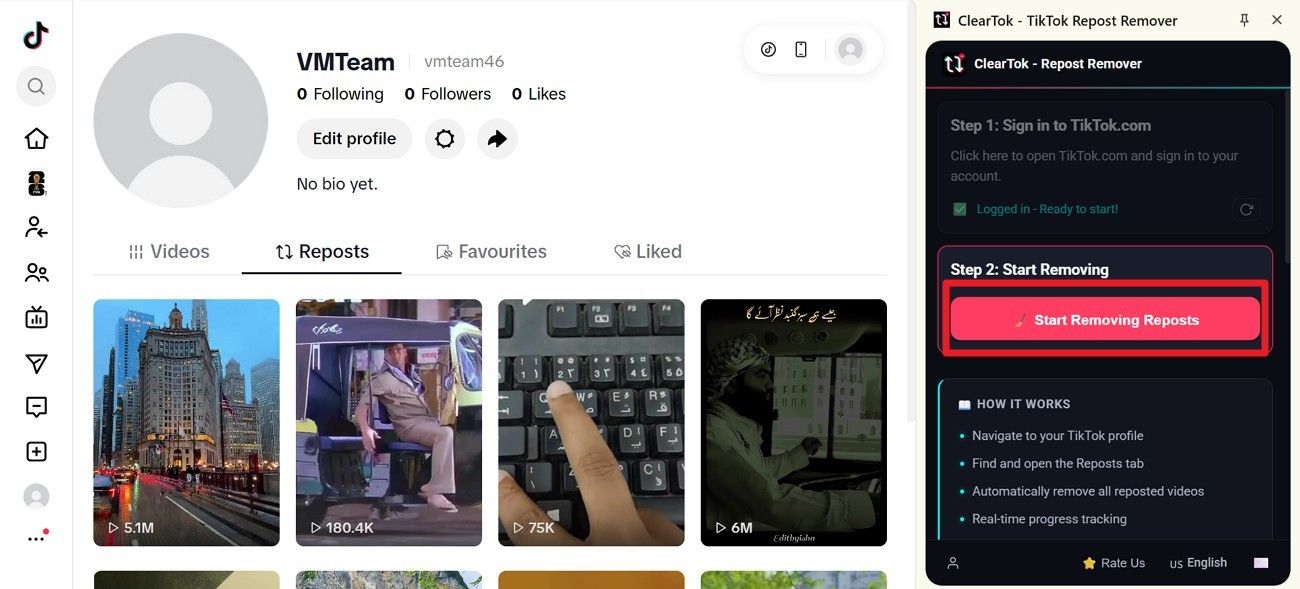
Chrome, Edge, iPhone, and Android all use the same ClearTok pattern: connect the active TikTok session, scan, review, and remove reposts in paced batches.
iOS app
On iPhone, ClearTok connects through an in-app TikTok session, scans your repost list, and lets you remove selected reposts from a mobile-first cleanup screen.
Open the ClearTok app and connect the guest account slot to start a TikTok cleanup session.
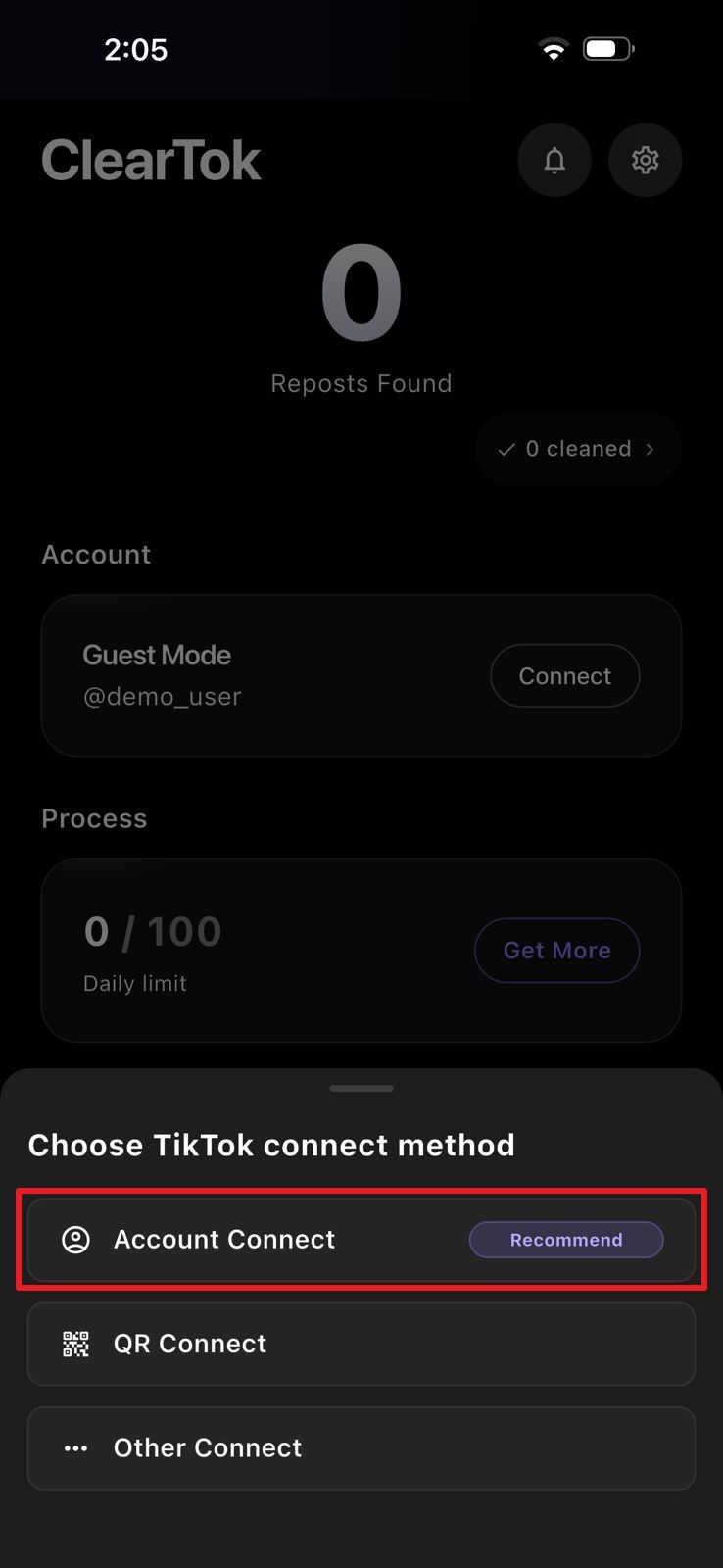
Select Account Connect when ClearTok asks how you want to connect TikTok on iPhone.
Use TikTok's login form inside the app session. ClearTok still does not store your password.
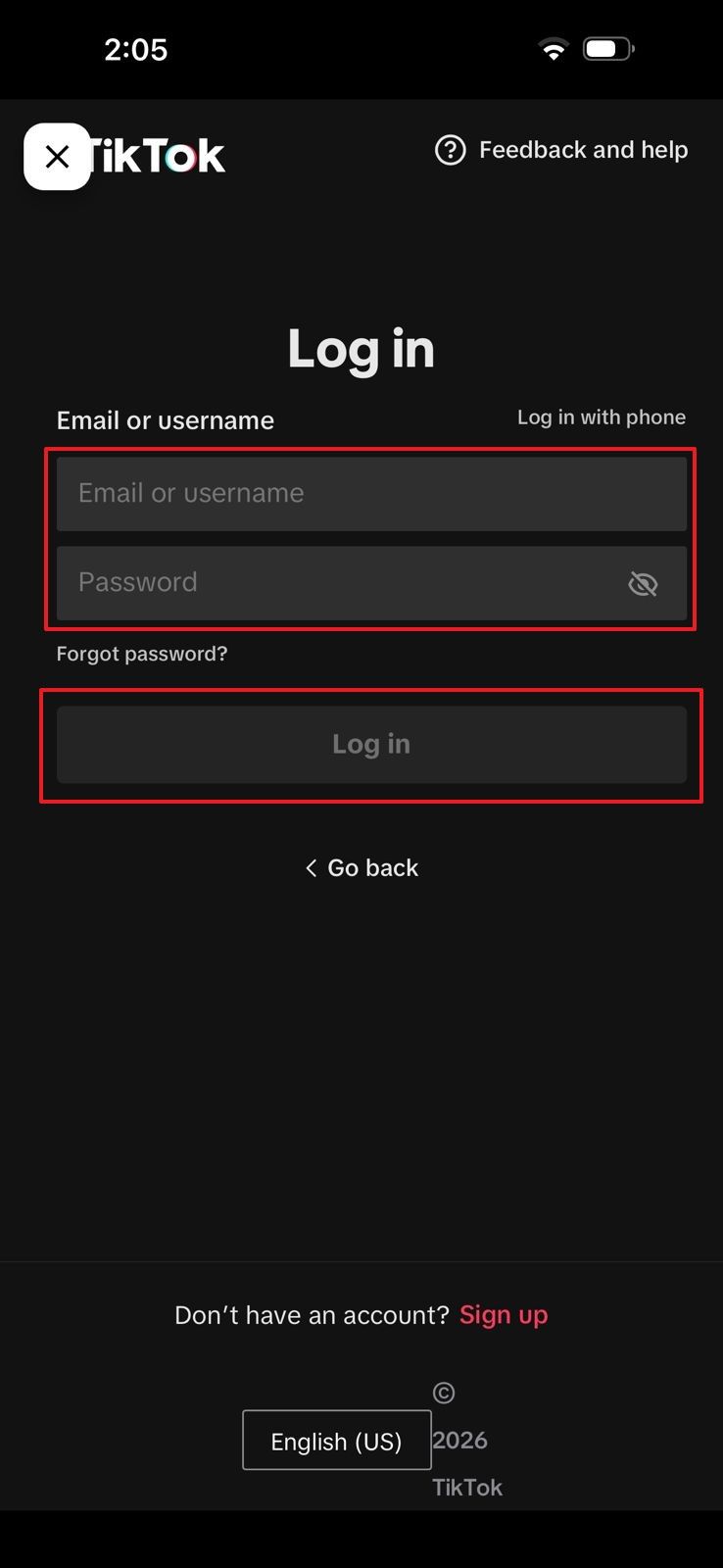
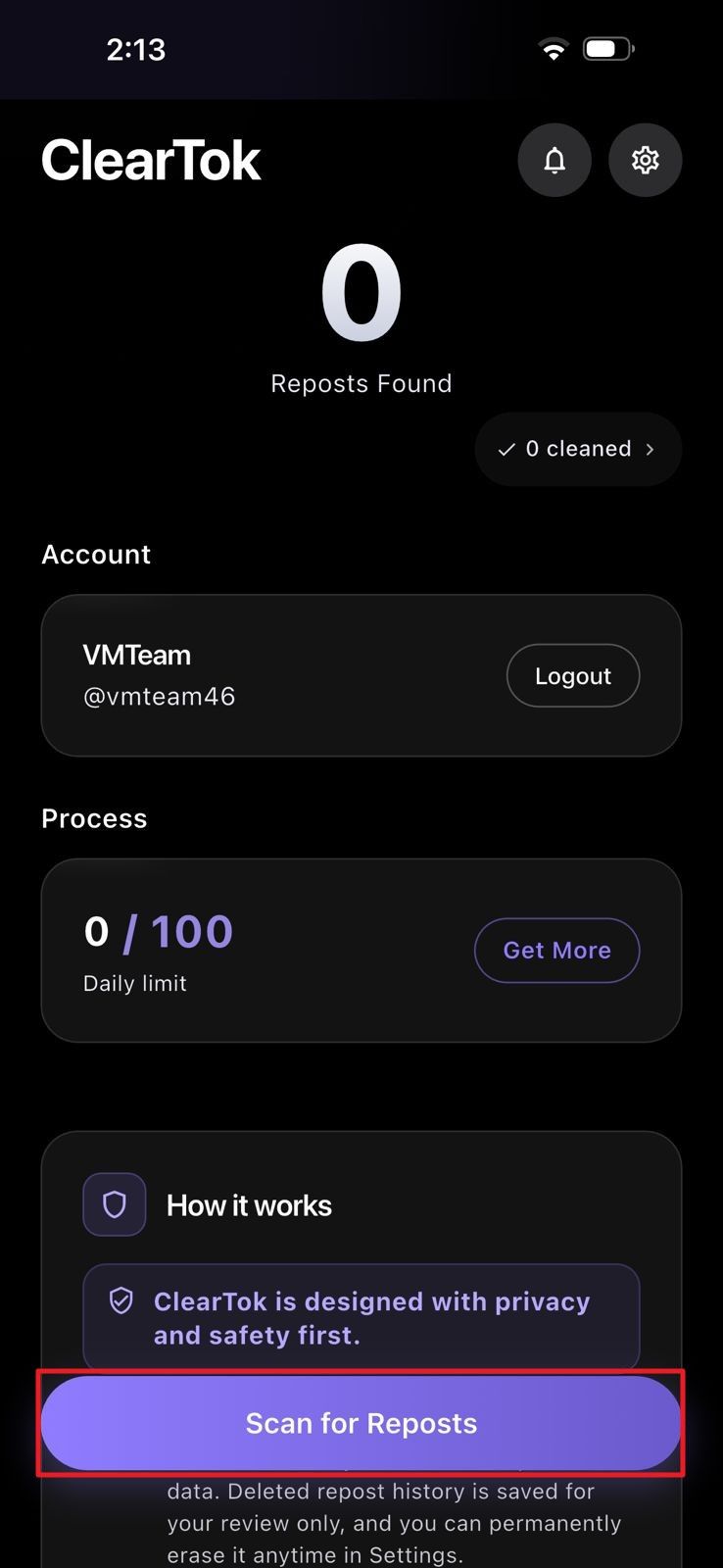
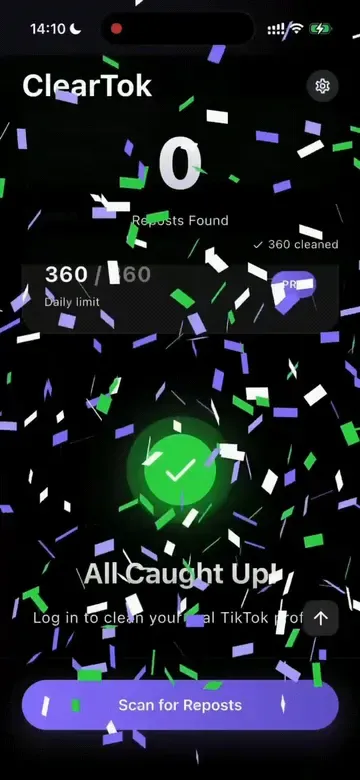
Tap Scan for Reposts so ClearTok can count the reposts available in the current connected session.
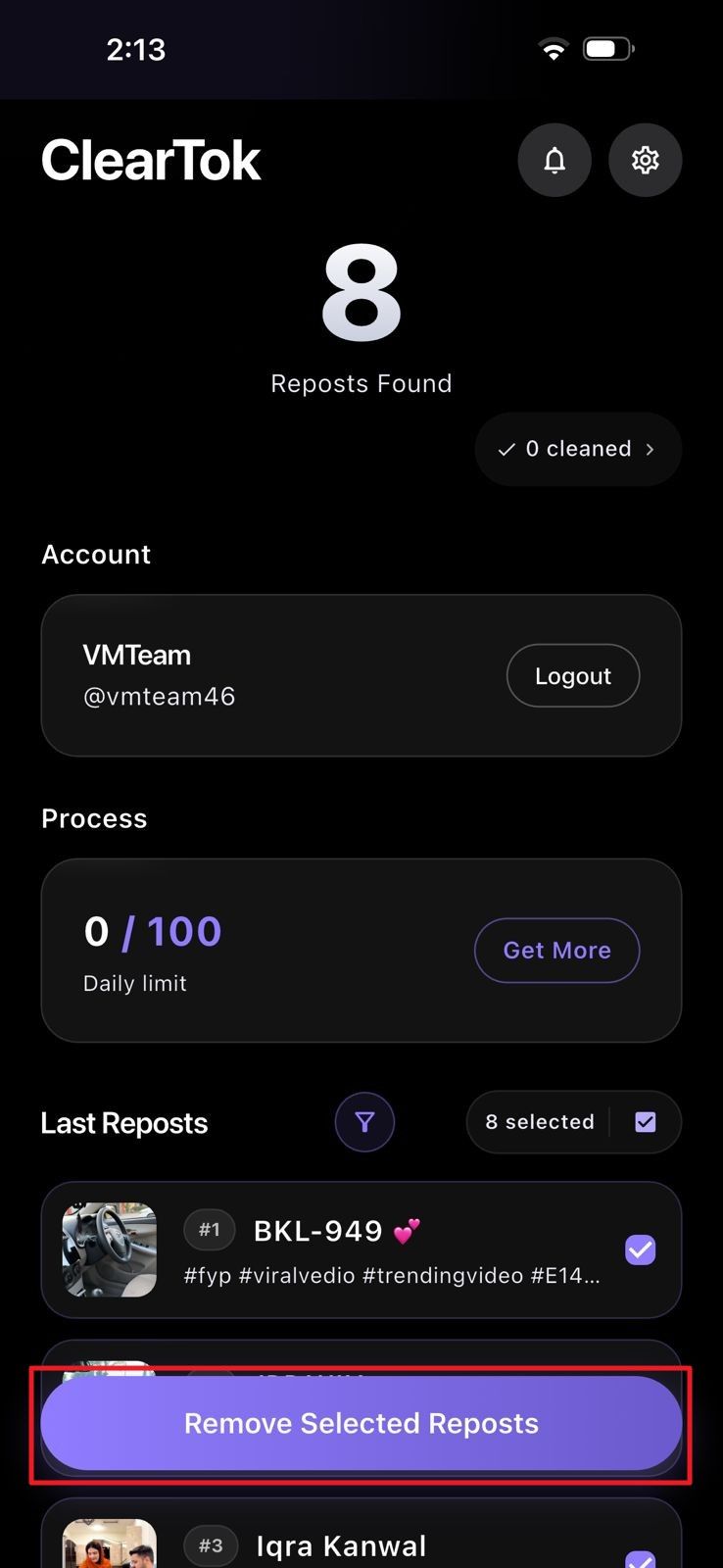
Review the found reposts and remove selected items instead of blindly deleting everything.
Watch how ClearTok removes all TikTok reposts automatically on desktop and mobile.
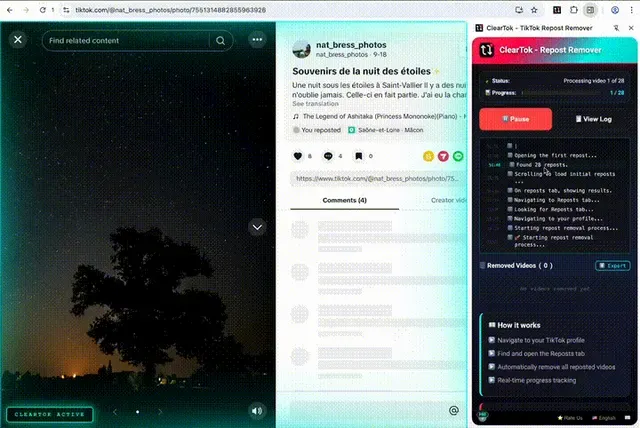
Built for creators who need bulk repost cleanup without sacrificing account safety.
TikTok doesn't have a native 'Delete All' button. ClearTok automates the repetitive 'Remove repost' click so a backlog that would take hours of manual tapping clears in minutes — on Chrome, Edge, iPhone, or Android.
ClearTok runs locally in your browser or app and uses the same on-screen UI actions you already do manually. Your TikTok credentials never leave your device — no foreign servers, no password sharing, no API tokens.
Bulk actions can trigger TikTok rate limits. ClearTok spaces out clicks, runs in batches (e.g., 200–500 at a time), and automatically backs off if TikTok throttles — keeping your activity within normal manual-use patterns.
Why a local bulk repost remover beats both the manual route and cloud-based cleaner apps.
| What matters | Manual removal | Cloud cleaner apps | ClearTok |
|---|---|---|---|
| Speed for 1,000 reposts | 3–5 hours of tapping | Minutes (but risky) | 30–50 minutes, safe pacing |
| Asks for TikTok password | No | Yes — never share it | No, ever |
| Where actions run | Your device | Foreign server (login risk) | Your device, your session |
| Platforms supported | TikTok app or web | Web only, usually | Chrome, Edge, iOS, Android |
| Handles TikTok rate limits | Not an issue | Often triggers bans | Auto-pacing + batch mode |
| Cost | Free, but slow | $5–$20 / one-time | Free to start |
Avoid tools that ask for passwords or run actions from remote servers.
Safe bulk removal
Bulk actions need proper pacing because TikTok can slow down or cache profile changes when many reposts are removed quickly. ClearTok spaces actions, runs cleanup in batches, and keeps you inside your own active session instead of sending your account to a cloud cleaner.
ClearTok avoids instant mass clicks and backs off when TikTok responds slowly.
Scan first, then decide whether to remove everything or preserve recent and important reposts.
TikTok.com often updates first; the mobile app can take longer to reflect the cleared Reposts tab.
Mobile vs desktop
| Platform | Type | Best for |
|---|---|---|
| Chrome | Desktop | Large repost histories and hands-off cleanup runs |
| Edge | Desktop | Edge users who want the same browser-extension workflow |
| iPhone | Mobile | iOS users reviewing reposts directly from the ClearTok app |
| Android | Mobile | Android users who prefer phone-based scan and cleanup |
If TikTok changes slowly, stops loading older reposts, or pauses a cleanup, start with these checks before reinstalling anything.
Refresh TikTok.com or the mobile connection, wait for older videos to finish loading, then scan again. TikTok sometimes delays the Reposts tab before older activity appears.
Run another scan after the first cleanup finishes. TikTok may expose older reposts only after the visible batch is cleared, especially on accounts with long histories.
Check TikTok.com first. If the web profile is clean, the mobile app cache may need 24 to 72 hours to catch up with TikTok's server-side state.
Keep the browser tab or app active, restore Wi-Fi, and resume from the remaining reposts. ClearTok is designed to pause or slow down rather than push through rate limits.
May 21-Jun 30 only: 100 codes drop daily, first-come, first-served. Follow @_cleartok on TikTok and enter your @username to claim instantly inside the ClearTok app.
Follow @_cleartok on TikTok
Enter your TikTok @username below
Open ClearTok app — 7-day App Pro is unlocked
No purchase necessary. May 21-Jun 30 campaign. Limit 1 activation per TikTok handle for the duration of the promotion. Void where prohibited. Winners receive a 7-day ClearTok App Pro activation in the mobile app. ClearTok is not affiliated with TikTok or ByteDance Ltd.
“I had 2,800 reposts from years of doom-scrolling. ClearTok cleared all of them in one afternoon — no password asked. Saved a profile reset.”
Maya R.
@maya.creates
“Tried two cloud apps before this and both flagged my account. ClearTok ran inside Chrome and the activity looked exactly like me tapping manually.”
Devon K.
@devonk.tt
“The iOS app removed all reposts on my phone while I made coffee. Profile looks clean, follower count untouched.”
Priya S.
@priyasaystt
Remove reposts in minutes instead of hours, on desktop or mobile.
Browser extension
Mobile app