
Langkah 1. Chrome / Edge
Gunakan hanya sumber rasmi ClearTok dan ikut arahan pada skrin peranti.
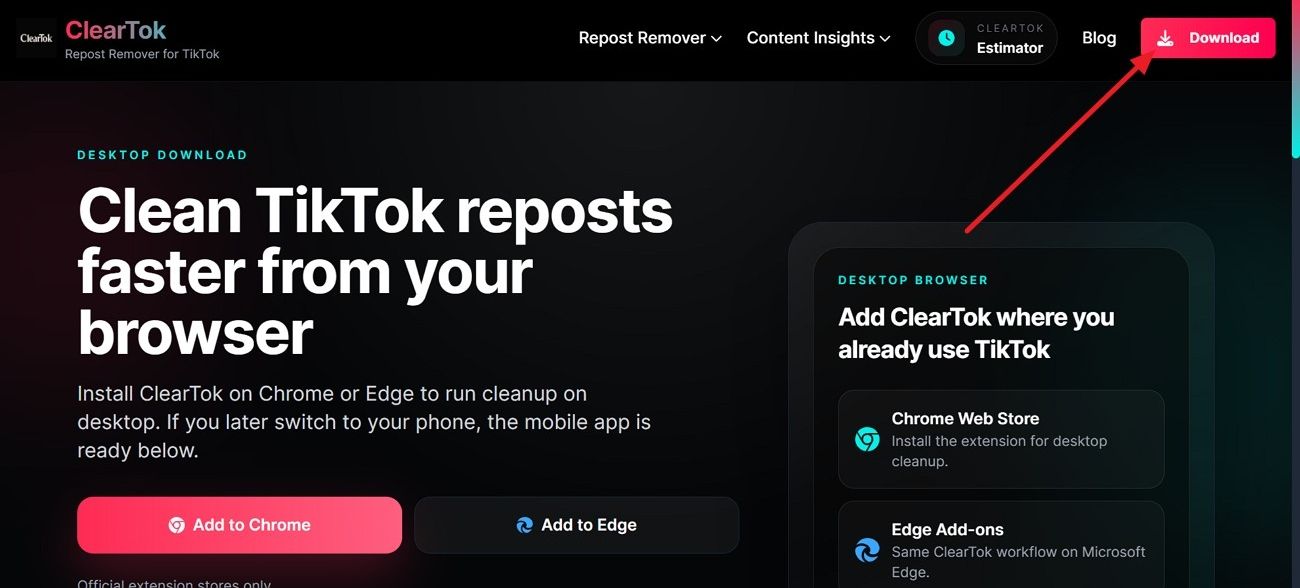
Sambungan rasmi ClearTok
ClearTok ialah alat untuk membuang repost TikTok dengan lebih cekap. Gunakan sambungan Chrome atau Edge, atau pasang aplikasi mudah alih pada iPhone, iPad atau Android.
Sambungan rasmi
Gunakan hanya sumber rasmi ClearTok dan ikut arahan pada skrin peranti. Chrome Web Store
sumber rasmi ClearTok only for downloading and installation. Choose the correct device and official source.
sumber rasmi ClearTok only for downloading and installation. Avoid unsafe copies and modified APK files.
Installation shortcuts
sumber rasmi ClearTok only for downloading and installation. Use desktop or mobile according to your TikTok routine.
Persediaan selamat
Selepas anda memilih peranti, prosesnya hanya beberapa langkah yang selamat. Chrome, Edge dan Firefox menggunakan sambungan desktop, manakala iPhone, iPad dan Android menggunakan apl mudah alih. Mulakan di halaman Download ClearTok untuk mendapatkan versi yang betul bagi peranti anda.
Gunakan hanya sumber rasmi ClearTok dan ikut arahan pada skrin peranti.
Gunakan hanya sumber rasmi ClearTok dan ikut arahan pada skrin peranti.
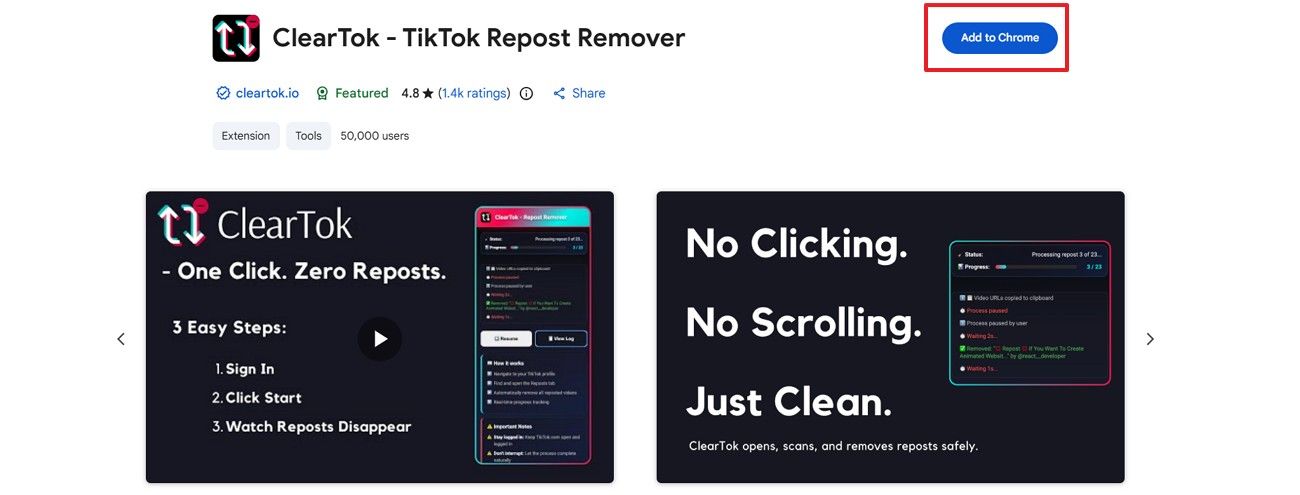
Gunakan hanya sumber rasmi ClearTok dan ikut arahan pada skrin peranti.
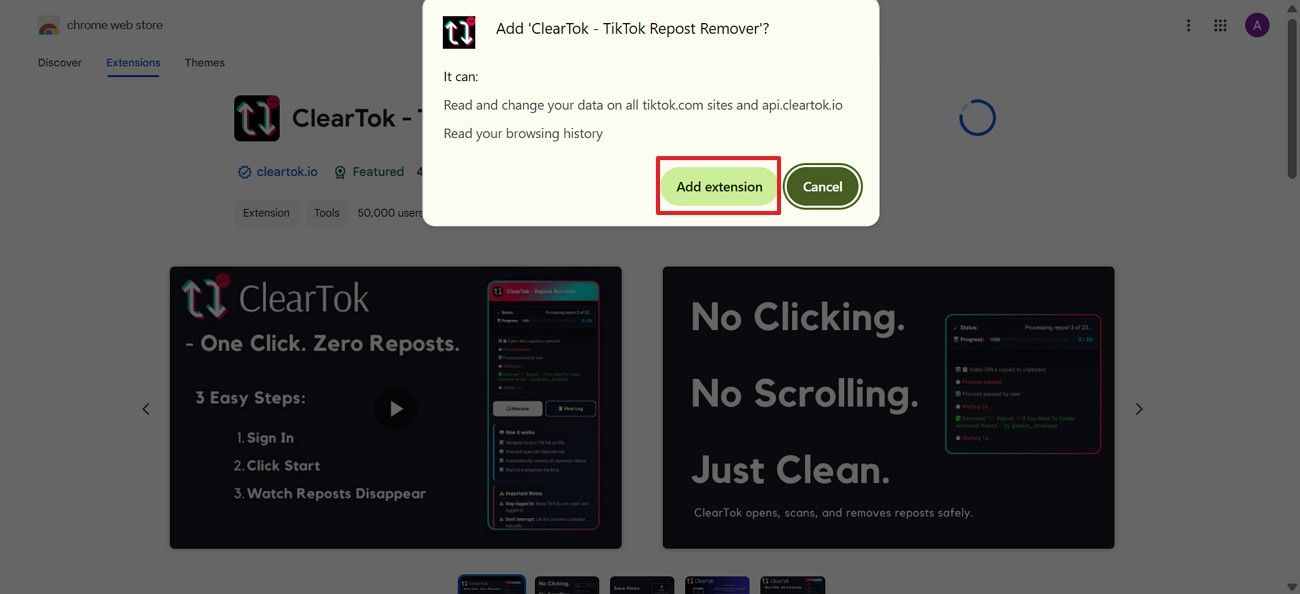
Gunakan hanya sumber rasmi ClearTok dan ikut arahan pada skrin peranti.
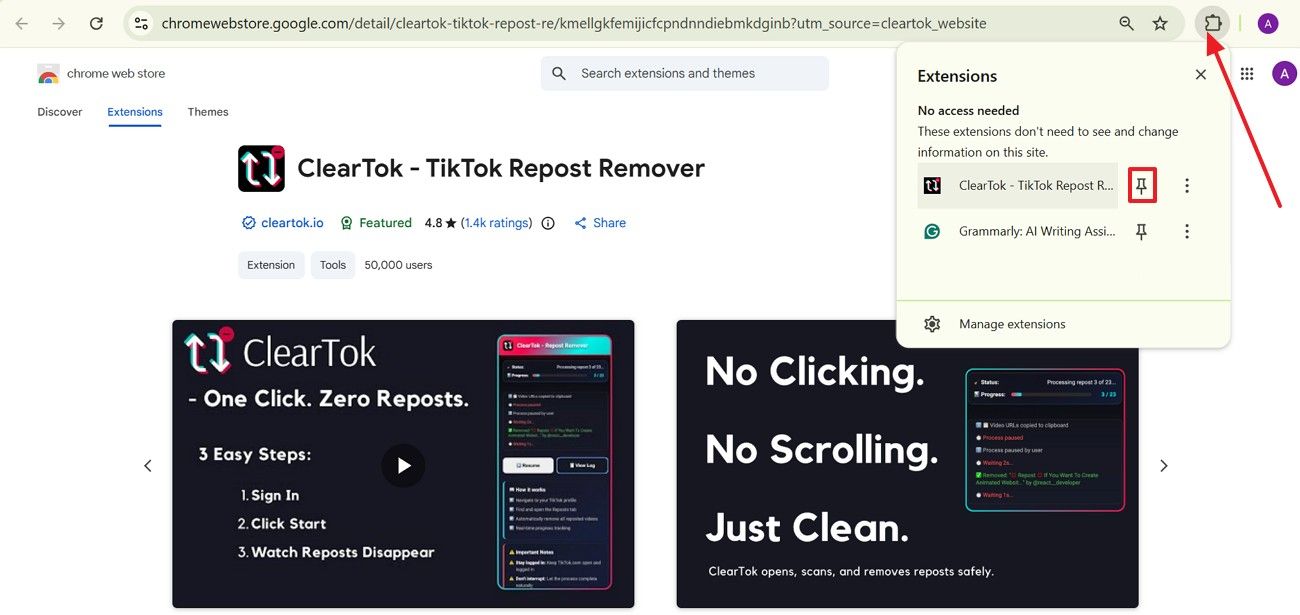
Lebih suka menggunakan apl rasmi ClearTok pada telefon atau tablet? Pasang daripada App Store atau Google Play, kemudian lengkapkan langkah persediaan.
Gunakan hanya sumber rasmi ClearTok dan ikut arahan pada skrin peranti.
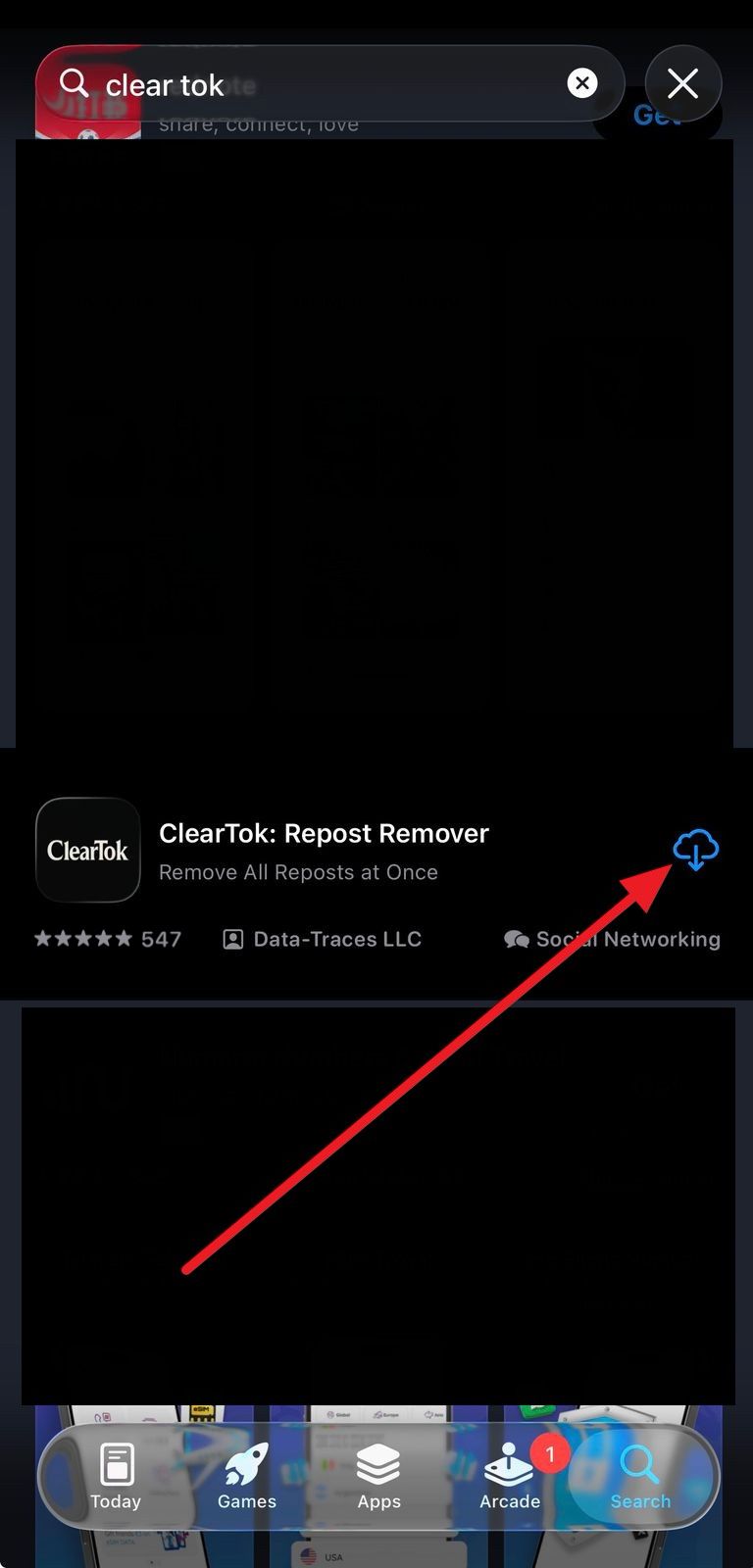
Gunakan hanya sumber rasmi ClearTok dan ikut arahan pada skrin peranti.
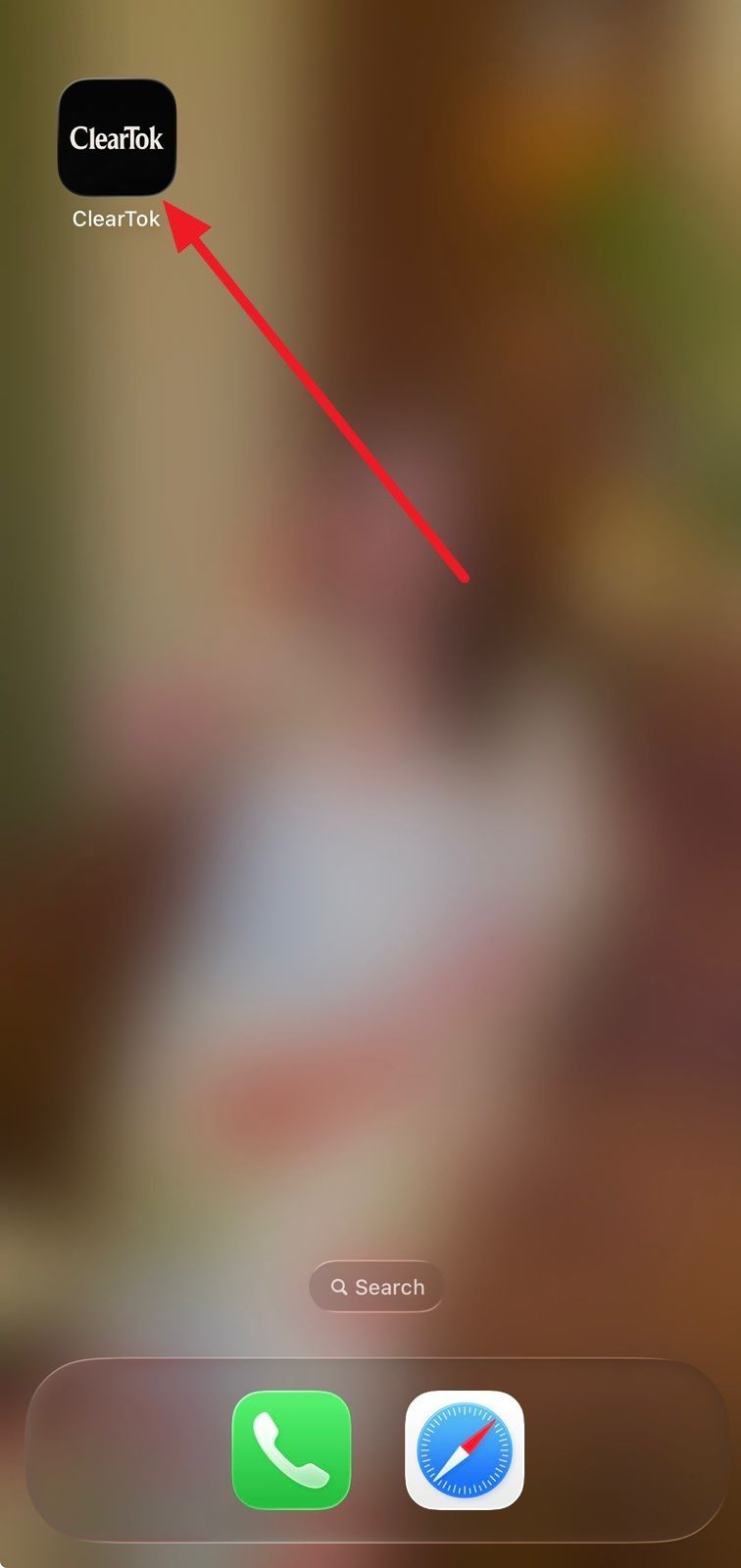
Gunakan hanya sumber rasmi ClearTok dan ikut arahan pada skrin peranti.
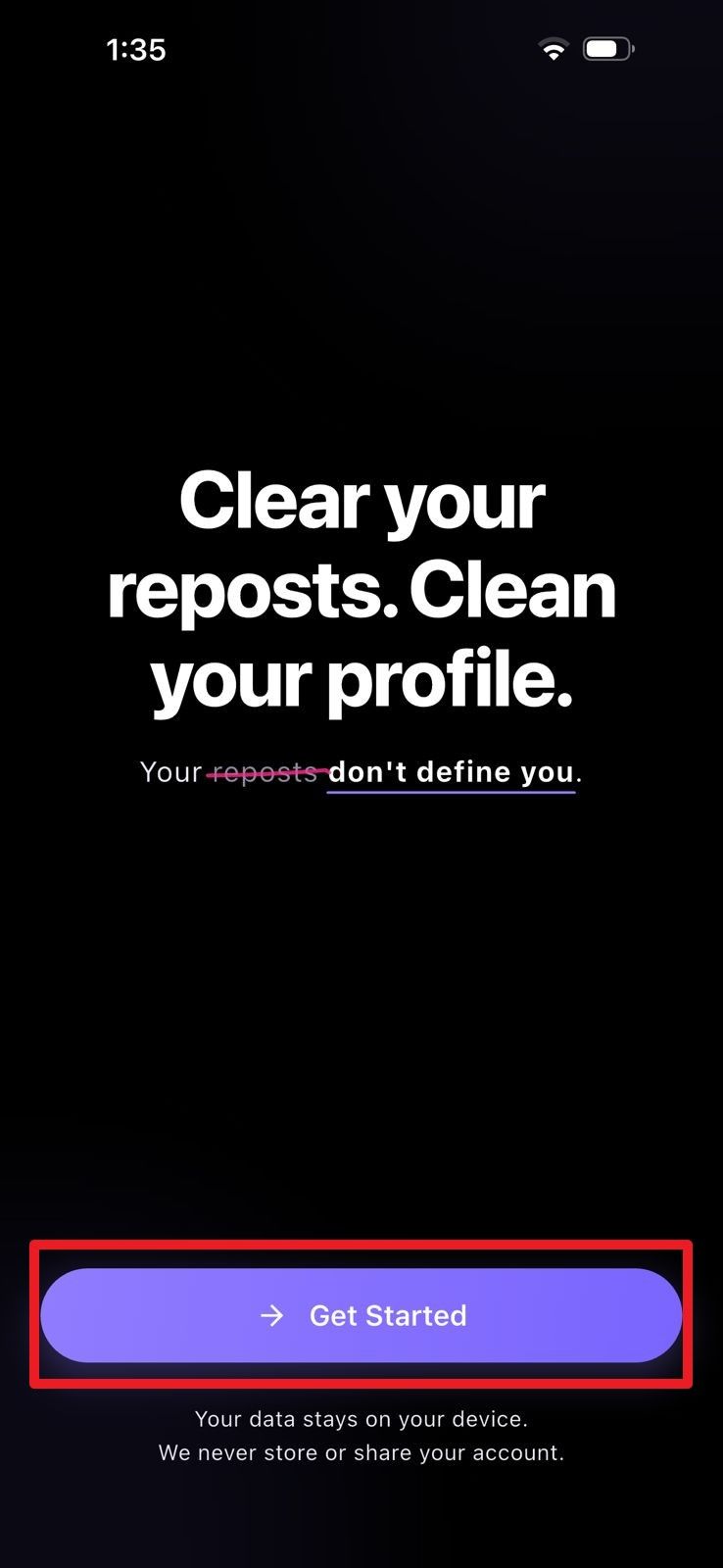
Persediaan akaun
Selepas pemasangan, sambungkan akaun anda melalui sambungan rasmi ClearTok atau apl mudah alih supaya pembuangan repost TikTok berfungsi pada peranti anda.
Mulakan dari panel sambungan rasmi ClearTok, kemudian log masuk ke TikTok melalui halaman log masuk yang dipercayai.
Sambungkan akaun TikTok yang mahu diimbas melalui aliran rasmi ClearTok.
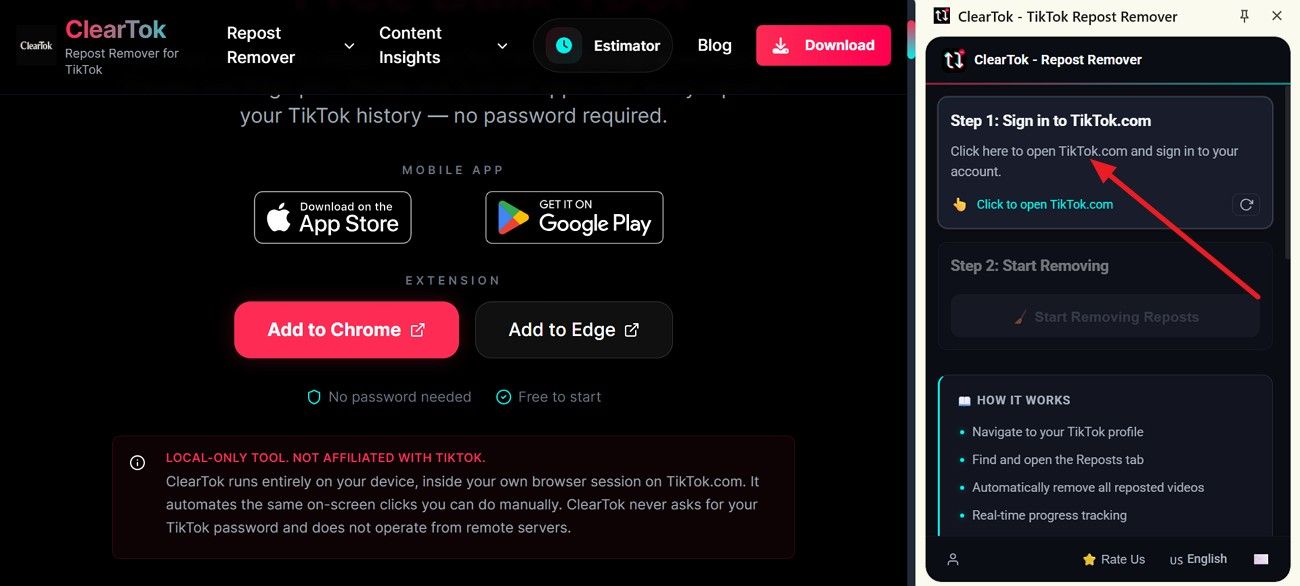
Sambungkan akaun TikTok yang mahu diimbas melalui aliran rasmi ClearTok.
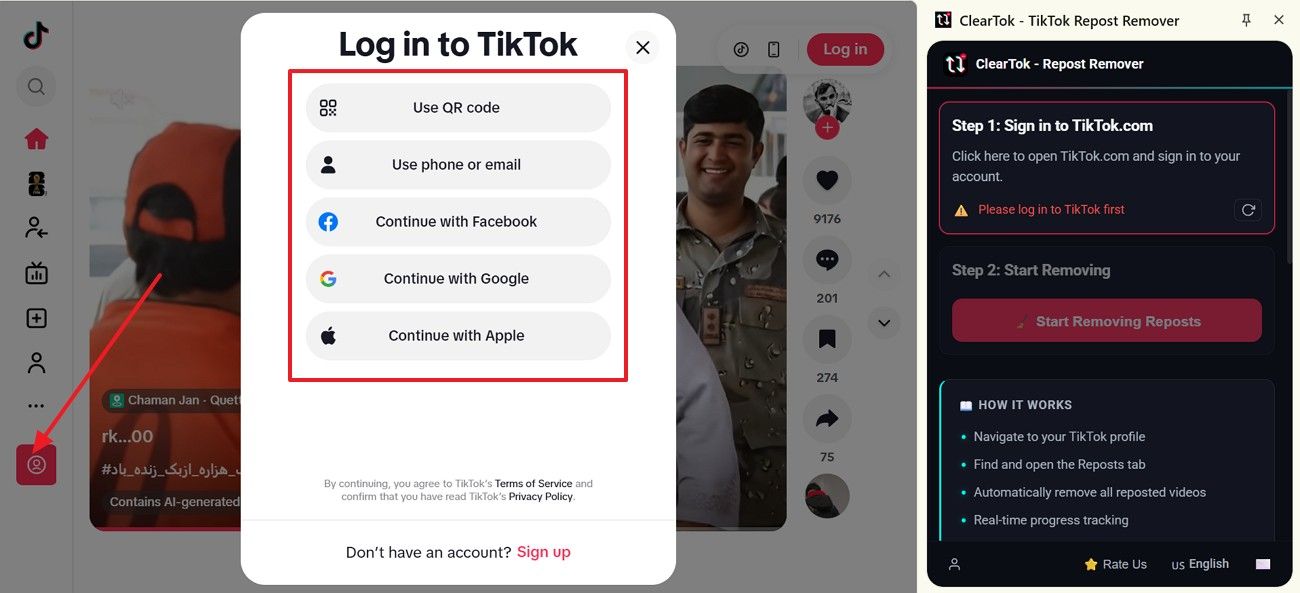
Sambungkan akaun TikTok yang mahu diimbas melalui aliran rasmi ClearTok.
Pada skrin sambungan apl, pilih cara untuk menyambungkan akaun dan lengkapkan log masuk TikTok pada telefon anda.
Sambungkan akaun TikTok yang mahu diimbas melalui aliran rasmi ClearTok.
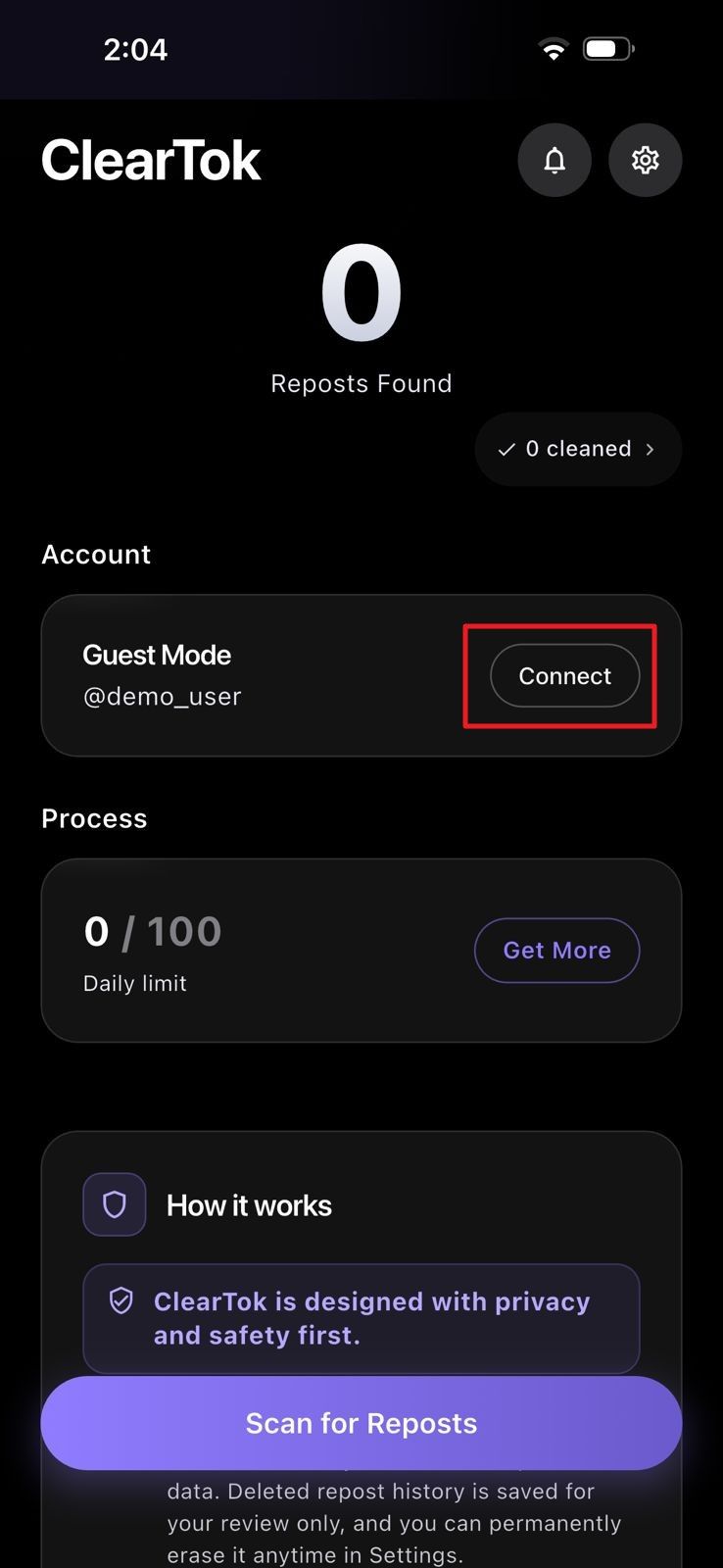
Sambungkan akaun TikTok yang mahu diimbas melalui aliran rasmi ClearTok.
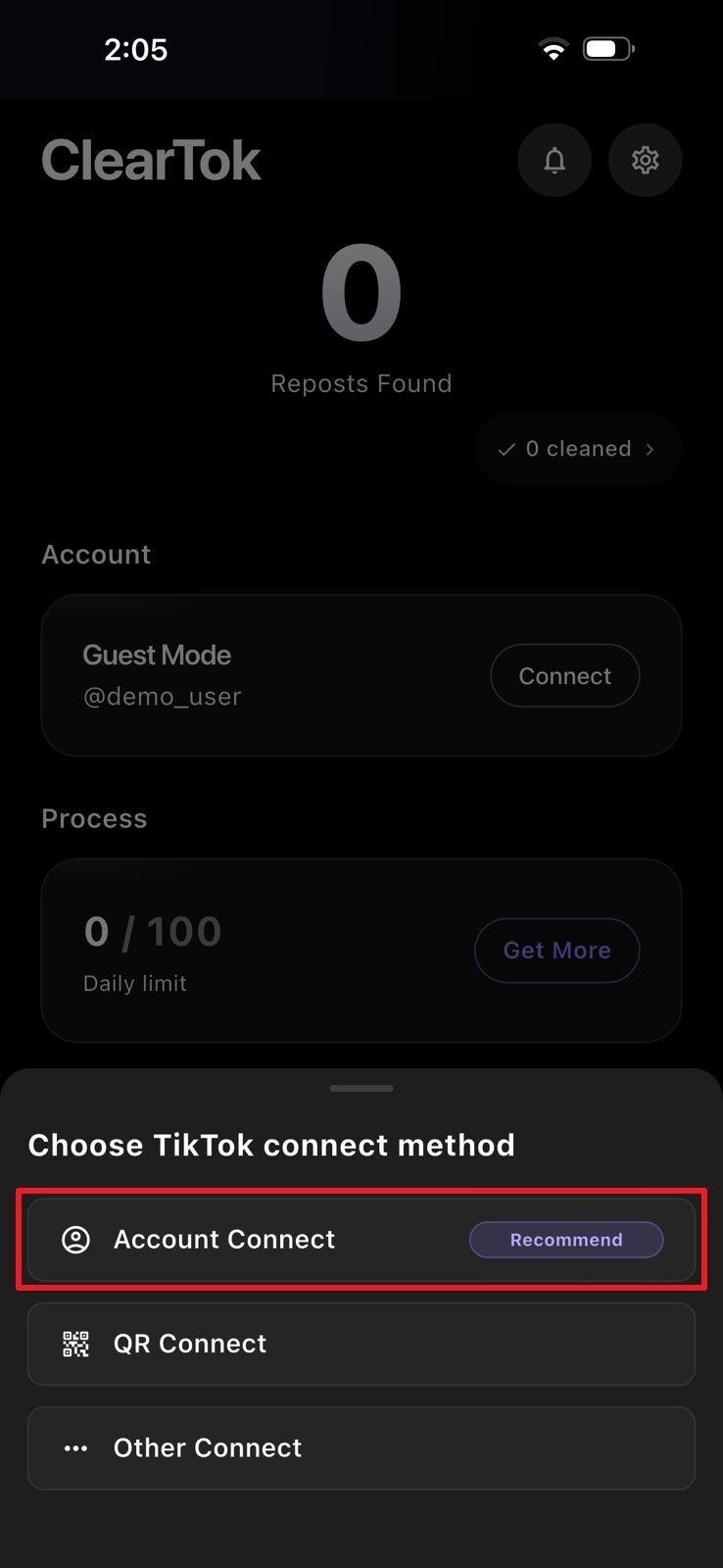
Sambungkan akaun TikTok yang mahu diimbas melalui aliran rasmi ClearTok.
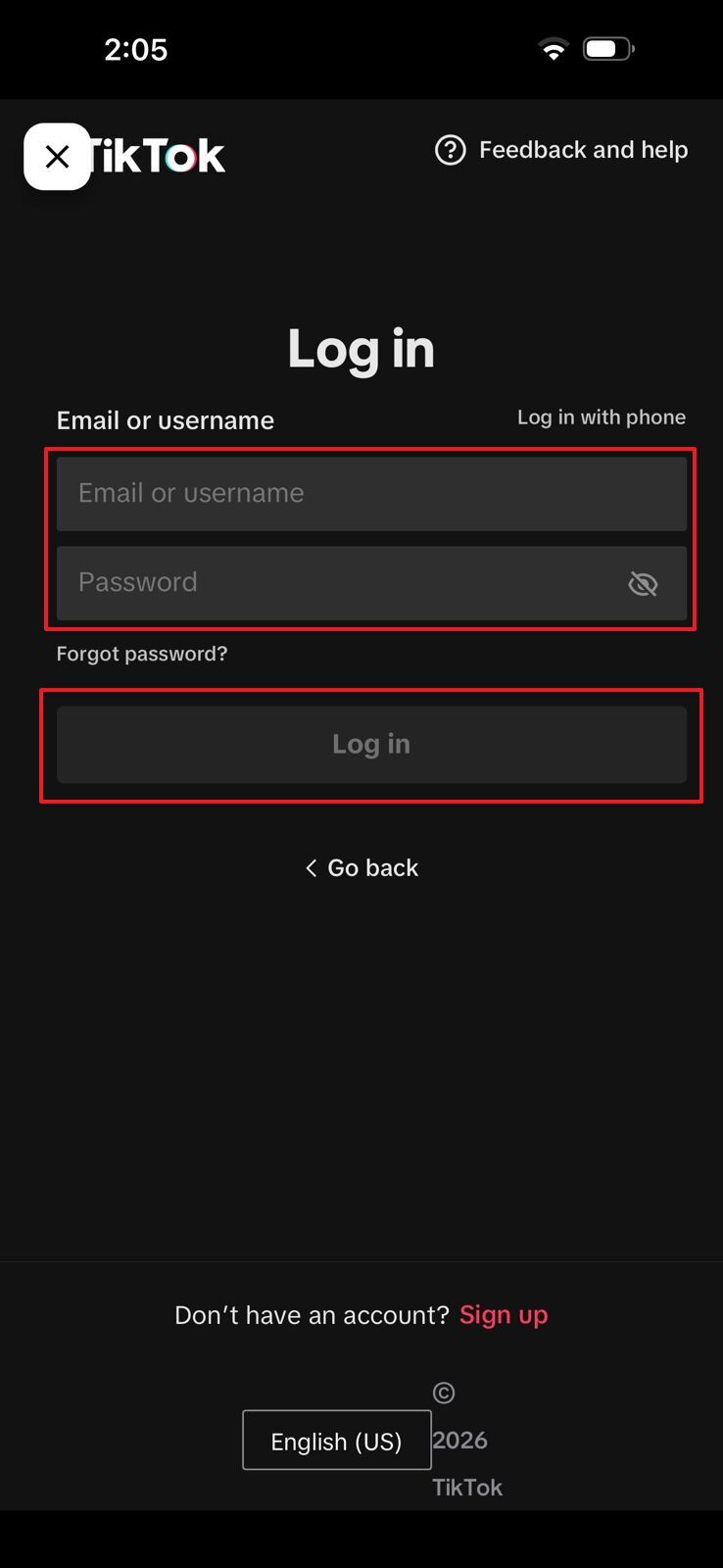
Keselamatan Android
Carian ClearTok APK biasanya datang daripada pengguna Android yang mahu memasang aplikasi di luar gedung aplikasi rasmi. Memasang dari laman web rasmi ClearTok, Google Play atau sumber disahkan yang disediakan oleh ClearTok ialah cara yang lebih selamat. Abaikan halaman APK rawak, fail yang telah diubah dan pautan muat turun yang menawarkan ciri "dibuka kunci".
ClearTok APK sepatutnya hanya datang daripada sumber yang jelas milik ClearTok. Google Play masih pilihan yang lebih selamat kerana ia menunjukkan butiran aplikasi, nama penerbit, kemas kini, ulasan dan maklumat lain sebelum anda memasangnya.
APK rasmi tersedia daripada ClearTok sebagai versi 1.6.7 (44). Muat turun APK rasmikemudian pastikan SHA256 bermula dengan da755231ae3e....
Jangan percaya halaman APK rawak hanya kerana ia muncul di atas dalam hasil carian. Sebelum memuat turun apa-apa, pastikan halaman itu menunjukkan nama aplikasi sebenar, versi semasa, butiran penerbit dan logo rasmi ClearTok.
Fail APK pihak ketiga tidak selalunya selamat kerana seseorang mungkin mengubahnya sebelum anda memuat turunnya. Fail ini boleh menyembunyikan penjejak, halaman log masuk palsu, perisian hasad atau ciri rosak yang membahayakan telefon dan akaun anda.
APK mod bukan cara yang selamat untuk menggunakan alat pembuang repost TikTok. Fail sebegini mungkin menjanjikan akses tambahan atau pembersihan lebih pantas, tetapi boleh mendedahkan butiran log masuk anda dan berhenti berfungsi tanpa amaran.
Semak sumbernya sebelum memasang ClearTok pada Android. Gunakan laman web rasmi ClearTok, halaman Google Play atau laluan muat turun lain yang jelas dipautkan oleh ClearTok. Nama aplikasi, ikon, butiran pembangun dan kebenarannya mesti sepadan dengan versi rasmi.
Elakkan pautan APK yang dikongsi dalam ruangan komen, laman perkongsian fail, tetingkap timbul atau kumpulan tidak rasmi. Jika sesuatu halaman mendesak anda memasang dengan cepat, menyembunyikan maklumat asas atau mempromosikan versi mod, tinggalkan halaman itu dan kembali ke pilihan muat turun rasmi ClearTok.
Pilih aliran kerja
ClearTok boleh digunakan pada desktop dan telefon, jadi pilih versi yang sesuai dengan rutin anda. Gunakan sambungan rasmi ClearTok untuk pembersihan di komputer, atau pasang apl mudah alih jika anda lebih suka mengurus akaun dari telefon.
Gunakan sambungan rasmi ClearTok apabila anda mahu ClearTok dalam pelayar desktop. Pilihan ini paling sesuai untuk pengguna yang mengurus TikTok dari komputer riba atau komputer dan mahukan skrin lebih besar untuk membersihkan repost.
Apl mudah alih ialah pilihan yang lebih baik jika anda kebanyakannya menggunakan TikTok pada telefon. Semuanya mudah dicapai tanpa perlu membuka pelayar desktop atau komputer riba.
Anda boleh menggunakan kedua-dua versi bersama jika ClearTok menyokong akaun anda merentas peranti. Pasang sambungan rasmi ClearTok untuk pembersihan di desktop dan apl mudah alih untuk telefon, kemudian log masuk dengan akaun ClearTok yang sama.
Bantuan log masuk
Selepas memuat turun ClearTok, log masuk mungkin gagal jika TikTok tidak aktif, kod QR tamat tempoh atau kebenaran pelayar menyekat akses. Gunakan pilihan di bawah untuk menyambungkan akaun dengan selamat sebelum memulakan pembersihan repost.
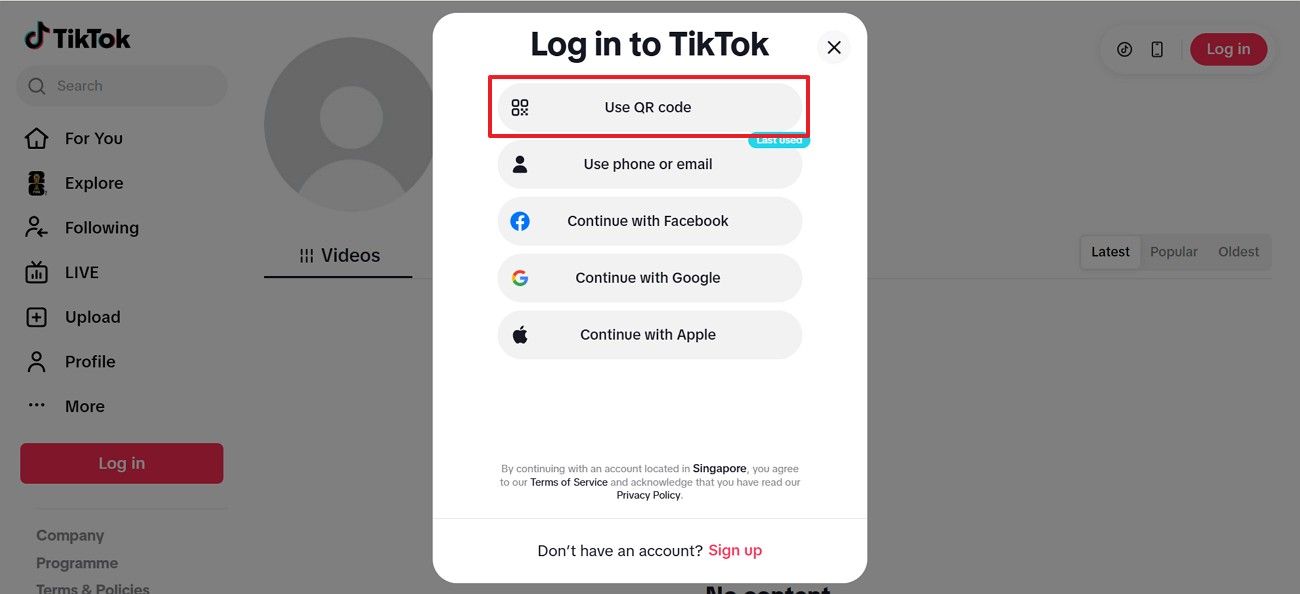
Kod QR berguna apabila anda mahu menyambung ke ClearTok tanpa menaip semula kata laluan TikTok. Buka sambungan rasmi ClearTok atau apl mudah alih, pilih log masuk QR jika ada, kemudian imbas kod itu menggunakan apl TikTok pada telefon anda.
Dekatkan kedua-dua peranti semasa log masuk. Jika kod QR tamat tempoh, muat semula skrin log masuk dan imbas kod baharu. Imbas hanya kod QR yang dipaparkan dalam apl rasmi ClearTok, sambungan rasmi ClearTok atau halaman log masuk TikTok.
Semak rangkaian, kebenaran, storan dan pelayar sebelum memasang semula.
Sokongan pemasangan
Semak rangkaian, kebenaran, storan dan pelayar sebelum memasang semula.
Semak rangkaian, kebenaran, storan dan pelayar sebelum memasang semula.
Semak rangkaian, kebenaran, storan dan pelayar sebelum memasang semula.
Semak rangkaian, kebenaran, storan dan pelayar sebelum memasang semula.
Versi rasmi
Muat turun rasmi mengurangkan risiko fail palsu, log masuk palsu dan kemas kini yang hilang.
Jawapan