
Bulk Repost Cleanup for TikTok, Instagram & X
ClearTok is a local, privacy-first repost remover for TikTok
Remove reposted videos from your TikTok, Instagram & X profile directly in your own browser session. No password required.
Local • Fast • Private • No password required
Independent tool for TikTok, Instagram & X. Not affiliated with or endorsed by TikTok, Instagram or Meta.
Android App Coming Soon!
ClearTok Android - Take your TikTok repost removal on the go
Be the first to know when our Android app launches. Get early access and exclusive features.
💡 iOS version is already available on the App Store!
See ClearTok in Action
Watch our product demo to see how ClearTok cleans up reposts for TikTok in minutes. Simple, local, and easy to follow.
Click to load video
Quick Install
Install the extension from Chrome Web Store in seconds with no complex setup required.
Smart Detection
Automatically identifies and batch selects all your reposted content with 99.9% accuracy.
One-Click Clean
Delete all selected reposts with a single click, completely automated process.
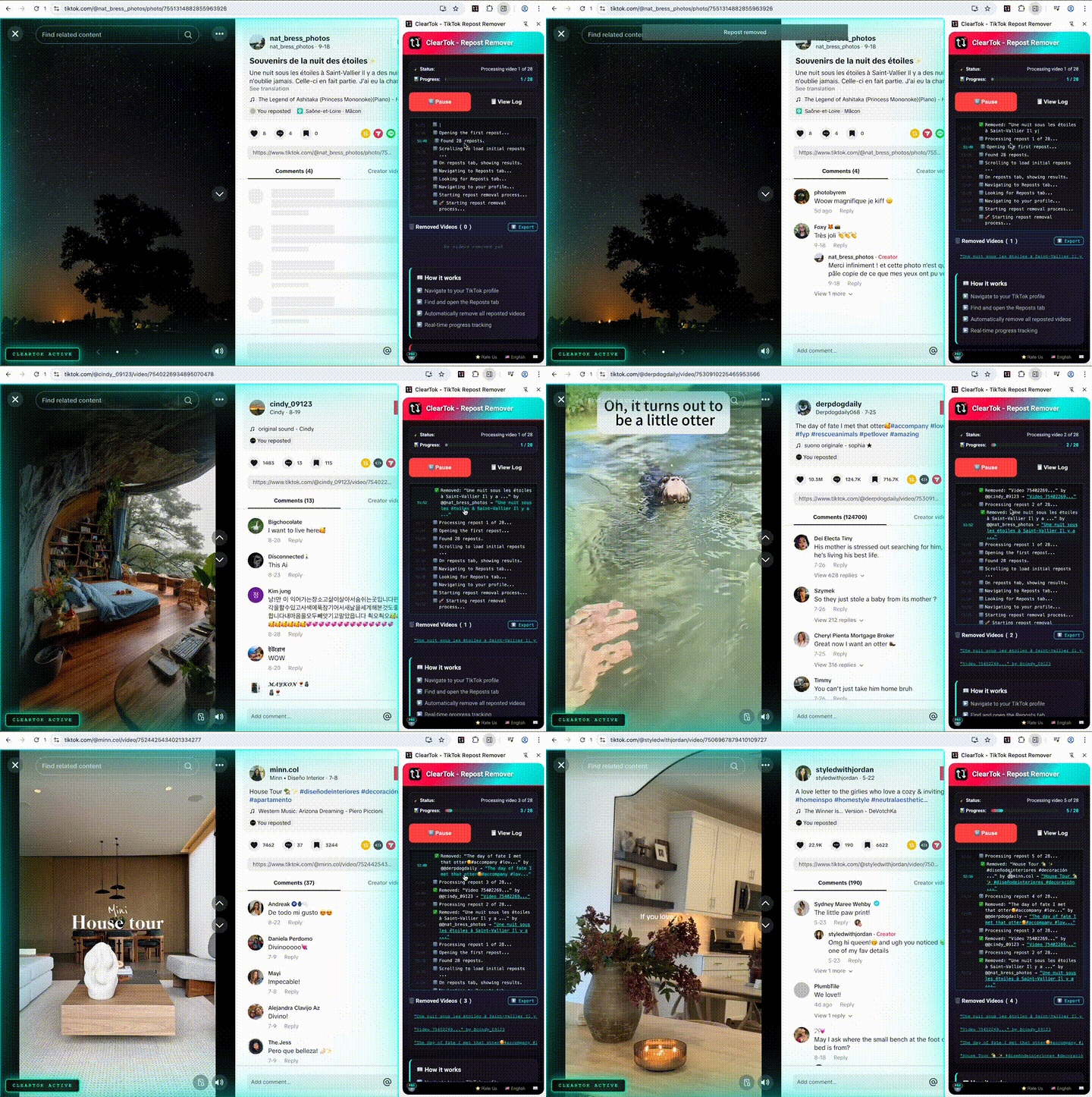
Desktop Extension
Chrome & Edge Auto-clicker
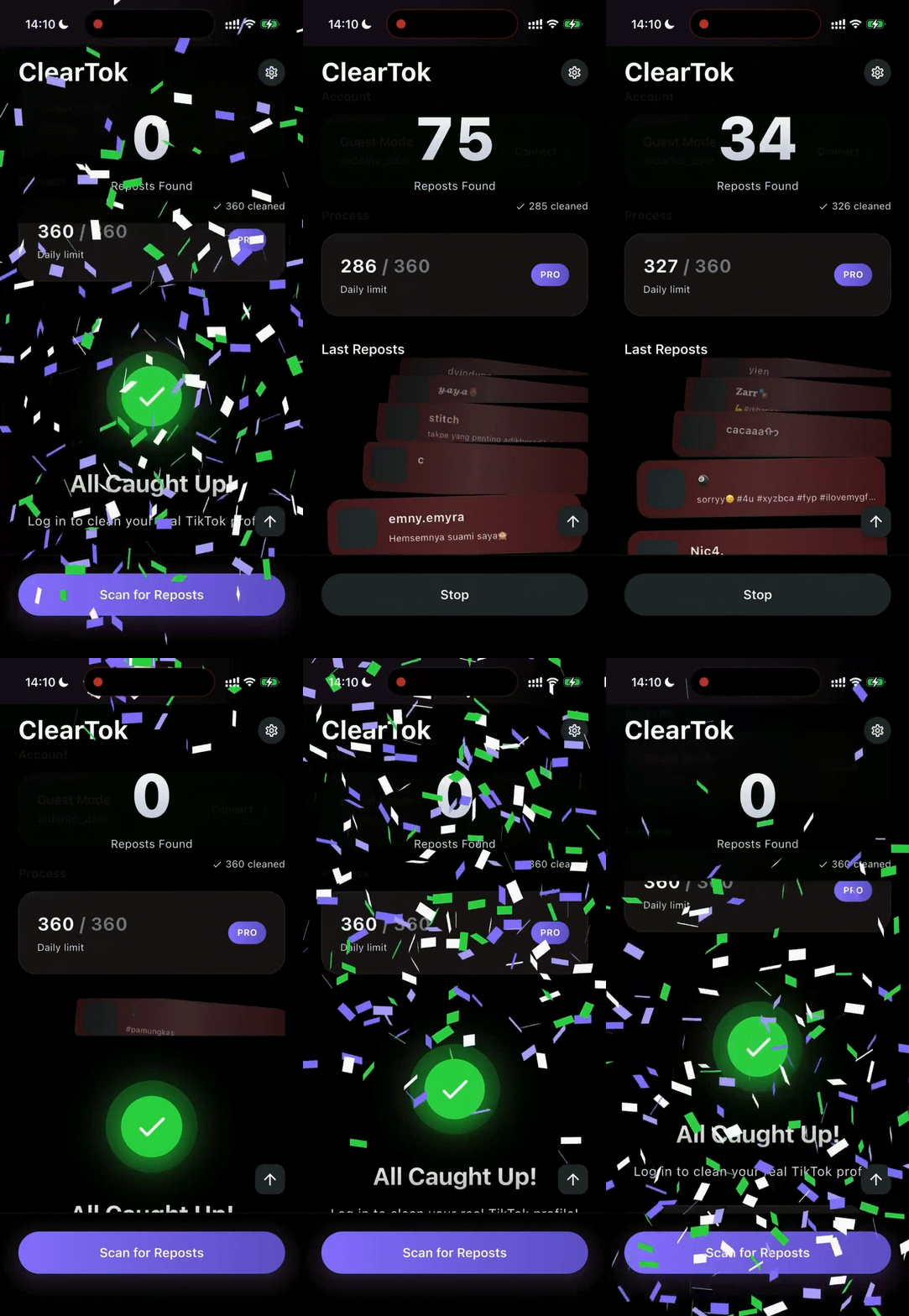
Official iOS App
Bulk Delete directly on iPhone/iPad
Mobile Notice
For the browser workflow, visit TikTok.com on desktop in Chrome or Edge. iPhone and iPad users can also use the ClearTok iOS app.
Key Features
Everything you need from a repost remover for TikTok — fast and safely
Repost Remover for TikTok
Bulk deletion saves hours of manual tapping
Background Operation
Continue working while ClearTok removes reposts in the background
Export Deleted URLs
Download a complete list of all removed video URLs for your records
Real-time Monitoring
Watch removals in real time with detailed progress and stats
Smart Human-Delay
Uses built-in pacing to reduce aggressive action bursts during cleanup
Open-Source Transparency
Review the code and privacy approach — ClearTok is open-source on GitHub
100% Local
ClearTok keeps all actions in your browser session and never asks for your TikTok password
Free to Start
Free to delete 100 reposts per day
Rate Limit Protection
Built-in pacing helps reduce aggressive bursts during large cleanup runs
⏱️ ClearTok Time Estimator
Wondering how long remove all reposts will take?
🚀 With ClearTok
Lightning fast automation
👆 Manual Deletion
One by one clicking
Actual speed may vary with internet connection and TikTok rate limits.
Why Use ClearTok for TikTok Cleanup
Managing reposts on TikTok manually is slow and repetitive. ClearTok helps you clean them up faster in your own browser session.
Accidental Reposts
The repost button sits centimeters from 'Like', leading to unwanted shares.
Brand Consistency
Out-of-niche videos dilute your aesthetic & confuse followers.
Privacy & Digital Footprint
Remove dated or controversial content fast.
No Native Bulk Delete
TikTok does not offer a native bulk remove option. ClearTok automates the repetitive on-screen steps.
How It Works
Three simple steps to clean up your tiktok reposts
Open & Sign in to TikTok Web
Open TikTok Web on desktop, sign in to TikTok.com in Chrome/Edge to get started
Launch ClearTok
Open the 'ClearTok' icon & click 'Start Removing Reposts' to begin the cleanup process
Track Progress
Watch progress in real time as ClearTok works in the background. Switch tabs to multitask and export deleted URLs when it's done
ClearTok helps you clean up reposts for TikTok with a local browser workflow.
Open TikTok Web on desktop, launch ClearTok, and it will remove reposted videos one by one with built-in pacing.
Why Choose ClearTok?
The safest and most efficient way to clean up your TikTok profile
Remove All Reposts
Bulk deletion saves hours of manual tapping
Smart Human-Delay
Mimics natural browsing speed to avoid account flags
100% Local
Data never leaves your browser; we never ask for your TikTok password
Free Forever
No hidden upgrade wall
Rate Limit Protection
Built-in throttling respects TikTok's limits for account safety
Real-time Monitoring
Watch the deletion process live with detailed progress updates
See ClearTok in Action
Take a look at ClearTok's local browser workflow for TikTok and the key steps in action
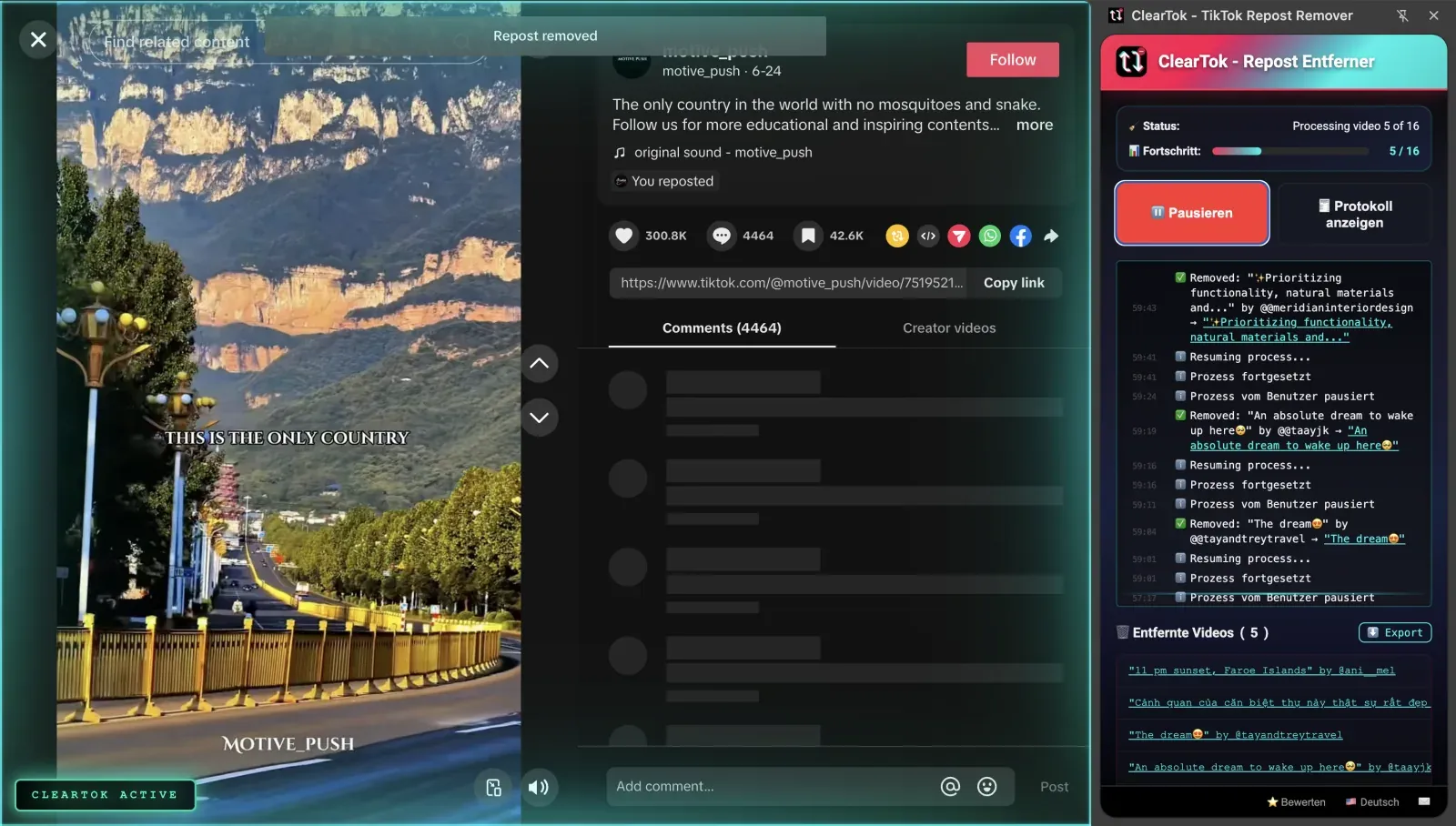
Automated removal of all reposted videos.

One-click bulk removal of all reposted videos.
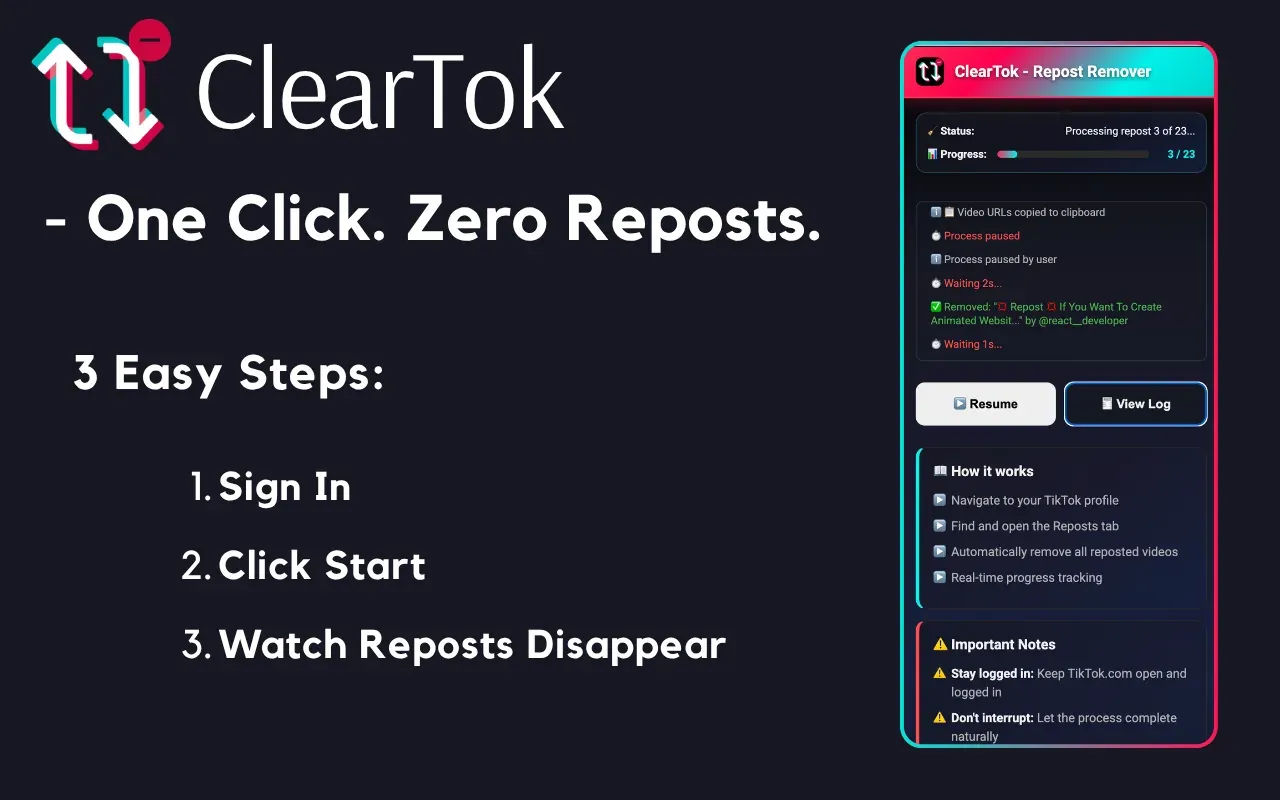
Watch your TikTok cleanup in action
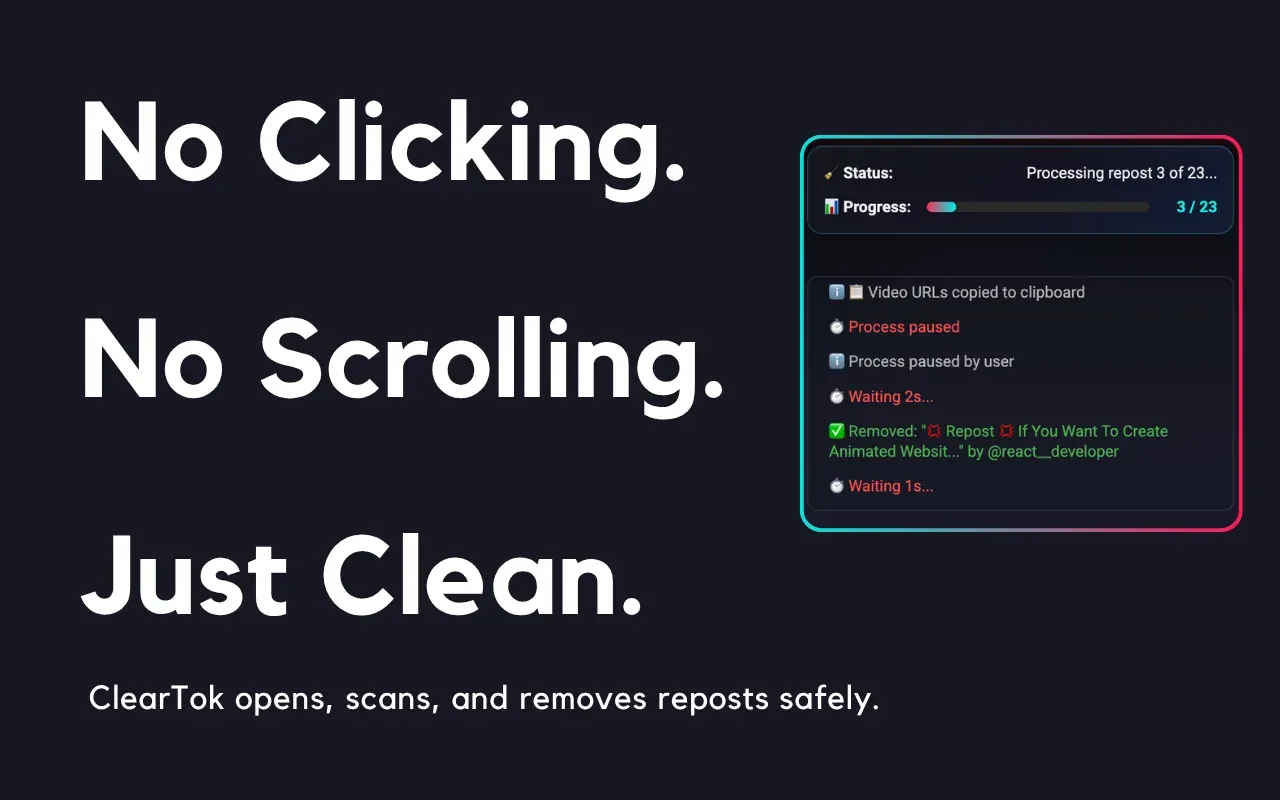
Export deleted URLs and run in background
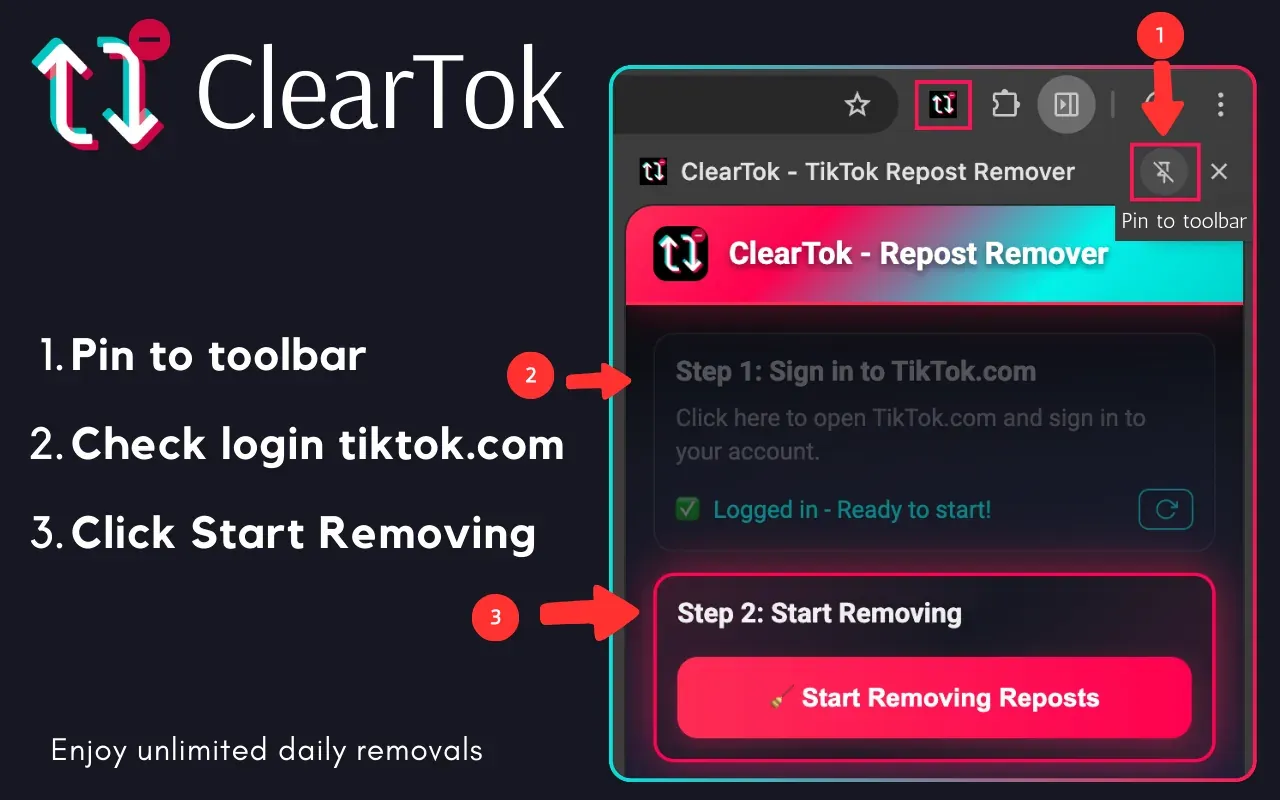
How to use ClearTok for TikTok
✨ All features work seamlessly within your Chrome/Edge browser
Latest from Our Blog
Stay updated with TikTok tips, tutorials, and insights

How to Unrepost on TikTok (Single & Bulk Unrepost Guide 2026)
Learn how to unrepost on TikTok — remove a single repost or unrepost everything at once. Step-by-step guide for mobile and desktop.
How to Check TikTok Repost Count (Free Online Tool)
Want to know how many reposts a TikTok user has? Use ClearTok's free repost checker to instantly count reposts, see trends, and discover top reposted creators.

Comment Supprimer Toutes les Republications TikTok (Guide 2026)
Apprenez comment supprimer toutes les republications TikTok d'un seul coup. Guide étape par étape avec méthode manuelle et outil gratuit ClearTok.
Security & Privacy First
ClearTok runs inside your own TikTok web session and automates the same on-screen actions you can do manually:
Zero External Servers
No trackers, analytics, or data collection
Open-Source MIT License
Available on GitHub for community audit
Easy Uninstall
Remove at any moment—your TikTok account remains intact
Real Chrome Web Store Reviews
These cards link directly to the original extension reviews on the Chrome Web Store.
All shown reviews are 5-star ratings

 TikTok Repost Remover review
"423 reposts deleted in under 40 minutes!"
 TikTok Repost Remover review
"Stopped it midway just to test the control and it stopped instantly. Love that you can cancel anytime."
 TikTok Repost Remover review
"I’m usually super skeptical about tools that manage social media accounts, but ClearTok is great because it requires no password. Since it runs locally on Chrome, I felt much safer using it compared to those shady apps that ask for your login details. It’s a simple, focused tool that does exactly one thing well without any bloat or hidden costs. Secure, free, and effective—highly recommended."
 TikTok Repost Remover review
"Ça s'est arrêté une fois en plein milieu à cause de ma connexion qui laguait, mais j'ai juste actualisé la page et relancé, et c'est reparti direct là où ça s'était arrêté. Franchement, ça reste mille fois mieux que de devoir supprimer 500 reposts à la main un par un. Si vous avez du ménage à faire sur votre compte, foncez."
 TikTok Repost Remover review
"I kept putting off cleaning my TikTok because un-reposting one by one is a nightmare. This extension is legit a lifesaver. It actually deleted everything in seconds. No bugs, and saved me hours of boring clicking. If you want a fresh start without the headache, seriously just use this."
 TikTok Repost Remover review
"In my opinion this is the best i've ever tried. Its amazing and im in love, it works so so good and it's so quick. For sure i would use it forever!!!!"
Why Not Manual Deletion or Other Extensions?
Compare common ways to clean up reposts for TikTok
| Method | Time Needed for 500 Reposts | Risk | Cost |
|---|---|---|---|
| Manual (phone) | ~2 hours tapping | No | Free |
| Random "Cleaner" Extension | Unknown | — | Varies |
| App (Password Required) | Unknown | High | Varies |
| ClearTok (for TikTok) | ~8 minutes | Low | Free |
Frequently Asked Questions
Get answers to common questions about using ClearTok repost remover extension for TikTok cleanup
🚀 Basic Features
Essential functions and core capabilities
⚡ Advanced Features
Background processing, monitoring & export capabilities
🔒 Security & Privacy
Account safety and data protection
🛠️ Installation & Compatibility
Setup, browser support and technical requirements
🆚 ClearTok vs SocialAut
Pricing, platforms (PC vs mobile), safety, and openness
🏆 Comparison & Advantages
How ClearTok stands out from alternatives
Ready to Clean Up Your Reposts for TikTok?
Use a local repost remover for TikTok to clean up reposts faster.
No sign-up • Instant install • Works worldwide