Why ClearTok Is the Best TikTok Repost Remover in 2026
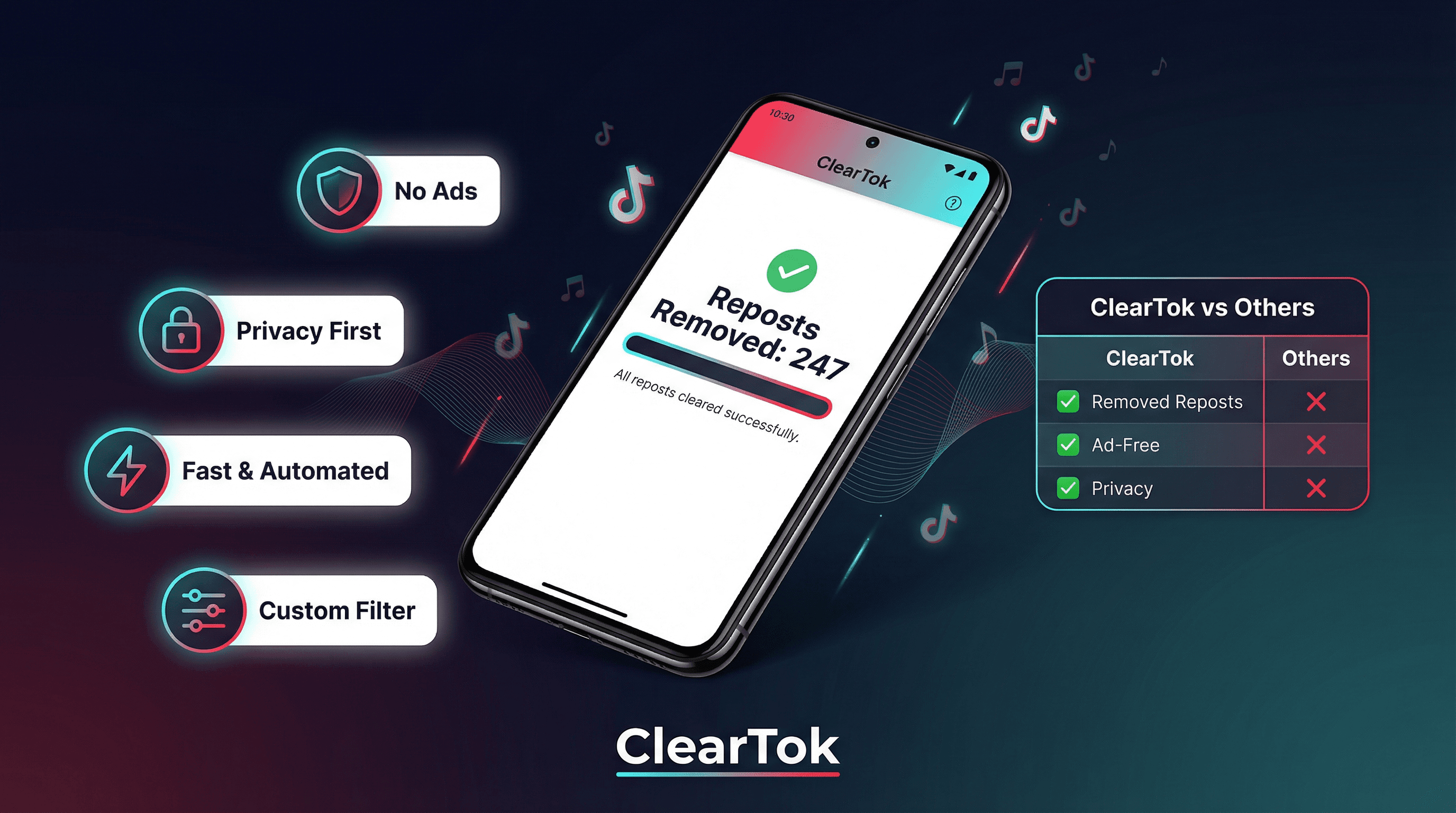
After testing every TikTok repost remover available in 2026, ClearTok stands out for one simple reason: it does exactly what it promises — no ads, no password required, no data harvesting — just fast, automated bulk removal with a Custom Filter that no other tool offers.
The TikTok Repost Problem Nobody Talks About
TikTok's repost feature launched quietly, but its consequences are anything but quiet. Tap "Repost" a few times a week, and within months your profile is cluttered with hundreds of videos you no longer stand behind — content that dilutes your brand, confuses new followers, and makes your profile look like a content graveyard rather than a curated feed.
TikTok still offers no native bulk-remove option in 2026. The only path forward is a third-party tool. And after testing every option available, one tool consistently outperforms the rest: ClearTok.
This is not a sponsored post. This is a practical breakdown of why ClearTok earns the top recommendation — and what makes it meaningfully different from the alternatives.
What Makes a TikTok Repost Remover Worth Using?
Before diving into ClearTok specifically, it helps to define what separates a trustworthy tool from a risky one. Based on hands-on testing, four criteria matter most:
| Criterion | Why It Matters |
|---|---|
| No password required | Tools that ask for your TikTok password are a security liability. Legitimate tools authenticate through TikTok's own web session, not by storing your credentials. |
| No ads or upsells | Ad-heavy tools interrupt the workflow and often bundle unwanted software. A clean, focused tool respects your time. |
| Speed with safety | Removing reposts too fast triggers TikTok's rate limits and risks a temporary account flag. The best tools pace removal intelligently. |
| Precision control | Bulk delete is useful; bulk delete with filters is powerful. The ability to keep recent reposts while removing older ones is a feature most tools simply do not offer. |
ClearTok satisfies all four. Here is the evidence.
ClearTok: The Full Picture
No Ads. Anywhere.
Open ClearTok — whether the Chrome extension or the Android app — and you will notice something immediately: there are no banner ads, no interstitials, no "watch this ad to continue" prompts. The interface is clean, focused, and uncluttered.
This is not a small thing. Many competing tools monetize through aggressive in-app advertising that interrupts the removal process mid-run. ClearTok's revenue model is straightforward: a generous free tier (50–100 reposts per day at no cost, depending on the platform) and a paid plan for users who need unlimited removal. No ads, no dark patterns.
Your Password Never Leaves Your Browser
The Chrome and Edge extension uses a zero-credential architecture. It does not ask for your TikTok username or password. Instead, it operates through your existing browser session — the same session you use when you log into TikTok.com normally. There is nothing to install beyond the extension itself, and no account is required.
All processing happens locally inside your browser. No repost data, no account information, and no personal details are transmitted to external servers. For users who are understandably cautious about third-party tools accessing their social accounts, this architecture is the gold standard.
"ClearTok's Chrome extension never asks for your password. It works through your existing TikTok browser session, so your credentials stay with you — always."
The Android and iOS apps follow the same privacy-first principle: authentication uses your TikTok app session, and all processing runs on-device.
Fast, Automated Removal with Human-Like Pacing
Speed matters, but reckless speed is counterproductive. TikTok's API enforces rate limits, and tools that ignore those limits risk triggering account flags. ClearTok removes reposts with intelligent pacing — fast enough to clear hundreds of reposts in a single session, slow enough to stay within TikTok's acceptable thresholds.
In practice, most users with 100–300 reposts see their profile cleaned within 5–10 minutes. Users with 500+ reposts may need to run the tool across two sessions due to TikTok's daily API limits — but the process is fully automated and requires no manual intervention.
Custom Filter: The Feature That Changes Everything
This is where ClearTok separates itself from every other tool in the market.
Custom Filter lets you define a date threshold for removal. Set it to "30 days," and ClearTok will remove all reposts older than 30 days while leaving your recent activity untouched. Set it to "7 days" for a tighter cleanup. Set it to "all" for a full wipe.
Why does this matter? Consider these real-world scenarios:
- A content creator who reposts trending videos regularly wants to clean up their history without losing the last two weeks of activity.
- A brand account that ran a repost campaign wants to remove all campaign-era reposts while keeping recent organic reposts.
- A personal account that went through a "repost everything" phase wants to quietly clean up without deleting recent reposts that friends have already seen.
No other repost remover offers this level of precision. Custom Filter is available on both the Android app and the Chrome/Edge extension.
ClearTok vs. The Alternatives
The market for TikTok repost removers has grown significantly in 2026. Here is an honest comparison of the main options:
| Tool | No Ads | No Password | Custom Filter | Android/iOS | Chrome/Edge | Free Tier |
|---|---|---|---|---|---|---|
| ClearTok | ✅ | ✅ | ✅ | ✅ | ✅ | ✅ 50–100/day |
| Other Apps | Varies | ✅ | ❌ | ✅ | ❌ | ❌ Paid |
| Other Extension | ✅ | ✅ | ❌ | ❌ | ✅ | ❌ Paid |
Key takeaways from this comparison:
ClearTok is the only tool that covers all platforms (Android/iOS + Chrome/Edge), offers Custom Filter, and maintains a completely ad-free experience. The open-source Chrome extension is a legitimate free option for desktop-only users who do not need filtering. Mobile-only apps are capable for straightforward bulk cleanup but lack the Custom Filter and desktop support that ClearTok provides.
How to Use ClearTok: Step-by-Step
On Android
- Download ClearTok from Google Play
- Open the app and log in with TikTok (or use Guest Mode to avoid creating an account)
- Tap Start Removing Reposts
- Optionally, tap Custom Filter and set your date threshold
- Watch the real-time progress counter as reposts are removed automatically
On Chrome or Edge (Desktop)
- Install ClearTok from the Chrome Web Store
- Navigate to TikTok.com and ensure you are logged in
- Click the ClearTok extension icon in your browser toolbar
- Select Remove Reposts — optionally configure Custom Filter first
- Let the extension run; a progress panel shows removal status in real time
Is ClearTok Safe? Addressing the Security Question Directly
The most common concern users raise about any TikTok tool is account safety. It is a legitimate concern — there are genuinely risky tools in this space that harvest credentials or inject malicious scripts.
ClearTok's safety case rests on three verifiable facts:
1. No credential storage. ClearTok never requests or stores your TikTok username or password. Authentication happens through your existing browser session or app login — the same mechanism TikTok uses for its own web interface.
2. Local processing only. The Chrome extension runs entirely within your browser's sandboxed environment. The Android app runs on-device. Neither version transmits your repost data, account details, or activity logs to external servers.
3. Rate-limit compliance. ClearTok deliberately paces removal requests to stay within TikTok's acceptable thresholds. This protects your account from being flagged for unusual API activity — a risk that less careful tools expose you to.
Removing reposts is a normal account action. TikTok does not penalize users for removing reposts, and a cleaner profile often improves the first impression for new visitors.
Who Should Use ClearTok?
ClearTok is the right choice for:
- Content creators who want a clean, on-brand profile without losing recent activity
- Brand accounts cleaning up after a campaign or strategy shift
- Personal users who went through a heavy reposting phase and want a fresh start
- Android users who previously had no good mobile option
- Privacy-conscious users who are unwilling to hand credentials to a third-party service
The free tier (50–100 reposts per day depending on platform) is sufficient for most users with a moderate repost history. Users with hundreds of reposts will want the paid plan for unlimited daily removal.
The Verdict
Searches for "TikTok repost remover" have grown over 140% year-over-year, and the demand is not slowing down. TikTok's repost feature is too easy to use and too hard to undo natively — which is exactly why tools like ClearTok exist.
Of all the options tested in 2026, ClearTok is the recommendation for one straightforward reason: it is the only tool that combines no-ads experience, zero-credential security, intelligent pacing, cross-platform availability (Android + Chrome/Edge), and the unique Custom Filter feature — all in a single product with a meaningful free tier.
If you have reposts to remove, start with ClearTok. The free tier costs nothing, takes two minutes to set up, and will have your profile cleaned before you finish your next cup of coffee.
This article is based on an independent review originally published on Medium by Andy: Why ClearTok Is the Best TikTok Repost Remover in 2026.
Ready to Try ClearTok?
Stop deleting reposts one by one. Get ClearTok and clean up your entire TikTok profile in minutes.
Browser Extension
Mobile App