

The Best TikTok Repost Remover in 2026: How to Delete All TikTok Reposts at Once with ClearTok
Looking for the best TikTok repost remover in 2026? Here is how to delete all TikTok reposts at once safely with ClearTok on iOS and desktop.
TL;DR
- TikTok still has no native bulk repost management in 2026.
- If you want to remove reposts at once safely, ClearTok is the best choice.
- ClearTok provides both a native iOS app and a privacy-first desktop Chrome/Edge workflow.
If your goal is to find a reliable TikTok all reposted videos remover, this guide is for you.
Why Repost Cleanup Is Still a Problem in 2026
Removing reposts on TikTok is still surprisingly frustrating:
- No native "delete all reposts" feature
- No dedicated repost management page
- Users are forced to remove reposts one by one
- Aggressive unofficial scripts can increase account risk
Whether you are rebranding, cleaning accidental reposts, improving feed relevance, or preparing a creator account, manual cleanup is a major pain point.
Why ClearTok Is the Best TikTok Repost Remover in 2026
Many tools optimize only for speed. That often triggers platform security checks.
ClearTok is built around:
- Account safety with paced, platform-friendly operations
- Privacy-first design with local, visible actions
- Cross-platform coverage for both mobile and desktop users
Product Videos
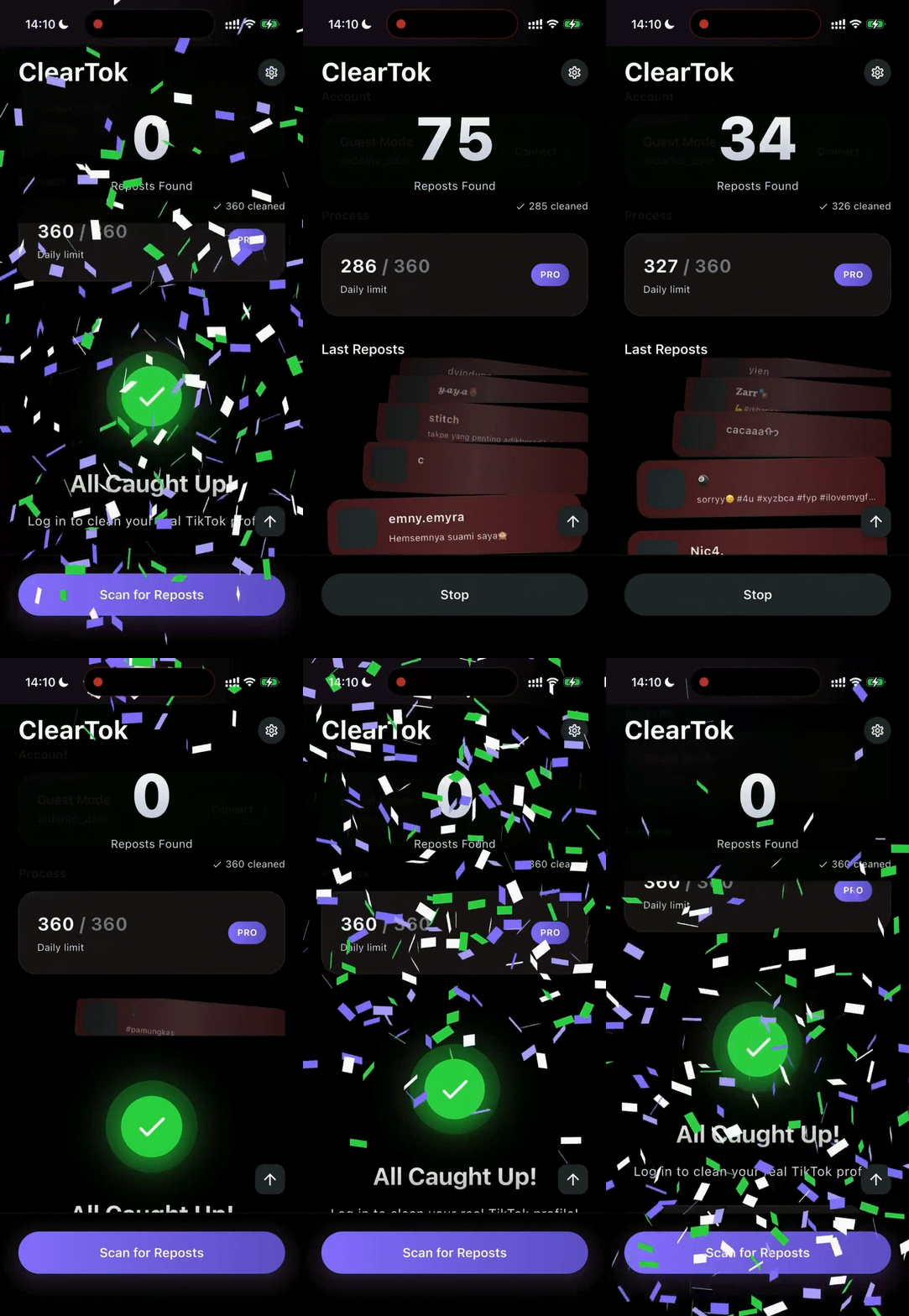
ClearTok for Mobile: iOS Cleanup That Prioritizes Safety
For users who manage TikTok on the go, ClearTok offers a native iOS app:
-
Unmatched Account Safety
Instead of unsafe mass bursts, ClearTok removes reposts step by step with built-in limits. -
Free Daily Quota
You can remove up to 50 reposted videos per day for free, refreshed daily. -
Proven Reliability
Users report stable cleanup even with very large repost histories, including accounts with 5,000+ reposts.
iOS Download
- App Store: ClearTok: Repost Remover
ClearTok for PC: Desktop Workflow for Power Users
If you prefer desktop operations, ClearTok delivers a strong PC experience:
-
Privacy-First Chrome Extension
No separate TikTok password handoff. Actions run locally in your browser. -
Smart Detection + Live Progress
Automatically detects reposted videos and shows real-time removal status. -
Advanced Dashboard
React + Tailwind web dashboard for progress tracking and analytics visibility. -
Non-Destructive Control
User confirmation before removals for safer operation and better control.
Desktop Install
- Chrome: ClearTok Repost Remover
- Edge: ClearTok for Edge
How to Delete All TikTok Reposts at Once with ClearTok
Option A: iPhone / iPad
- Download the app from the App Store.
- Log in via TikTok's official web flow.
- Open your reposts section.
- Start removal and let ClearTok process safely.
Option B: Desktop (Chrome/Edge)
- Install the ClearTok extension.
- Open TikTok in your browser and navigate to Reposts.
- Start cleanup from the extension panel.
- Monitor live progress until completion.
Final Thoughts
If you need the most effective and safest TikTok repost remover in 2026, ClearTok is the clear choice.
It combines:
- a privacy-first desktop extension for creators and managers
- a safety-focused iOS app for on-the-go cleanup
TikTok still lacks native bulk repost tools. ClearTok fills that gap with a practical, secure workflow that helps you reclaim your profile without risky scripts.
Ready to Try ClearTok?
Stop deleting reposts one by one. Get ClearTok and clean up your entire TikTok profile in minutes.